First, measure the available desk space, including the stand, then choose between QHD for more pixels and 16:10 for extra vertical space. For web colours, a suitable sRGB mode is worth checking; USB-C docking is only worthwhile if your laptop, cable and required charging power are compatible.
Which monitor matters for different users?
Designers with limited desk space
If your desk or work surface is narrow, your monitor and stand need to leave enough room while still allowing a suitable viewing distance. The German Social Accident Insurance (DGUV) notes that factors including distance, lighting and glare can affect screen-based work.
Layout and web designers
If you switch between page previews and toolbars, consider whether QHD’s higher pixel count or the extra height of a 16:10 display better suits your workflow. The scaling you choose affects how large text and controls appear.
Designers focused on colour or laptop use
An sRGB mode is worth checking for web design; if you use a laptop regularly, suitable video and charging connections matter too. Manufacturers’ colour coverage figures are no substitute for measurements of the specific device.
What should you look for when buying?
When designing a portfolio homepage on a small desk, the main considerations are usually desk space, usable workspace, web colours and laptop connectivity.
Compact QHD monitor
A good fit if: You want your design and toolbars visible at the same time, and your chosen scaling keeps everything easy to read.
Consider: More pixels don’t solve issues with text size or stand depth; Dell Germany and BenQ Germany offer suitable QHD examples.
24-inch 16:10 monitor
A good fit if: Extra vertical space for page designs matters more to you than QHD’s higher overall pixel count.
Consider: 1920 × 1200 pixels gives you fewer pixels overall than 2560 × 1440; ASUS lists this resolution for the PA248QFV.
Graphics monitor with hardware calibration
A good fit if: You regularly work on colour-critical photography or print projects as well as your homepage, and use a calibration workflow.
Consider: Extra wide-gamut features aren’t automatically necessary for web design alone; EIZO documents hardware calibration and an sRGB mode for the CS2400S.
| What matters |
What to look for |
Who should prioritise it |
| Desk space and positioning |
Measure your desk’s width and depth, then compare them with the monitor’s external dimensions, including the stand. BenQ Germany lists the PD2506Q as 570,0 mm wide and 256,9 mm deep; ASUS Germany lists features for the PA248QFV including height adjustment and VESA 100 × 100 mm. |
If I work at a shallow or narrow desk, I check the stand and possible mounting options first. Around 33 % of consumers put available desk space first. |
| Workspace for designs and tools |
Compare QHD with 1920 × 1200 in 16:10, and check how it looks in your browser and design software at your intended scaling. |
If I want to see page designs and toolbars clearly at the same time, usable screen space at my chosen scaling matters most. Around 27 % of consumers prioritise this workspace. |
| Assessing web colours |
Check the sRGB mode and, if your work is colour-critical, independent measurements of the exact model and colour mode. BenQ Germany’s sRGB figures for the PD2506Q conflict on its product page. |
If I need to assess web colours reliably, I look at the specific colour mode and its characteristics. Around 27 % of consumers prioritise assessing web colours. |
| Laptop connectivity |
Check that your laptop’s USB-C video output, cable and required charging power match the specifications for the monitor’s specific port. |
If I want to connect my laptop as simply as possible, video and power delivery need to be compatible. Around 13 % of consumers prioritise laptop connectivity. |
Common buying mistakes
-
Comparing screen size alone
A 25-inch model can take up considerably more depth once you include its stand; the diagonal measurement doesn’t tell you whether it will fit on your desk.
Measure the available width and depth, then compare them with the manufacturer’s dimensions, including the stand.
If the stand takes up too much room, you may need to position the monitor differently or use a suitable mount. Check that your desk can accommodate the mounting option too.
-
Assuming wide gamut automatically means better web colours
CSS colours are also defined in the sRGB colour space. However, wide colour-space coverage alone doesn’t prove that a specific colour mode is accurate. In its test of the BenQ PD2506Q, PRAD rated the sRGB preset more favourably than the DCI-P3 preset.
Check the colour mode you plan to use and, for colour-critical work, independent measurements of the exact model.
-
Assuming USB-C guarantees a one-cable setup
A USB-C port on a monitor doesn’t automatically mean that your laptop and cable support video transmission and the charging power you need. The stated power figures apply to the specific model in each case.
Check that the video output, cable and charging requirements match the monitor’s specifications.
Depending on the setup, you may still need a separate power supply or a suitable cable.
Brands to consider
Dell
The Pro Plus P2425DE is a manufacturer example of a 23,8-inch QHD monitor with a USB-C hub, suited to a space-limited desk.
- Dell Germany lists a resolution of 2560 × 1440 pixels and height adjustment for this model.
- Resolution alone won’t tell you whether text is comfortable to read at your chosen scaling or whether the stand will fit on your desk.
BenQ
The DesignVue PD2506Q combines a 25-inch screen, QHD and USB-C, which could be useful if web colours and workspace both matter.
- BenQ lists 65 W Power Delivery and an overall depth of 256,9 mm in its technical specifications.
- The German product page contains conflicting sRGB figures. Check the colour mode you plan to use and the specifications for this exact model.
ASUS
The ProArt PA248QFV is a 24,1-inch 16:10 option if extra vertical lines matter more to you than QHD.
- ASUS Germany lists 1920 × 1200 pixels, 100 % sRGB, height adjustment and VESA 100 × 100 mm.
- This model has fewer pixels overall than the QHD monitors featured here; the colour figures are provided by the manufacturer.
EIZO
The ColorEdge CS2400S may interest designers who regularly work on colour-critical photography or print projects as well as their homepage.
- EIZO Germany documents hardware calibration, an sRGB mode and 1920 × 1200 pixels for this model.
- These specialist features don’t prove that a web-only project needs a graphics monitor with additional colour spaces.
Joybuy products for compact workspaces
The Joybuy products below include compact desktop and portable monitor formats. Compare resolution, dimensions and connections with your workflow and laptop.
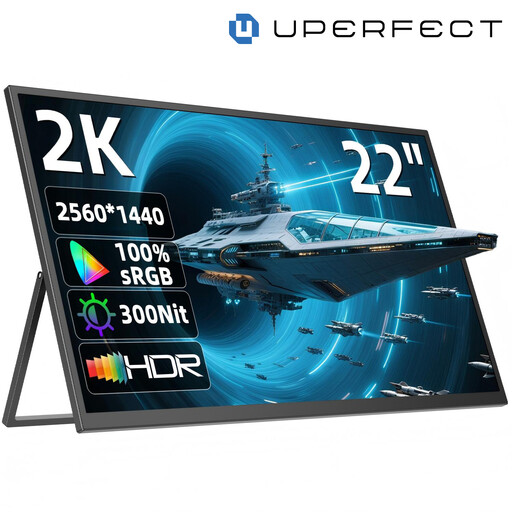 Image unavailable
UPERFECT 22″ 2K Portable Monitor
A compact QHD option if you want to display designs and tools in a limited space.
The product name lists 2560 × 1440 pixels, an IPS panel, USB-C, Mini-HDMI, a 180° adjustable stand and VESA compatibility.
View at Joybuy
 Image unavailable
KOORUI MB24V29FS4 24″ FHD IPS Monitor
A 24-inch option if you want to check its footprint against your desk dimensions before buying.
The product name lists FHD, IPS, 120 Hz, 5 ms, 99 % sRGB, HDMI, VGA, VESA 100 × 100 mm and a tilt-adjustable stand.
FHD has fewer pixels than QHD and fewer vertical lines than 1920 × 1200 in 16:10.
View at Joybuy
 Image unavailable
Acer Vero B247YGbmiqprx 24″ Monitor
The 24-inch diagonal gives you a starting point for planning; check the footprint of the specific model against your desk.
View at Joybuy
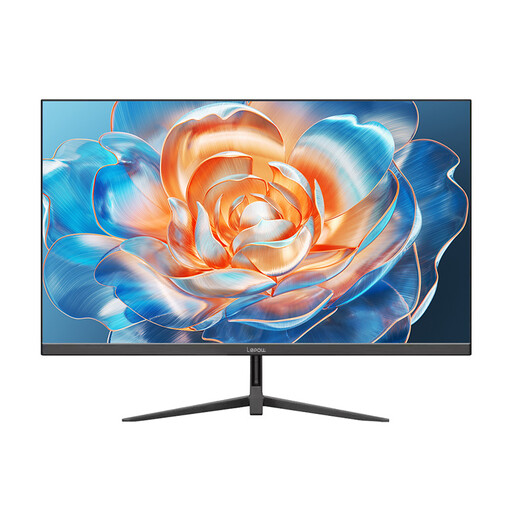 Image unavailable
Lepow HC-24Z2 24-Inch Desktop Monitor
A desktop format to consider for working at your desk; check the actual external dimensions to make sure it fits your space.
The product name lists a 100 Hz refresh rate.
FHD has fewer pixels than QHD and fewer vertical lines than 1920 × 1200 in 16:10.
View at Joybuy
 Image unavailable
UPERFECT Portable Monitor 15.6″
The portable format could be a good choice if a small footprint matters more than a large physical workspace.
The product name lists 100 % sRGB, a built-in adjustable stand, speakers, VESA compatibility and USB-C.
At 15,6 inches, the screen is smaller than the 23,8- to 25-inch examples mentioned above.
View at Joybuy
Frequently asked questions
For a portfolio homepage, is QHD or 16:10 more important?
QHD is a good fit if you want more pixels for designs and tools, and everything remains legible at your chosen scaling. If extra vertical lines matter more, compare a 16:10 model with 1920 × 1200 pixels; the two formats have different strengths.
What should I measure before setting up a monitor?
Measure the available desk width and depth, then compare them with the monitor’s external dimensions, including the stand. Also check whether height adjustment or a suitable VESA mount would work for your setup.
Is an sRGB mode enough to assess web colours?
An sRGB mode is worth checking for web design, but on its own it doesn’t prove the colour accuracy of the specific device. If colour accuracy is particularly important, look for independent measurements of the exact model and colour mode.
Does USB-C automatically give me a one-cable setup for my laptop?
No. The USB-C port needs to be compatible with your laptop’s video output, cable and charging requirements. Check these against the specifications for the monitor’s specific port.
How can I compare a monitor’s energy consumption?
Compare the EU energy label for the specific model; the European Commission explains the efficiency classes for electronic displays. Your personal energy costs will also depend on how you use the monitor and your electricity tariff.


