Print colour proofers
You assess poster colours for a specific print process and can build profiles and calibration into your workflow. Adobe and EIZO explain the importance of a well-matched colour workflow for print.


If you want to assess poster colours for a specific print process, you’ll need a suitable colour space and a well-matched calibration and proofing workflow. A monitor alone can’t guarantee an accurate print. For designing and reviewing work, a clear, easy-to-read workspace and the right connections are important. In a shared office, you should also consider positioning, room lighting and the requirements of all the computers in use.
You assess poster colours for a specific print process and can build profiles and calibration into your workflow. Adobe and EIZO explain the importance of a well-matched colour workflow for print.
You mainly check poster designs, font sizes and spacing on screen. Information from BenQ and ASUS gives practical examples of screen size and resolution on specific models.
You share a monitor or desk with others, so you need to consider positioning, room lighting and different computers. For screen-based workstations in workplaces, guidance from the Federal Institute for Occupational Safety and Health and the Workplace Ordinance is relevant.
The key question is whether you’ll mainly use the monitor to assess print colours, view layout details, or accommodate different people and computers at a shared workstation.
| Priority | What to look for when buying | Who needs this? |
|---|---|---|
| Assess colours for print | Check the output colour space you need and whether calibration and suitable print profiles fit your workflow. | If I’m assessing poster colours for a specific print process, I need suitable profiles and calibration. Around 42% of consumers put print colour control first. |
| Get a clear view of the poster layout | Compare screen size and resolution separately; check text legibility, scaling and the desk space available. | If I want to compare typography, spacing and design variations directly, I need a clear, easy-to-read workspace and suitable scaling. Around 33% of consumers prioritise a clear view of the layout. |
| Share a workstation | Check the adjustment options, reflections at the workstation and the video and charging requirements of every laptop in use. | If different people or computers use the same space, I need a suitable screen position and connections for the devices in use. Around 25% of consumers put suitability for a shared workstation first. |
The display’s specifications don’t describe the whole process, from design to the finished print. The monitor’s condition, output profile and proof also matter.
Start by defining the print conditions, then check that the colour space and calibration workflow are suitable.
Resolution and screen size are two different things. How clearly you can see your design, text and toolbars also depends on scaling and positioning.
Check your usual font size and window layout, and measure the space available on your desk.
The connection alone doesn’t tell you whether a laptop can output a video signal through it or receive enough power to charge.
Compare each computer’s video output and charging requirements with the connections and stated charging power of the specific monitor.
The ColorEdge range is worth considering for workflows that require controlled colour proofing; the CS2740 is one specific model example.
The Creative Pro range covers different colour workflows, with specifications varying by model.
According to the German specifications, the ProArt PA279CRV combines a 27-inch 4K workspace with colour modes and USB-C docking.
The UltraSharp U2725QE is a 27-inch 4K option for a shared desk where a wide range of connections is useful.
These monitors are primarily suited to checking layouts and adjusting the setup at a shared desk; some models also list specifications relevant to a print colour workflow.
 No image available
The stated 4K resolution may be useful for checking detailed layouts; it doesn’t guarantee any particular level of colour accuracy in print.
27 inches, 3840 × 2160 pixels and 10-bit colour depth, according to the product description.
The product information also lists a matte finish and a stand with height adjustment, swivel, tilt and pivot functions.
HDMI and DisplayPort are listed as connections.
 No image available
The adjustable stand may be useful when several people share a workspace.
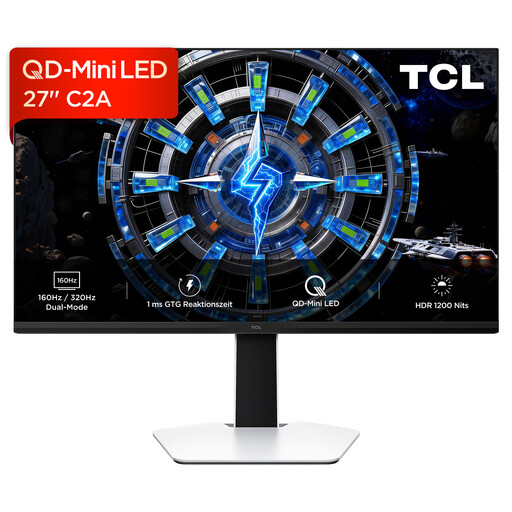
27 inches and a QD Mini LED display, according to the product specifications.
The description lists an adjustable stand and flicker-free dimming.
 No image available
This model may suit a print workflow if its stated AdobeRGB coverage matches the output profile you need; the figure alone can’t guarantee an accurate print.
27 inches and 3840 × 2160 pixels; the product description states 99% AdobeRGB.
USB-C with 90 W Power Delivery, along with HDMI and DisplayPort, is listed.
The stand is described as height-adjustable, with swivel and rotation functions.
 No image available
The listed connection and adjustment options may be useful if several computers and people share the same workspace.
27 inches and 3840 × 2160 pixels, according to the product description.
USB-C with 65 W Power Delivery and an integrated KVM switch are listed.
The stand offers height adjustment, tilt and swivel, according to the description.
 No image available
The QHD workspace may suit layout tasks if the resolution and scaling match the display you want at your workstation.
27 inches and 2560 × 1440 pixels; the product specifications state a refresh rate of 75 Hz.
USB-C with up to 65 W Power Delivery, along with HDMI and DisplayPort, is listed.
The stand offers 150 mm of height adjustment, as well as tilt, swivel and pivot functions.
No, colour gamut coverage alone isn’t enough. To assess a specific print, you also need to consider the condition of the monitor and suitable output profiles.
Check whether each laptop’s connection can output video and what charging power it needs. ASUS states that the PA279CRV offers 96 W Power Delivery; this monitor specification doesn’t confirm compatibility with every laptop.
If it’s a screen-based workstation in a workplace, the Workplace Ordinance and the accompanying ASR A6 are relevant. The Federal Institute for Occupational Safety and Health describes how ASR A6 applies to fixed display screen equipment at such workstations; the term “shared office” alone doesn’t establish a particular employment or operator status.
EU energy labelling covers electronic displays, including monitors, where the specific product falls within its scope. The European Commission lists electronic displays in its product information. Check the label for the exact model rather than assuming its efficiency class from the screen size.