Quiz creators working with lots of sources
If you often compare source text, questions and previews while writing, look for a window layout that keeps text readable at your preferred scaling.


If you often open sources, questions and previews side by side while creating quizzes, first check that the screen size, resolution and text scaling make these windows easy to read at your desk. For long sessions, an adjustable stand can be important. If you work from a laptop, USB-C docking is worth considering only if your laptop and monitor support the video output and power delivery you need. If space is limited, a smaller display may suit you better than extra resolution or features.
If you often compare source text, questions and previews while writing, look for a window layout that keeps text readable at your preferred scaling.
If you spend long periods working at a screen, you should be able to adjust the monitor’s position to suit your desk and your eyesight.
If you regularly connect your laptop at your home desk, check whether a USB-C monitor offers the connections you need and suitable power delivery for your device.
Start by checking your usual window layout, then look at adjustment options and laptop connections, as well as how much desk space the monitor and stand will take up.
| Priority | What to check before buying | Who is it important to? |
|---|---|---|
| Readable windows side by side | Compare screen size, native resolution and text readability at your preferred scaling in your usual window layout. | If I want to see the editor, source and preview at the same time, the text needs to remain readable at my chosen scaling. Around 36% of consumers prioritise having readable windows side by side. |
| Adjustable positioning | Check the height adjustment, tilt and the amount of desk space the stand takes up. | For longer sessions, I want to position the screen to suit my workspace and eyesight. Around 29% of consumers say this adjustability is their main priority. |
| Laptop docking | Check that the laptop’s USB-C video output and charging requirements match the monitor’s video input, Power Delivery and required ports. | If I connect my laptop and peripherals at my desk, I want to know whether the monitor actually supports the features I need. Around 21% of consumers prioritise connecting a laptop. |
| Limited desk space | Consider the usable depth of your desk and the stand’s dimensions. Only plan for extra features if you need them. | At a small desk, I want to keep enough space for my work essentials and may work mainly in one window. Around 14% of consumers prioritise a compact setup. |
Two monitors with the same screen size can have different resolutions. This affects how much content fits on screen at a scaling level that’s comfortable for you to read.
Compare screen size and resolution alongside your usual window layout. A 27-inch Full HD model such as the Philips 273S1/00 and a 27-inch QHD model such as the Dell P2725DE offer different starting points for viewing text windows side by side.
A USB-C port on your laptop alone doesn’t guarantee video output or sufficient charging power. Depending on your device, you may also need a separate charger or additional cables.
Check the specifications for your laptop and the exact monitor model, including video output and power delivery.
An adjustable monitor won’t automatically solve every issue with posture, lighting or individual eyesight. The German Federal Institute for Occupational Safety and Health notes that your screen position, workspace and, where needed, glasses should work together.
Check the adjustment options and plan how to set up the monitor on your desk, rather than treating one comfort feature alone as proof of a suitable working environment.
The Dell P2725DE is a 27-inch QHD option with a USB-C hub.
The Philips 273S1/00 combines a 27-inch Full HD display with USB-C docking.
The ThinkVision T27h-30 is a 27-inch QHD option with docking ports.
The FlexScan EV2490 is a more compact 23.8-inch office option with Full HD and USB-C.
The ProArt PA279CRV is a 27-inch 4K option for quiz text and more detailed work.
The following Joybuy models focus mainly on 27-inch QHD and 4K options for viewing a quiz editor and sources side by side.
 No image available
QHD resolution is an option if you want to arrange an editor and source side by side; check readability at your chosen text scaling.
27 inches, 2560 × 1440 pixels, 144 Hz, 1 ms MPRT, Fast IPS and a height-adjustable stand.
 No image available
The 27-inch QHD specification offers one possible starting point for viewing a quiz editor and source side by side.
QHD, 275 Hz, 1 ms, IPS and a height-adjustable stand.
 No image available
4K resolution may be worth considering if you work with detailed content as well as quiz text; check that the scaling is comfortable for you to read.
3840 × 2160 pixels, IPS, 120 Hz, USB-C with 90 W Power Delivery and a height-adjustable stand.
 No image available
QHD resolution is one option to consider if you want to view several quiz work windows side by side.
2560 × 1440 pixels, IPS, 120 Hz, plus HDMI and DisplayPort connections.
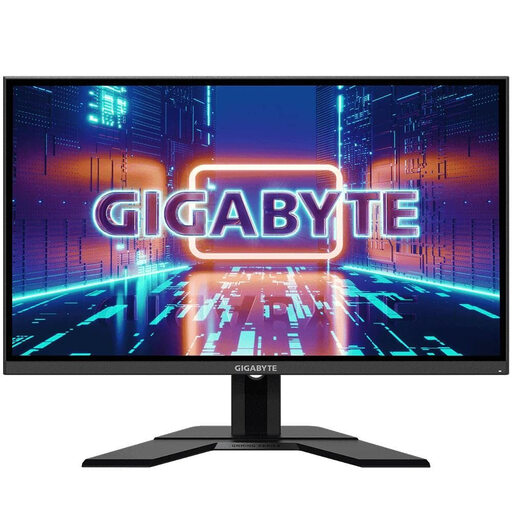 No image available
The 27-inch QHD specification may suit viewing a source and quiz editor side by side; readability also depends on your scaling.
2560 × 1440 pixels, IPS, 165 Hz and an adjustable stand.
Open a typical source and the quiz editor, then check what text size you need. Next, compare screen size and native resolution: Dell lists the P2725DE as 27 inches with QHD, while EIZO lists the EV2490 as 23.8 inches with Full HD. You can’t tell whether a layout will be easy to read from the screen size alone.
Set up your screen and workspace to suit your eyesight. The German Federal Institute for Occupational Safety and Health notes that a poor combination of workspace, screen position and, where needed, glasses can contribute to discomfort. A particular monitor won’t automatically prevent it.
For specific models, compare the EU energy label and the relevant EPREL entry. The European Commission classifies monitors as electronic displays that require energy labelling. Your annual cost will also depend on the model’s actual energy consumption and how long you use it.
No. Working from home does not automatically make a workplace a telework workstation. Under section 1 of the Workplace Ordinance, the provisions set out there apply to telework workstations, including rules on display screen equipment. Whether a particular workplace is covered depends on its legal classification.