Students working with lots of layout windows
If you’re editing recipe text, photos and a page preview at the same time, a well-arranged screen makes everything easier to read.


If you want to work on recipe text, photos and a page preview side by side, start by choosing a screen size that suits your desk and stand. A 27-inch QHD monitor is one option for everyday layout work, while 4K gives you more native pixels for viewing fine detail. If you’re preparing work for print, calibration and a soft proof for the specific print process matter more than a high colour-gamut figure alone. Also check that the monitor’s ports and charging power are compatible with your laptop.
If you’re editing recipe text, photos and a page preview at the same time, a well-arranged screen makes everything easier to read.
If you need to assess recipe photos for a specific print process, calibration and soft proofing should be part of your workflow.
If you use the same desk for other coursework, remember to plan for the monitor and stand alongside the rest of your workspace.
A good fit if: your desk is narrow and you mainly work on recipe text or individual pages.
The trade-off: You’ll have less room for multiple windows and photo details than with the 27-inch QHD or 4K models mentioned here.
A good fit if: you need room for a recipe page, images and tools side by side, and your desk can accommodate a 27-inch monitor.
The trade-off: QHD has fewer native pixels than 27-inch 4K. Also check that USB-C video output and charging power are suitable for your laptop.
A good fit if: you often check fine layout elements and photos, and the interface remains readable at your preferred scaling.
The trade-off: More pixels alone won’t guarantee suitable scaling or a match with the final printed result.
A good fit if: you need to assess colours for a specific print process and intend to use calibration and soft proofing.
The trade-off: Even a monitor that supports calibration needs the right settings and a suitable proof profile for the printer, paper and ink.
| Priority | What to check before buying | Who is this particularly important to? |
|---|---|---|
| Readable workspace | Compare screen size, native resolution and a preview of your usual window layout. | If I need to see the recipe page, photo and tools at the same time, a clear, readable layout matters to me. Around 26% of consumers share this main priority. |
| Photo colours for print | Check the target colour space, calibration options and a suitable print profile for your planned soft proof. | If I need to assess recipe photos for a particular print run, I want to tailor my colour workflow to it. About 21% of consumers put print colours first. |
| Desk space and positioning | Compare the available desk width and depth with the full monitor dimensions, including the stand. | If I need to keep my desk free for other coursework too, it’s important that the monitor and stand fit into my workspace. Around 21% of consumers put available desk space first. |
| Laptop connection | Check your laptop port’s video output, cable, monitor ports and required charging power for the specific models. | If I want to use my laptop with as few connections as possible, the video output and power supply need to work together. Around 16% of consumers put this connection requirement first. |
| Total cost | Factor in any accessories and calibration equipment you need, as well as the energy label for the specific model. | If I need to keep my budget for the monitor and required accessories in check, I also consider the cost of running it. About 16% of consumers put total cost first. |
The printed image can vary from what you see on screen, depending on the print process, material and ink. A colour-gamut figure alone therefore won’t show you what your specific print will look like.
First, decide on the print process and material. If you need to assess print colours accurately, plan for calibration and a suitable soft proof.
If the supplied stand doesn’t fit your workspace, you may need to plan for a different setup or a suitable mount.
A monitor port and stated charging power don’t automatically mean your laptop can output video through it and charge sufficiently.
Check your laptop model’s video output, the cable, the monitor ports and the required charging power together.
Depending on your setup, you may also need a suitable cable, a different video connection or your laptop’s separate power adapter.
The 24B2N3200D/00 and 27E1N1600AE/00 offer a more compact 16:10 option and a 27-inch QHD monitor with USB-C, respectively.
The ProArt PA279CRV is a 27-inch 4K option with selectable colour modes for detailed work and layout views.
The DesignVue PD2705U is a 27-inch 4K option for a design workflow focused on sRGB.
The ColorEdge CS2400S is a 24-inch 16:10 option if hardware calibration is part of your colour-critical workflow.
The Pro P2725QE is a 27-inch 4K option with a USB-C hub for a laptop workstation.
The following Joybuy products include 27-inch QHD and 4K options for recipe page layouts and photo details. Colour-gamut figures don’t replace a print proof for the specific process and material.
 No image available
Its 27-inch QHD resolution makes this a suitable option for everyday page layout, provided the screen and stand fit your desk.
2,560 × 1,440 pixels, Fast IPS panel and height-adjustable stand.
 No image available
This 27-inch QHD model is an option for recipe pages and images if a curved display suits the way you work.
QHD resolution, IPS panel and curved display.
 No image available
Its 27-inch QHD resolution makes this an option for recipe pages and images, but the colour specifications alone don’t guarantee accurate print colours.
QHD, IPS and height-adjustable stand. The product name lists 99% Adobe RGB and 99% sRGB; these figures don’t replace calibration or a soft proof for the print process, paper and ink.
 No image available
4K can help when viewing fine layout elements and photo details, provided the screen fits your desk and the scaling remains readable.
3,840 × 2,160 pixels, IPS, USB-C with 90 W Power Delivery and a height-adjustable stand. Whether the USB-C port charges your laptop depends on its requirements and the connection you use.
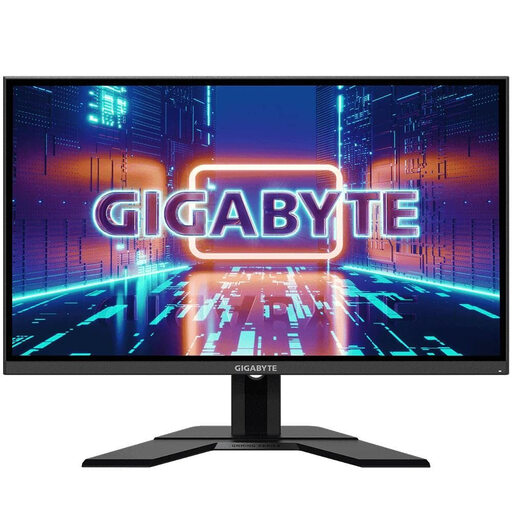 No image available
This 27-inch QHD model is worth considering for recipe pages and images if you have enough desk space.
2,560 × 1,440 pixels and IPS panel.
No, a colour-gamut figure alone isn’t enough. If you want to assess colours for a specific print job, calibration and a soft proof for the print process and material should be part of your workflow. The printer and ink also affect the result.
Only if your laptop port supports the required video output, the cable is suitable and the monitor provides enough power for your laptop. ASUS lists 96 W for the PA279CRV; this figure doesn’t automatically apply to other models.
According to consumer information from the European Union, when you buy from a trader, you’re generally entitled to a legal guarantee of at least two years from the date you receive the goods. This is separate from a voluntary manufacturer’s guarantee. This information doesn’t apply to purchases from private individuals.
No. ASR A6 explicitly excludes the use of display screen equipment in private settings outside workplaces or teleworking environments from its scope. It therefore isn’t a general legal minimum requirement for choosing a monitor for private use.
The European Commission explains that computer monitors have an energy label with efficiency classes from A to G; compare the label for the specific model. The German Environment Agency advises that waste electrical equipment should be collected separately.