For regularly checking fine lines and labels, you’ll want a monitor that shows details clearly and fits the available desk space. A larger 4K model can give you more room for plans and supporting documents. If you switch between laptops, suitable ports, enough charging power and, where needed, a clearly specified KVM switch are also important.
Who this guide is for
People who check plans in detail
If you regularly check measurements, labels and densely detailed drawings, consider how clearly fine details are displayed and whether there’s enough room for supporting documents. The German Social Accident Insurance (DGUV) highlights the potential difficulties of viewing CAD drawings on small, low-resolution screens.
Teams that switch between laptops
If several people or computers use the same workstation, it’s important to have the right video ports and enough power to charge your laptop. A KVM switch can be useful if you want to use the same keyboard and mouse with multiple computers.
People who work in different positions
If you share a desk or work in changing light, check the screen height, viewing angle and potential reflections at the workstation itself. The German Federal Institute for Occupational Safety and Health (BAuA) covers screen-based work in ASR A6 within its stated scope.
What to look for when buying
When reviewing plans at a shared desk, your priorities will depend on whether you’re focused on readability, switching between computers, flexible adjustment or assessing colour.
| Buying priority |
What to check |
Who it matters most to |
| Reading detailed plans |
Try a typical plan to check the screen size, native resolution, text size and scaling. |
If I regularly need to read measurements and legends in detailed drawings, I want to be able to see them clearly at my usual scaling. Around 36% of consumers would put readable plan details first. |
| Switching between computers |
Check the video connection, the laptop charging power you need, and whether there’s a clearly specified KVM switch with the right connections. |
If several people or computers use the same workstation, I don’t want to keep unplugging the keyboard and mouse. Around 29% of consumers would prioritise easy switching between computers. |
| Adjustability and reflections |
Consider the adjustment range, desk space and lighting conditions at your actual workstation. |
If you change seating position or light falls on the screen, you’ll want to adjust the height and tilt to suit and check for distracting reflections. Around 21% of consumers would prioritise an adjustable screen. |
| Colour views |
Check that the colour gamut and colour mode meet the needs of your workflow. |
If you assess coloured plan revisions or renderings as well as lines, you’ll want to check the colour features that matter for your work. Around 14% of consumers would make colour assessment their main consideration. |
Common monitor-buying misconceptions
-
4K doesn’t automatically mean measurements will be easy to read
Even at the same resolution, screen sizes and the scaling required can differ. This means a plan may be easier or harder to read depending on the screen size and settings.
Before deciding, open a typical plan and check the measurements, legend and text at your usual display size.
-
A USB-C hub isn’t automatically a KVM switch
USB-C power delivery and USB ports alone don’t confirm that you can use the same input devices with two computers.
Compare the listed KVM and upstream features with your device setup.
If there’s no suitable switching function, you may need a separate solution for sharing input devices.
-
The same model number doesn’t resolve every specification discrepancy
Dell Germany lists the Dell P3225QE at 100 Hz, while a product description on Joybuy Germany gives 60 Hz and different panel specifications. Don’t assume the details are identical without checking.
Before buying, check the full model variant and the technical specifications that matter for your needs in the specific product listing.
Brands to consider
EIZO
EIZO describes the FlexScan EV3240X as a 31.5-inch 4K office monitor, suited to large plan views and shared workstations.
- EIZO lists USB-C docking, LAN, KVM and up to 94 W Power Delivery for this model.
- Make sure its size, ports and charging power suit your desk and the computers you use.
BenQ
BenQ says the DesignVue PD3205U combines CAD/CAM display options with features for working across multiple computers.
- The spec sheet lists a 31.5-inch screen, CAD/CAM mode, KVM, 90 W USB-C and 99% sRGB for this model.
- The colour mode and gamut specifications apply to the PD3205U and don’t automatically apply to other BenQ monitors.
ASUS
The ProArt PA279CRV is a 27-inch 4K option if desk space is limited and colour assessment is part of your workflow.
- ASUS lists an anti-glare IPS screen, height adjustment, USB-C with up to 96 W and specified colour gamuts for this model.
- Its physical screen area is smaller than that of 31.5-inch models, and the spec sheet consulted doesn’t list a KVM switch.
Dell
Dell Germany describes the Pro Plus P3225QE as a large 4K office monitor with a USB-C hub.
- Dell lists a 31.5-inch screen, 3840 × 2160 at 100 Hz, up to 90 W power delivery and Ethernet for this model.
- A USB-C hub alone doesn’t confirm that there’s a KVM switch. Check separately whether it can switch shared input devices.
Lenovo
Lenovo describes the ThinkVision P32p-30 as a 31.5-inch 4K option for workstations with Thunderbolt 4 laptops.
- Lenovo lists Thunderbolt 4, Ethernet, a USB hub, up to 100 W laptop charging and an adjustable stand.
- Check that your computers support the Thunderbolt and charging features you need.
Joybuy monitors for reviewing plans
This selection features 27- and 32-inch 4K monitors for viewing detailed plans. Some models also list KVM features or adjustable stands.
 No image available
TCL 32X3A OLED monitor, 32-inch, 4K UHD
The 32-inch screen and 4K UHD resolution are worth considering if you’re looking for more room to view plans.
The product title lists 3840 × 2160, OLED+ and an anti-glare screen. Check how clearly a typical plan can be read from your intended seating position.
View at Joybuy
 No image available
CRUA CR320QB, 32-inch curved 4K monitor
The 32-inch screen and 4K resolution are features to consider if you want a larger view of your plans.
The product title lists a curved VA screen, 3000R and 3840 × 2160. Consider whether the curve suits your planned seating position and shared workstation.
View at Joybuy
 No image available
MSI MPG 322URXDE QD-OLED, 32-inch 4K monitor
KVM and adjustable positioning may be useful at a shared workstation; check that they suit your computer setup.
The title lists a 32-inch screen and 3840 × 2160. The product description includes KVM, 98 W USB-C Power Delivery, height adjustment, tilt, swivel and pivot.
View at Joybuy
 No image available
KTC M27P6 UHD Dual Mode White, 27-inch 4K Mini LED monitor
The 27-inch size may suit a workstation with limited desk space. Check the text and plan scale using a typical document.
The product title lists 3840 × 2160, KVM, 65 W Type-C, height adjustment, tilt and swivel.
View at Joybuy
 No image available
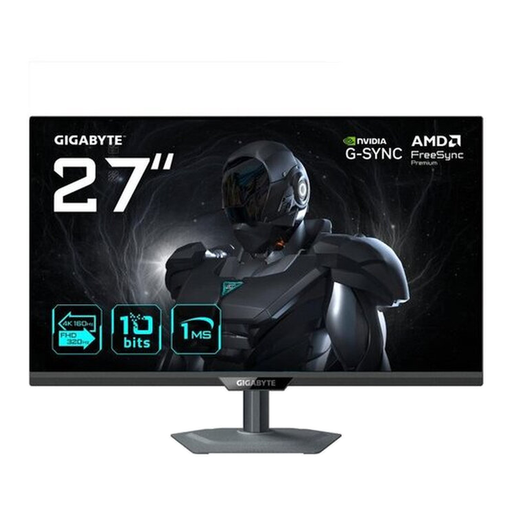
GIGABYTE G27UP, 27-inch 4K UHD IPS monitor
The 27-inch size and 4K resolution are worth considering if you want to check detailed views on a smaller screen.
The title lists 3840 × 2160 and an IPS panel. The product description includes USB-C with DisplayPort Alt Mode, height adjustment, tilt, swivel and pivot.
View at Joybuy
Frequently asked questions
Is a 32-inch monitor the right choice for every shared desk?
No. The right size depends on your desk space and how you work. A larger screen can help if you need to see plans and supporting documents at the same time. If space is limited, consider a 27-inch monitor too, and check how clearly you can read a typical plan at your chosen scaling.
Is USB-C enough to switch easily between a laptop, keyboard and mouse?
Not necessarily. Check the specific monitor for video transmission, Power Delivery and a clearly specified KVM switch with the right connections for sharing input devices.
How should the monitor be adjusted when someone else takes over?
Adjust the height and tilt to suit your seating position and viewing distance, then check whether light sources cause distracting reflections at the workstation. The German Federal Institute for Occupational Safety and Health’s ASR A6 applies to screen-based workstations within its specified scope.
Does German health and safety law require a particular 4K monitor for reviewing plans?
The ASR A6 consulted doesn’t require any of the models mentioned here under the relevant requirements. For a workplace, you should assess the suitability of the entire setup within the applicable scope, not just the stated resolution.
What should I bear in mind when cleaning the monitor?
Follow the care instructions in the manual for the specific monitor you buy, taking its screen surface into account.


