If you mainly use a screen reader, choose a monitor based on the visual tasks you need to do, the connections you need and a suitable setup – not on resolution as a supposed accessibility feature. If you also use your residual vision or regularly check scans, compare QHD and 4K at your usual scaling. More native pixels do not guarantee more readable screen space or better accessibility. The portal itself needs to be tested separately with a screen reader and keyboard: the Federal Service Consolidation Accessibility Portal highlights reading order, alternative text and semantic markup.
Who this monitor comparison is for
Portal builders who mainly use a screen reader
If you work mainly with text and navigation using speech output, consider your choice of monitor separately from the portal’s accessibility. The Federal Service Consolidation Accessibility Portal describes screen readers as assistive technology and highlights the importance of reading order, alternative text and semantic markup.
Portal builders with residual vision
If you combine a screen reader with visual work, you’ll need to balance font size, scaling and screen position. Berufsförderungswerk Düren recommends keeping the top line of the screen no higher than eye level.
People working with historical image sources
If you also check scans, photos or maps visually, consider the level of detail and the screen space left at your chosen magnification together. EIZO and Philips both list 4K resolution for the models considered here; that doesn’t automatically mean a particular scan will be easy to read.
What to consider when choosing
Mainly use a screen reader
Best suited to: If you work with portal text and navigation mainly through audio or other assistive technologies, start by choosing a monitor that suits your connections, space and setup.
Trade-off: Extra pixels won’t improve screen reader output. Test the portal’s workflows separately with a screen reader and keyboard.
Consider 27-inch QHD for visual work
Best suited to: If you view text or sources alongside speech output and can read them side by side at your preferred font size, QHD could be a starting point worth testing.
Trade-off: The 27-inch QHD models listed have fewer native pixels than the 27-inch 4K models listed. Whether the view is readable for you also depends on scaling.
Compare 27-inch 4K monitors for visual archive work
Best suited to: If you regularly check maps, photos or scanned documents visually, compare 4K models at a scaling level that you can read comfortably.
Trade-off: A higher native resolution doesn’t guarantee more usable screen space when magnified, and isn’t an advantage in itself if you mainly use a screen reader.
| Priority |
What to check before buying |
Who it matters most to |
| Screen reader use |
Assess your choice of monitor separately from testing the portal with a screen reader and keyboard. |
If I mainly work with audio, I want to know which tasks I actually need to do visually. Around 36% of consumers put screen reader use first. |
| Readable visual displays |
Check font size, scaling and screen position in your usual working view. |
If I need to see text and controls alongside speech output, I want to be able to make them out clearly with my preferred display settings. Around 29% of consumers prioritise a readable visual display. |
| Details in historical sources |
Compare representative scans with the tools visible at the same time, using your usual scaling. |
If I check maps, photos or scans visually, I want to assess image details and screen space together. Around 21% of consumers place the greatest importance on visually checking historical sources. |
| Connections and setup |
Check your computer’s video output and power requirements against the specifications of the specific monitor model. |
For my laptop setup, I want to know whether the connections and power supply are compatible. Around 14% of consumers put connections and workspace setup first. |
Common misconceptions when buying a monitor
-
High resolution is no substitute for a screen reader test
The accessibility of portal navigation and content depends, among other things, on reading order, alternative text and semantic markup – not just the number of pixels on the screen.
Test the relevant portal workflows separately with a screen reader and keyboard.
Working on portal structure and text alternatives may require additional editorial or technical steps.
-
4K doesn’t automatically mean more readable screen space
More native pixels don’t necessarily mean you can read more content at once when using the magnification you need.
Compare the editing view and historical source at your usual scaling before deciding how much resolution matters.
-
USB-C doesn’t guarantee the single-cable setup you want
Video output and charging power need to be compatible with your laptop. BenQ lists 65 W for the GW2790QT; EIZO lists a maximum USB-C power delivery of 94 W for the EV2740X.
Check your specific computer’s video output and power requirements against the specifications for the monitor model.
Depending on your laptop, you may need a separate power supply or a different connection.
Monitor brands worth considering
Dell
The P2725DE and P2725QE are 27-inch monitors with QHD and 4K resolution respectively.
- Dell Germany lists a resolution of 2560 × 1440 pixels for the P2725DE and 3840 × 2160 pixels for the P2725QE.
- The P2725QE’s higher resolution doesn’t prove it works better with a screen reader. Check your preferred scaling and window layout for yourself.
BenQ
BenQ describes the GW2790QT as a 27-inch QHD monitor with USB-C.
- BenQ lists height adjustment, swivel and tilt, pivot and 65 W USB-C power delivery.
- “Eye Care” is a manufacturer’s term. It doesn’t prove that the model prevents individual vision problems or makes a portal accessible.
EIZO
According to EIZO, the FlexScan EV2740X combines a 27-inch screen, 4K resolution and USB-C docking.
- EIZO lists a resolution of 3840 × 2160 pixels, up to 94 W USB-C power delivery and a typical dark-room contrast ratio of 2000:1.
- The contrast ratio doesn’t tell you how readable a particular historical scan will be at your chosen scaling.
Philips
Philips describes the 27E1N1900AE/01 as a 27-inch 4K USB-C monitor with a height-adjustable stand.
- Philips lists a resolution of 3840 × 2160 pixels and height adjustment.
- Manufacturer claims about picture quality don’t prove that scans will remain easy to read at every magnification level.
Joybuy products for visual portal and archive work
This selection includes monitors for additional visual work on a portal, from a portable second screen to QHD and 4K displays.
 No image available
UFYQL M156F04, 15.6 inches, FHD 1080P
Described as a portable second screen for laptop work; check that its connection options are compatible with your computer.
15.6 inches, FHD 1080P, IPS, USB-C and HDMI.
View at Joybuy
 No image available
ASUS ROG Strix WOLED XG27AQWMG, 27 inches, WQHD
A QHD option for visual work; resolution alone doesn’t indicate whether a portal is accessible.
27 inches, WQHD with 2560 × 1440 pixels, WOLED.
View at Joybuy
 No image available
INNOCN 40C1U, 40 inches, 5120 × 2160
For a wide visual workspace; check that the resolution, connections and power supply are compatible with your computer.
40 inches, IPS, 5120 × 2160 pixels, USB-C with 65 W Power Delivery and a height-adjustable stand.
View at Joybuy
 No image available
INNOCN CB27U1, 27 inches, 4K UHD
A 4K option for checking sources visually; test representative scans at your usual scaling.
27 inches, IPS, 3840 × 2160 pixels, USB-C with 90 W Power Delivery and a height-adjustable stand.
View at Joybuy
 No image available
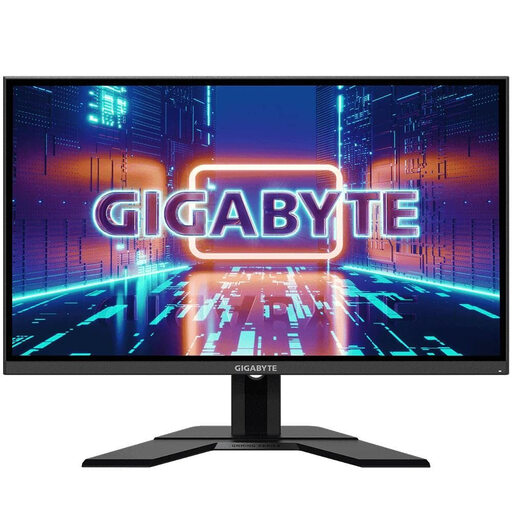
GIGABYTE GS27QA, 27 inches, QHD
A QHD option for visual work; assess readability using your usual font size and scaling.
27 inches, IPS, 2560 × 1440 pixels.
View at Joybuy
Frequently asked questions
Can a 4K monitor make my local history portal accessible to screen reader users?
No. The guidance from the Federal Service Consolidation Accessibility Portal highlights reading order, alternative text and semantic markup as important aspects of testing a screen reader. Check these features in the portal itself; 4K refers first and foremost to the monitor’s image resolution.
How should I position the screen if I also use my residual vision?
Check the height and position using your usual magnification. Berufsförderungswerk Düren recommends keeping the top line of the screen no higher than eye level. According to the manufacturer, the BenQ GW2790QT offers features including height adjustment and pivot.
Is USB-C enough to transfer video and power my laptop?
The connector shape alone doesn’t tell you. Compare your specific laptop’s video output and power requirements with the monitor’s specifications: BenQ lists 65 W for the GW2790QT, while EIZO lists up to 94 W for the EV2740X, as well as DisplayPort Alt Mode on its USB-C input.
What are my rights in Germany if I buy a faulty monitor online?
When you buy goods as a consumer, you have statutory rights against the seller. The Verbraucherzentrale says these rights apply to newly purchased goods for two years from delivery or receipt. Depending on the circumstances, you may also have a right to cancel an online purchase. This is separate from a voluntary guarantee.
Do accessibility rules for public bodies or online services automatically apply to my local history portal?
No, you can’t determine this from the portal’s historical subject matter alone. Requirements at federal and state level may apply to public bodies and local authorities. The BFSG covers electronic commerce services under the stated conditions, where an offer is aimed at concluding a consumer contract. Which rules apply to your portal depends, among other things, on who runs it, the federal state and the functions it offers. Your choice of monitor won’t determine this.


