Choose a monitor based on how much you need to see or magnify alongside your screen reader. If you do most of your work non-visually, suitable computer connections and a well-set-up workspace matter more than the highest possible resolution. If you work with code, a browser and testing views side by side, compare QHD and 4K at your usual scaling settings. If you use a laptop, check video output, USB-C power delivery and the connections you need. A monitor is no substitute for a screen reader or a separate usability test of the portal.
Who should consider their monitor choice?
Screen reader users with little need for visual access
If you develop and test the portal mainly using speech output or Braille, your monitor should suit the visual tasks you still need to do and your workspace. NV Access describes speech and Braille as NVDA's output methods.
Developers who also use magnification
If you magnify text or interfaces as well as using a screen reader, consider your scaling settings, viewing distance and screen position. INCOBS points out that a larger monitor does not automatically magnify content; Microsoft Support describes the features of Windows Magnifier.
Developers using a laptop
If you switch between a laptop and a fixed workstation, check that the video connection and any docking features are compatible with your laptop. Dell Germany and EIZO Germany list different USB-C and connection options for their respective models.
What should you look for when buying?
First, work out how much visual work you do alongside using a screen reader. Then choose a screen size, scaling settings and connections that suit your workspace.
| Consideration |
What to check before buying |
Who is this important to? |
| Usability when working with a screen reader |
Which visual checks do you need to carry out, how much space do you have, and is your computer's connection compatible with the model? |
If I work mainly with speech output or Braille, I need screen space mostly for occasional visual checks. Around 33% of consumers prioritise non-visual use. |
| Readability with additional magnification |
Try text scaling and magnification from your usual seat, and check whether you can position the screen comfortably. |
If I also use magnification, I want to be able to make out text and interfaces clearly with my usual settings. Around 33% of consumers put their magnification needs first. |
| Space for code and portal views |
Compare your window layout at your usual scaling settings. Dell Germany lists the P2725DE as a 27-inch monitor with 2560 × 1440 pixels, and the P2725QE as a 27-inch monitor with 3840 × 2160 pixels. |
If I check code, documentation and portal views side by side, the usable window space at my chosen scaling is what matters. Around 25% of consumers prioritise having development windows open side by side. |
| Laptop connection and docking |
Check that video output, cables, charging requirements and the connections you need match the specifications for the specific monitor. EIZO lists USB-C with DisplayPort Alt Mode and up to 94 W power delivery for the EV2740X. |
If I work on a laptop, I check video output, charging and connections for my peripherals first. Around 9% of consumers prioritise laptop docking. |
Common buying pitfalls
-
Assuming a larger screen automatically makes text bigger
How easy content is to read also depends on scaling and viewing distance. Using a resolution below the native resolution can affect picture quality.
If possible, try your magnification settings and usual window layout before making your final choice.
-
Assuming USB-C will provide a suitable single-cable docking solution
A USB-C port on the monitor alone does not guarantee video output or enough power for your laptop.
Check your laptop, cable and exact monitor model connection by connection.
Also check whether any cable you need is included in the box.
-
Taking an office monitor review as a screen reader test
PRAD's office monitor list assesses picture quality, ergonomics and connections, among other things, but it does not assess the accessibility of the portal you are developing.
Use hardware reviews to help choose a monitor, then test the portal's focus, labels and workflows separately with the screen reader you use.
Brands to consider
Dell
According to Dell Germany, the P2725DE and P2725QE are both 27-inch models, with QHD and 4K resolution respectively. You can compare these resolutions using your actual scaling settings.
- Dell lists 2560 × 1440 pixels for the P2725DE and 3840 × 2160 pixels for the P2725QE.
- Resolution alone does not tell you how well you will be able to work with a screen reader or magnification. Check the connections on the specific version you order, too.
EIZO
According to EIZO Germany, the FlexScan EV2740X combines 27-inch 4K resolution with USB-C docking, LAN and KVM.
- EIZO lists DisplayPort Alt Mode over USB-C and power delivery of up to 94 W.
- Maximum power delivery does not guarantee compatibility with every laptop. Check your computer and cable against the exact model.
LG
According to LG Germany, the LG 27UP850K-W is a 27-inch 4K model with an adjustable stand.
- LG lists 3840 × 2160 pixels, along with tilt, height and swivel adjustments.
- HDR and colour gamut specifications do not demonstrate that a monitor is better for screen reader use. Check the full connection specifications for your laptop.
Joybuy products
The models below are options for additional visual checks of code and portal views. They differ in screen size, resolution and connections, among other things. You will still need a separate screen reader for speech output or Braille.
 No product image available
INNOCN 40C1U 40-inch ultrawide monitor
For viewing code and portal pages side by side, if a wide workspace suits your setup.
40 inches, 5120 × 2160 pixels, 21:9; USB-C with 65 W Power Delivery, HDMI and DisplayPort; height-adjustable stand.
View at Joybuy
 No product image available
MSI PRO MP275QPDGDE 27-inch WQHD docking monitor
An option for working with code and portal views if WQHD suits your preferred scaling settings.
27 inches, 2560 × 1440 pixels; USB-C docking with 98 W Power Delivery, RJ45 and KVM. The stand is height-adjustable, tiltable, swivels and pivots.
View at Joybuy
 No product image available
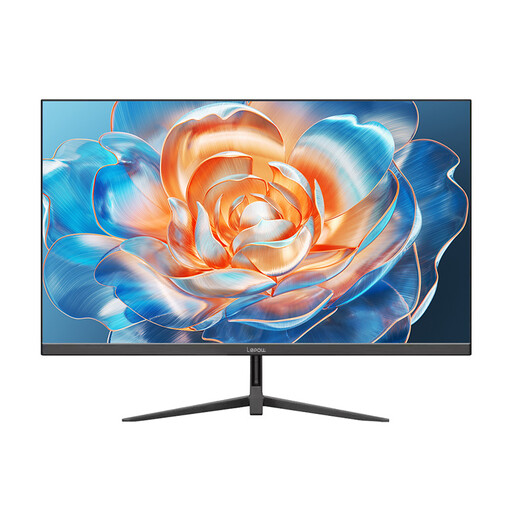
Lepow HC-27Z2 27-inch monitor
For a workspace where a 27-inch Full HD screen is enough for your visual checks at your chosen scaling settings.
1920 × 1080 pixels; HDMI connection.
View at Joybuy
 No product image available
MSI PRO MP245PG 23.8-inch Full HD monitor
An option if a more compact display suits your available space and Full HD is enough for your window layout.
23.8 inches, 1920 × 1080 pixels; HDMI, DisplayPort and VGA. The stand is height-adjustable, tiltable, swivels and pivots.
View at Joybuy
 No product image available
UPERFECT 15.6-inch Full HD monitor
For a portable second screen, when an extra visual workspace is useful on the go.
15.6 inches, 1920 × 1080 pixels; USB-C and Mini HDMI; built-in stand.
View at Joybuy
Frequently asked questions
Do I have to use a 4K monitor when working with a screen reader?
No. NV Access describes speech and Braille as NVDA's output methods. Whether 4K is useful for your additional visual work depends on your magnification and scaling settings. A larger screen does not automatically enlarge content.
How should I set up my monitor if I also use magnification?
Test text scaling and screen position from your usual seat. Microsoft Support explains that Windows Magnifier can follow the text cursor and the screen reader cursor, among other things. Also take your individual vision needs and workspace lighting into account.
What extra accessories should I check before buying?
Check your computer's video output and charging requirements against the monitor and cable, and see whether any cables you need are included. For USB-C docking, the specifications of the specific laptop and monitor model are what matter.
Does a suitable monitor make a tool hire portal accessible under German law?
No, choosing a monitor alone does not answer this legal question. The Federal Government Commissioner for Matters relating to Persons with Disabilities describes requirements for certain digital services, including electronic services relating to the conclusion of a consumer contract. Whether a particular portal is covered depends on its business model and operator. The BFSG came into force on 28 June 2025.


