Joybuy products
These monitors are options for a fixed practice spot where you want to view two things at once. Before choosing, check that the screen space, resolution and adjustment options suit the way you use your software. Your practice log is saved and backed up on the connected device.
 No image available
Z-Edge AGEX QHD monitor, 27 inches
For a fixed practice spot with two views; check how clearly your sheet music displays and how large the windows appear in your software.
27 inches; 2560 × 1440 pixels; IPS panel; height-adjustable stand with tilt, swivel and pivot; HDMI and DisplayPort.
View at Joybuy
 No image available
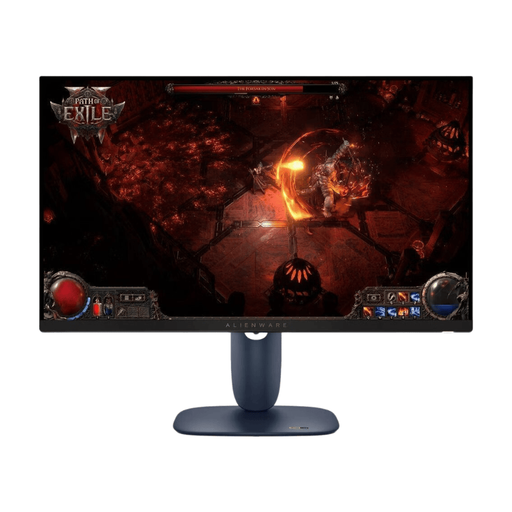
Dell Alienware AW2725DM, 27-inch WQHD
For a fixed practice spot where you want to arrange your sheet music and practice log on one screen; check how they display in the software you use.
27 inches; QHD with 2560 × 1440 pixels; IPS panel; height, tilt, pivot and swivel adjustment; HDMI and DisplayPort.
View at Joybuy
 No image available
TCL 27P2A Pro, 27-inch QHD
For viewing two things at once at a fixed practice spot; check that the windows and text size you want display clearly in the available space.
27 inches; QHD with 2560 × 1440 pixels; adjustable stand; HDMI and DisplayPort.
View at Joybuy
 No image available
INNOCN E34A1R, 34-inch ultra-wide
For a fixed practice spot with room to arrange views side by side; allow for the desk space needed by this 34-inch screen.
Curved; 3440 × 1440 pixels; VA panel; 21:9 format; height-adjustable stand.
View at Joybuy
 No image available
INNOCN 40C1U, 40-inch ultra-wide
For a fixed practice spot with plenty of desk space and two views on one screen; take the dimensions of this 40-inch model into account.
5120 × 2160 pixels; IPS panel; 21:9 format; PIP/PBP; height, tilt and swivel adjustment; USB-C with 65 W Power Delivery.
View at Joybuy
Frequently asked questions
Does a monitor save my practice log locally?
No. The monitors described display content from the connected device, but there’s no evidence that they store practice log entries. Choose where to save your files in the application you use on your computer, and back them up separately. Germany’s Federal Office for Information Security, for example, recommends backing up data to an external storage device.
What should I check before buying a portable second monitor?
First, check which port your laptop can actually use to output a picture to an external screen, and how the monitor is powered. ARZOPA lists USB-C and Mini-HDMI for the Z1C; the monitor’s ports alone don’t guarantee universal compatibility.
How can I estimate a monitor’s electricity costs?
Compare the EU energy label and product specifications for the models you’re considering, and factor in how many hours you use the monitor each day. The European Commission explains energy labelling for electronic displays and provides additional model data in EPREL. To compare costs, you’ll need consumption figures on a like-for-like basis and a suitable electricity tariff.
What rules and rights apply when buying a monitor in Germany?
The European Commission describes energy labels for electronic displays; these don’t indicate whether a monitor stores practice data. For online purchases, the consumer advice centre explains the right to cancel, which generally lasts 14 days. Your statutory rights are separate from a voluntary manufacturer’s warranty. Check the information currently in force for the relevant terms and exceptions.


