People reviewing large drawings
You want to compare areas of a drawing, measurements and reference windows at a glance. Screen size and resolution are important factors when choosing a monitor.


When viewing large technical drawings or comparing several views side by side, consider screen size and resolution together. If space is limited, a smaller 4K display may fit your desk better, but you may need to use more scaling or zoom in. Then check that the stand or mount works for both sitting and standing, and that your computer supports the display output you want. USB-C docking and specialist display modes are most relevant when they suit your laptop and your workflow.
You want to compare areas of a drawing, measurements and reference windows at a glance. Screen size and resolution are important factors when choosing a monitor.
You change the desk height and want to position the screen comfortably in both sitting and standing positions.
You regularly connect a laptop and want to check whether the right connections can handle video, charging and peripherals.
First, compare the usable screen area and readability for the drawings you typically work with. Then check how easily you can position the screen, and finally consider which connections or display options you actually need.
| What matters | What to look for | Who it matters most to |
|---|---|---|
| Drawing area and readability | Compare screen size and native resolution together; check how typical drawings look from your intended viewing distance. | If I want to read large drawings and measurements side by side, I care more about having a screen that’s big enough than choosing the most compact format. Around 33% of consumers prioritise screen size. |
| Screen positioning | Check the range of adjustment and whether the base will fit or a clamp mount can be used; assess the available positions when sitting and standing. | If I switch between sitting and standing at my desk, I want to be able to position the screen comfortably in both positions. Around 27% of consumers prioritise screen positioning. |
| Laptop connectivity | Check your laptop’s video output and power requirements against the connections and Power Delivery specifications of the specific model. | If I regularly connect my laptop at my desk, I want to know whether one connection can handle both the display and the power I need. Around 20% of consumers prioritise laptop connectivity. |
| Display and lighting | Assess the screen finish and your setup under the lighting conditions in your room; if you work with colour-coded layers, consider what level of colour reproduction you need. | If the lighting changes or I work with colour-coded drawing layers, I check that the screen finish and display suit my workspace. Around 20% of consumers prioritise lighting and display quality. |
A 27-inch model and a 31.5-inch model can both display 3840 × 2160 pixels, but they offer different amounts of physical screen space. On a smaller display, you may need to use more scaling or zoom in to read measurements, depending on your settings.
Check typical drawings, text sizes and scaling from your actual viewing distance.
A movable stand doesn’t necessarily mean the desk edge is suitable for mounting it. LG describes the 32UN880K-B as using a clamp screw; this doesn’t confirm that it will fit every desktop.
Check the mounting point and available movement before choosing a clamp mount instead of a standard stand.
Manufacturers list different connections and maximum charging outputs for individual models. USB-C alone doesn’t confirm that the video output is suitable or that it can supply enough power for your laptop.
Compare your laptop’s video output and power requirements with the specifications for the specific monitor.
These examples refer to specific models and product ranges. They aren’t a general assessment of the brands themselves.
According to LG, the 32UN880K-B combines a large 4K display with an adjustable clamp stand.
According to the manufacturer, the BenQ PD3205U is designed for creative work and includes a CAD/CAM display mode.
The FlexScan EV3240X combines a large 4K display with office docking features.
The Modern MD272UPHGDE is a 27-inch 4K option if you need to save desk space.
The UltraSharp U3225QE is a large-format 4K option with a Thunderbolt hub.
This selection includes 4K monitors in larger and more compact sizes. Compare the available screen space, height-adjustment specifications and connections with your workspace and laptop.
 No image available
An option if you’re looking for a large 4K display with an adjustable screen position.
32 inches, 3840 × 2160 pixels, height-adjustable and USB-C with 98 W Power Delivery.
 No image available
A potential choice if you’re looking for a 32-inch 4K display with height adjustment.
3840 × 2160 pixels, 80 mm of height adjustment and USB-C with 90 W Power Delivery.
 No image available
The more compact size may suit you if desk space is limited; larger drawings may require more scaling or zooming.
3840 × 2160 pixels, 60 Hz, integrated stand, plus USB-C and Mini HDMI inputs.
 No image available
A more compact 4K option if you’re planning on less screen space than you’d get with a 32-inch model.
3840 × 2160 pixels, 120 Hz, height-adjustable and USB-C with 90 W Power Delivery. The smaller screen may mean more scaling or zooming when viewing large drawings.
 No image available
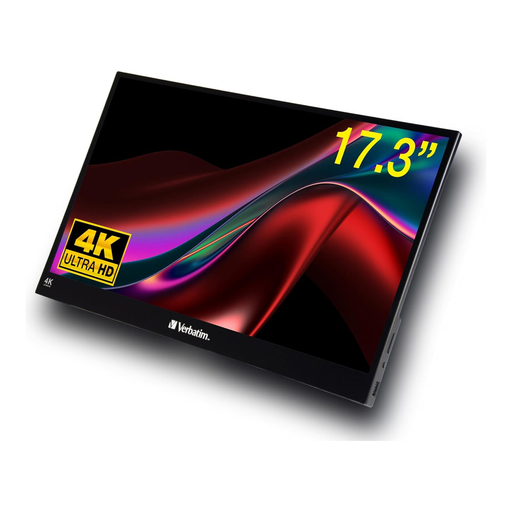
This very compact size may work if portability matters more to you than a large drawing area; you may need to zoom in more when reviewing drawings.
HDR display with USB-C and HDMI connections.
No. Check the screen position when you’re both sitting and standing. The Federal Institute for Occupational Safety and Health (BAuA) describes sit-stand working as dynamically switching between the two ways of working. For a workstation covered by ASR A6, the relevant requirements for display screen work should be taken into account when setting it up.
Check that the desk edge and mounting point can accommodate the specific model, and that the screen can move through the range you need. LG describes the 32UN880K-B as using a clamp screw with several directions of adjustment; this doesn’t mean it will fit every desktop.
No. It depends on the specific capabilities of both the laptop and the monitor. BenQ lists DisplayPort Alt Mode video and 90 W Power Delivery for the PD3205U; EIZO states that the EV3240X provides up to 94 W. Compare these specifications with your laptop’s requirements.
As a general rule, private consumers have a 14-day right to cancel an online purchase, although exceptions apply and the exact start of the cancellation period should be checked, as explained by the Verbraucherzentrale (German Consumer Advice Centre). Your statutory rights against the seller are separate from any voluntary guarantee. If you’re buying for a business, you shouldn’t assume that consumer cancellation rights apply.
ASR A6 sets out requirements for display screen work within its scope, but it doesn’t create a general obligation to use a particular 4K model. For a workplace or home-working setup covered by the rules, the design of the entire workstation matters; private use outside their scope shouldn’t be treated as equivalent.