What should you look for when buying?
First, check whether you can arrange your UV and model views side by side in a practical way on the available screen space. Then decide whether colour approval, switching between computers or the specific workstation setup will have the greatest influence on your choice.
| Consideration |
What to check before buying |
Who is it most relevant to? |
| Fine transitions and workspace |
Compare the screen size, native resolution, desk space and window layout at your planned scaling setting. |
If you compare small transitions in the UV Editor and on the model, you’ll need enough room for your views and tools. Around 33% of consumers put detail checking first. |
| Switching between computers and accessories |
Check the video outputs, USB connections, cables and, where relevant, each computer’s charging requirements. |
At a shared desk, a smooth changeover matters when several people use different computers or shared accessories. Around 27% of consumers prioritise switching between computers. |
| Assessing colours consistently |
Agree the project colour space, available colour modes and who is responsible for calibration. |
If you’re approving colour differences, the project colour space and display mode should match. Around 20% of consumers put colour approval first. |
| Glare and screen position |
Check reflections at the intended location and the adjustment range of the specific model. |
People sharing a workstation need to be able to adjust the screen to suit their sitting position. Distracting lighting can also make details harder to see. Around 20% of consumers prioritise low-glare, adjustable working conditions. |
Joybuy products for checking textures
This selection includes large 4K monitors and portable extra displays for checking textures at a shared or mobile workstation.
 No image available
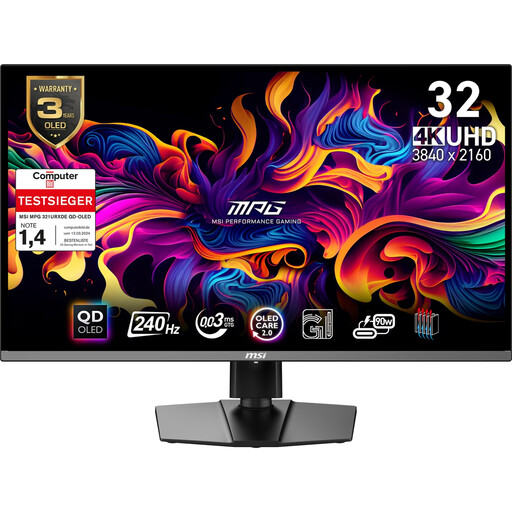
MSI MPG 321URX QD-OLED gaming monitor, 31.5 inches, 4K UHD
The stated size and resolution may suit you if you want to check UV and model views on a larger workspace.
31.5 inches; 3840 × 2160 pixels; QD-OLED.
Joybuy
 No image available
MSI MAG 321UPDE QD-OLED monitor, 31.5 inches, 4K UHD
The screen size and resolution may suit you if you want to arrange several views for checking on a larger display.
31.5 inches; 3840 × 2160 pixels; 4K UHD.
Joybuy
 No image available
Portable 14-inch dual-screen monitor, FHD 1080p, 60 Hz
This model may be worth considering as a portable extra display if you want to check textures alongside your laptop screen while you’re out and about.
14 inches; 1920 × 1080 pixels; IPS; 60 Hz; HDMI, USB-A and USB-C.
Joybuy
 No image available
Portable Monitor PM14R, 14 inches, 1920 × 1200, IPS
The portable design is better suited if you’re looking for an extra laptop display to use for checking work in different locations.
14 inches; 1920 × 1200 pixels; IPS; 16:10; USB-C and Mini-HDMI.
Joybuy
 No image available
Blackview DCM8 Pro, 15.3-inch FHD monitor
This portable model may suit you if you’re looking for an extra laptop display for a shared or mobile workstation.
15.3 inches; FHD; portable design; USB-C.
Joybuy
Frequently asked questions
Can a sharper monitor fix a texture seam that isn’t right?
No, a monitor doesn’t change the underlying UV data. Check the area in both the UV Editor and on the model; the Blender Foundation describes the UV Editor as a way to view unwrapped surfaces.
How do you set up a shared monitor for different laptops?
For each laptop, check that its supported video output and charging requirements match the inputs and Power Delivery specification of the specific monitor. If you also want to switch the keyboard and mouse, check which USB connections the KVM function requires.
What should you agree on for recurring colour approvals?
Record the agreed project colour space and monitor mode, and decide who will manage calibration. EIZO offers ColorNavigator software for the CS2740; this doesn’t mean there’s one standard calibration process for other models.
What additional requirements should you plan for?
Depending on your computers and colour workflow, you may need suitable cables, a connection solution or calibration equipment. Before buying, check what’s included with the specific offer and which connections are available.
Are there specific requirements for an office monitor in Germany?
If the space is a display screen equipment workstation in a workplace with employees, the German Workplace Ordinance requirements are relevant. The German Federal Institute for Occupational Safety and Health explains that ASR A6 sets out requirements for display screen equipment workstations within its scope; positioning and lighting are also part of workstation design. Whether the conditions apply at a particular home or workplace depends on how it is used.


