Pixel art fans with limited desk space
If you edit tiles on a small desk, you’ll need to consider the monitor casing, stand and room to move them together. A small screen size alone doesn’t tell you whether the whole monitor will fit on your desk.


Start by measuring the usable desk space. Then decide whether you value a clear view of individual pixels or more room for your tileset, tools and preview. An adjustable monitor around 24 inches with 1920 × 1200 pixels is a space-conscious option for checking your work. A 23.8-inch QHD model offers more pixels at a similar screen size, but you’ll need to make sure the scaling is comfortable to read. If colour modes or connecting a laptop are important, check the specifications for the exact model: Dell, for example, lists a USB-C data port on the P2425, while other models specify USB-C video and power delivery.
If you edit tiles on a small desk, you’ll need to consider the monitor casing, stand and room to move them together. A small screen size alone doesn’t tell you whether the whole monitor will fit on your desk.
If you want your atlas or tileset, toolbars and preview visible side by side, a larger display area can help—as long as the interface remains easy for you to read. Aseprite describes tilesets as collections of tiles.
If you work with colour or often connect your laptop, compare the colour modes and the specific function of each port. These requirements will vary from one tileset project to another.
Measure the space needed for the complete monitor setup, then work out which parts of your workflow you want to see at the same time.
| Consideration | What to check when buying | Who is it important to? |
|---|---|---|
| Desk space and positioning | Compare the width and depth, including the stand, with the space you have available. Check for height adjustment and suitable mounting if you’re considering a monitor arm. | If you want to leave room for input devices alongside the monitor on your small desk, the space it takes up is your main consideration; around 36 % of consumers say it is their top priority. |
| Tiles, tools and preview | Consider the resolution and aspect ratio alongside your preferred software and system scaling. Check that your chosen zoom level is still easy to read. | If you want to see your tileset, tools and preview without switching between them, usable screen space is key; around 29 % of consumers put it first. |
| Colour reproduction | Compare the sRGB specifications and available colour modes. Also consider your project’s colour profile. | If you’re matching colours for digital images and prioritise colour modes over extra ports, colour reproduction is your main concern; around 21 % of consumers make it their priority. |
| Laptop connectivity | Check whether the exact model supports video over USB-C and how much power it delivers. Compare this with your laptop’s requirements. | If you want to connect your laptop with one cable and possibly charge it too, you’ll need to check the ports and their functions carefully; around 14 % of consumers put laptop connectivity first. |
Aseprite describes sRGB as a common colour space for images on the internet and explains that a colour profile defines what the RGB values mean. A manufacturer’s colour gamut specification therefore doesn’t replace checking your project profile or how colours appear in your own workflow.
Dell lists the USB-C port on the P2425 as a downstream data port supporting up to 15 W. This doesn’t mean it has a USB-C video input or can charge a laptop.
Check video and power delivery in the port specifications for the full model name. Don’t confuse the P2425 with similarly named variants.
Depending on your laptop, you may need a separate video connection or power supply.
The stand and casing take up space too. Manufacturers list the ASUS PA248QFV as 19,04 cm deep with its stand, and the BenQ PD2506Q as 256,9 mm deep overall.
Compare the dimensions of the exact model with the available desk width and depth, as well as the space you need for input devices.
Resolution describes the number of pixels, not the size of interface elements after software and system scaling. The view that works for you also depends on zoom and scaling.
Choose based on your preferred tileset view and zoom level. Aseprite, for example, documents zoom levels of 100 %, 200 % and 400 %.
For comparison, there’s a 24-inch model with a 16:10 aspect ratio and a separate 23.8-inch QHD model.
The ProArt PA248QFV is a 24.1-inch option with a 16:10 aspect ratio.
According to its German specification sheet, the DesignVue PD2506Q combines a 25-inch QHD monitor with USB-C features.
The FlexScan EV2485 is a 24.1-inch option with a 16:10 aspect ratio and USB-C docking.
The 24BQ55WY-B is another 24-inch, 16:10 option for comparing screen space and video connections.
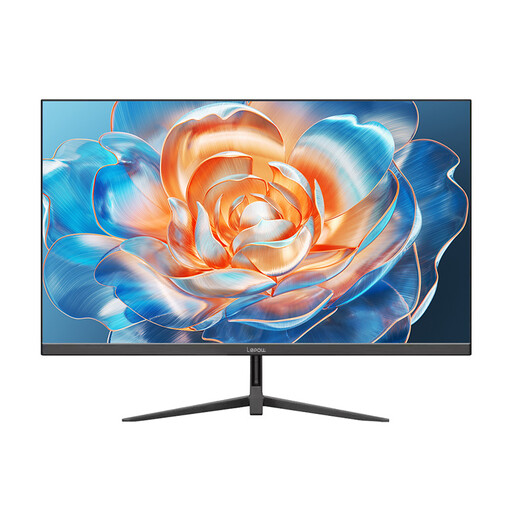
These Joybuy products are in or around the 24-inch monitor class and could be a starting point for a compact tileset workspace. Check the space each one takes up and whether its stated resolution suits the editor view you want.
 No image available
A 24-inch monitor can be a starting point for a compact editing setup; still, measure the space needed for the whole setup.
Specifications listed in the product title: FHD, IPS, 120 Hz, 5 ms, 99 % sRGB, HDMI, VGA, VESA 100 × 100 mm and tilt adjustment.
 No image available
If you’re looking for a 24-inch monitor for an editor view, check that your tools are easy to read at your preferred scaling.
Specifications listed in the product title: FHD, IPS, 144 Hz, HDMI, DisplayPort, VESA compatibility and tilt adjustment.
 No image available
The stated 24-inch size may be useful when planning a compact workspace. Compare the dimensions of the complete monitor with your desk.
 No image available
If you’re considering a 24-inch monitor, check that its full dimensions will fit on your desk.
 No image available
The stated desktop monitor size could be a useful comparison point for a tileset workspace; take your available desk space into account.
Specifications listed in the product title: 100 Hz and HDMI.
No. What matters is whether your preferred zoom and interface scaling leave enough readable space for tiles, tools and preview. Aseprite has its own documented zoom levels; monitor resolution alone doesn’t determine which view is right for you.
Compare the manufacturer’s dimensions, including the stand, with the available width and depth. If you’re considering a monitor arm, also check the monitor’s mounting points and whether the arm and desk are suitable. The ASUS PA248QFV’s 100 × 100-mm VESA specification confirms only that it has a compatible monitor mount.
No. Dell describes the P2425’s USB-C port as a downstream data port supporting up to 15 W. By contrast, EIZO lists a USB-C signal input with DisplayPort Alt Mode and power delivery of up to 70 W for the EV2485. Check the features of the exact monitor and your laptop’s requirements.
According to Verbraucherzentrale, consumers generally have a 14-day right to cancel an ordinary online purchase; you must notify the retailer or contracting party that you wish to cancel. Claims relating to faulty goods are separate and are not the same as a voluntary manufacturer’s warranty.
The European Commission classifies computer monitors as electronic displays subject to energy labelling and ecodesign requirements. The German Environment Agency advises that old electrical and electronic equipment should be collected separately and not disposed of with household waste.