What should you look for when buying?
The key is whether your actual work windows fit side by side at a comfortable text size, and whether the monitor suits your desk and computer connection.
| Priority |
What to check before buying |
Who it matters most to |
| Keep two texts visible side by side |
Try both editor windows at your usual text size; measure the available desk width. |
If I want to read a scene draft and its revision at the same time, I need enough width at my usual text size. Around 36% of consumers put having two texts visible side by side at the top of their list. |
| Readable text when space is limited |
Try the resolution and text scaling with your own windows; consider the stand’s depth and your viewing distance. |
If my workspace is compact and I only bring up notes occasionally, I want to keep the main text easy to read. Around 29% of consumers prioritise legible text in a limited space. |
| Laptop connection and screen position |
Check the monitor’s specifications against your laptop’s video output and charging requirements; check the adjustment options. |
If I work at a desk with a laptop, I want to connect and position the screen to suit my needs. Around 21% of consumers prioritise connectivity and ergonomics. |
| Avoiding unnecessary features |
Try arranging your windows on your existing computer before buying a new monitor; only consider features you need. |
If my current screen already displays the texts well enough, I don’t want to plan an unnecessary upgrade or a special feature I won’t use. Around 14% of consumers put avoiding unnecessary purchases first. |
Monitors for two editor windows
This selection includes 34- or 40-inch ultrawide monitors, as well as more compact 27-inch models for viewing text windows side by side. When choosing, pay particular attention to desk space, text scaling and your computer’s connections.
 No image available
INNOCN 40C1U, 40-inch 5K ultrawide
For keeping two text views side by side on a large screen.
40 inches, 5120 × 2160 pixels and a 21:9 format. 65 W USB-C Power Delivery is listed; check laptop compatibility separately.
The stated case width is 944.1 mm, so make sure you have enough desk space.
Joybuy
 No image available
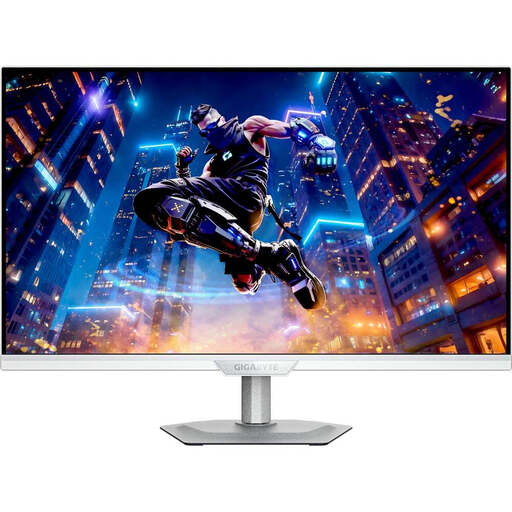
GIGABYTE M27UP ICE, 27-inch 4K UHD
A more compact 27-inch option if you want to try viewing two windows on a smaller screen.
3840 × 2160 pixels; the stand offers height, tilt, swivel and pivot adjustment. Check text scaling with your editor windows.
Joybuy
 No image available
AOC Pro-Line CU34P3CV, 34-inch UWQHD
For keeping a scene and its revision visible side by side.
34 inches, 3440 × 1440 pixels and a curved ultrawide format. Up to 65 W USB-C Power Delivery and height adjustment are listed; check the connections against your laptop.
Joybuy
 No image available
Philips 345B1C, 34-inch WQHD
A 34-inch ultrawide option for viewing two texts side by side.
3440 × 1440 pixels; according to the product details, the stand offers 180 mm of height adjustment.
Joybuy
 No image available
Z-Edge AGEX, 27-inch QHD
A more compact QHD option if your desk has less room for a large ultrawide screen.
A resolution of 2560 × 1440 pixels and a height-adjustable stand are listed. Check whether both texts remain easy to read side by side at your preferred scaling.
Joybuy
Frequently asked questions
Do I need Picture-by-Picture for two editor windows?
No, not if both windows are on the same computer. Microsoft explains how to snap windows in Windows, while Apple describes Split View for supported Mac apps. Picture-by-Picture isn’t required for this setup.
What should I set up first after connecting the monitor?
Set the monitor to its native resolution and choose a text scaling that’s easy for you to read. Then arrange two windows you actually use. Microsoft notes that text can look blurry at resolutions below the native setting.
How should I clean the monitor?
Check the cleaning and care instructions for your specific model before using any products or cloths on the display.
What are my rights in Germany if my monitor is faulty?
For a consumer purchase from a business seller in Germany, a statutory guarantee of at least two years from receipt of the goods generally applies. The European Union’s Your Europe website explains this right against the seller; it is separate from any additional manufacturer’s warranty.
Can I return a monitor bought online if I’m not happy with how the windows look on screen?
For an online purchase from a business seller, consumers generally have a 14-day right to cancel. The European Union’s Your Europe website notes that exceptions may apply, so check the specific returns terms before buying. This is separate from any voluntary returns policy.
Do Germany’s rules for screen-based work also apply to a personal writing project?
ASR A6 sets out requirements for screen-based work in workplaces and home-working environments; its scope excludes use outside these settings. The Federal Institute for Occupational Safety and Health therefore doesn’t describe it as a general monitor requirement for personal writing.


