What should you look for when buying?
First, decide whether your laptop display can provide the second view or whether you need two external monitors. Then consider your window layout, connections and available space.
| Buying priority |
What to look for when buying |
Who will find this most important? |
| Readable screen area |
Check the filters and results list with your planned window layout and usual text size. |
If I want to read the filters, results list and comparison view at the same time, I’ll test the window layout using my usual text size. Shoppers with this as their main priority make up around 36%. |
| Connecting the second display |
Check your computer’s video outputs, the monitor inputs and, for daisy chaining, DisplayPort video and MST. |
If I want both views to work with my existing laptop or computer, I’ll check that its video outputs match the monitor connections. Shoppers who prioritise a working connection make up around 29%. |
| Positioning |
Consider desk space, orientation and how adjustable the stand is. |
If I regularly switch between test and comparison views, I want to position both displays to suit my workspace. Shoppers with this as their main positioning priority make up around 21%. |
| Overall cost |
Check whether your laptop display is sufficient and whether you’ll need extra connection equipment; compare the energy information for specific monitors. |
If I want a suitable setup without unnecessary extra equipment, I’ll first check whether my laptop can provide the second view. Shoppers whose main concern is the cost of the complete setup make up around 14%. |
Monitors for a two-screen setup
These Joybuy product options are intended for use as an external main display in a two-screen testing setup, from QHD and 4K to wide formats. Check that the connections and space requirements suit your existing setup.
 No image available
KTC M27P6 27-inch 4K monitor, UHD Dual Mode White
Use it as an external main display for filters and results. Check whether the USB-C connection suits your laptop’s video and charging requirements.
4K 160 Hz or FHD 320 Hz; USB-C with 65 W Power Delivery; height-adjustable stand.
View at Joybuy
 No image available
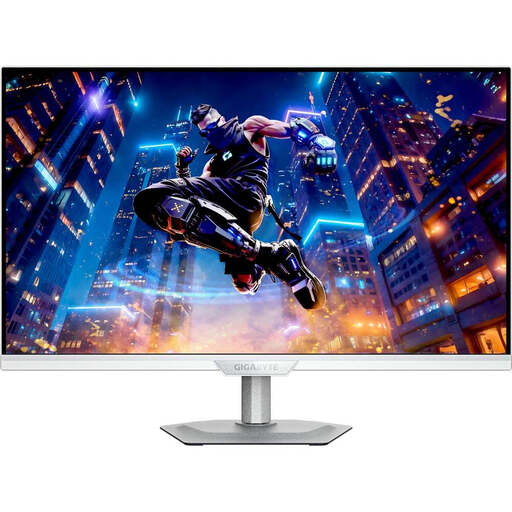
GIGABYTE M27UP ICE, 27 inches, 4K UHD, IPS
A 4K option for an external test view. Check that your filter interface is easy to read at your preferred text scaling.
3840 × 2160 pixels; 144 Hz; 1 ms.
View at Joybuy
 No image available
Dell Pro Plus P2725DE, 27 inches, QHD
An external QHD main display if your laptop screen provides the second view. Dell Germany lists this model at 2560 × 1440 pixels and 100 Hz.
2560 × 1440 pixels; 100 Hz.
View at Joybuy
 No image available
CRUA 49-inch DQHD ultrawide monitor, 32:9
The wide format may suit side-by-side views. Allow enough desk space and check that the display works for your workflow.
5120 × 1440 pixels; 165 Hz; HDMI 2.1 and DisplayPort 1.4; height-adjustable stand.
View at Joybuy
 No image available
INNOCN E34A1R, 34 inches, UWQHD, 21:9
A wide external view for filter and comparison windows. Consider the space it needs and check that both views remain easy to read in your layout.
3440 × 1440 pixels; PIP and PBP; HDMI and DisplayPort; height-adjustable stand.
View at Joybuy
Frequently asked questions
Do I need two external monitors?
Not necessarily. If you can comfortably read the filters and second test view at the required size on one external monitor and your laptop display, that combination gives you two views. Two external monitors are an option if you need each view on a separate external display.
Can I simply connect the second monitor to the first?
Only if your computer and monitors support the necessary features. Dell Support lists compatible DisplayPort or USB-C video features for daisy chaining, and MST for suitable DisplayPort connections. HDMI alone, or USB-C without a supported video mode, isn’t enough. Check the manuals for all the devices involved.
How do I set up test views across two screens?
If you want the filter and comparison views to appear separately, choose an extended desktop rather than a mirrored one in your display settings. Arrange the displays there to match their actual positions on your desk.
What running costs should I consider?
Compare the energy information on the EU energy label or in the product information sheet for the specific monitors. Power consumption depends on the devices you choose and how long you use them.
Are private buyers required to use two monitors or a particular resolution?
The Workplace Ordinance and ASR A6 don’t impose a general requirement for private buyers to use two monitors or QHD; these rules apply to their respective scope of employee workstations. The European Commission lists energy labelling requirements for the monitor models covered by them.


