What should you look for when buying?
Start by assessing the light at your desk, then check the resolution, scaling and colour mode. The German Social Accident Insurance recommends facing parallel to the window; EIZO Germany notes that having a window behind you can cause distracting reflections.
| What matters |
What to check before buying |
Who it matters most to |
| Reflections and daylight |
Check the window’s position, adjustable blinds or shades, and the surface and brightness controls of the specific model. |
If I assess typography by a window, I want to keep reflections under control as the light changes. Around 36% of consumers say reflection control is a top priority. |
| Letterforms and scaling |
Test the screen size and native resolution with your own files and preferred system scaling. |
If I compare fine letterforms and spacing, I want the preview to remain easy to read at my usual text size. Around 29% of consumers prioritise checking typography. |
| Colour layouts |
Check the specific model’s colour mode against your intended digital or print output process. |
If I assess colours alongside typography, the display mode needs to suit my intended output. Around 21% of consumers prioritise checking colour. |
| Connections and desk space |
Check the video output, cables, charging power required and dimensions with the stand or arm. |
If I have limited space by the window or need to connect a laptop, the monitor and connection need to suit my workspace. Around 14% of consumers prioritise connections and desk space. |
Joybuy products for typography and layout previews
The Joybuy models below include 27-inch and larger 4K options for typography and layout previews. Check the surface finish, connections and dimensions to make sure they suit your setup.
 No image available
MSI PRO MP273UPDE E6 27-inch 4K UHD IPS monitor
The combination of a 27-inch screen and 4K UHD resolution is a good starting point if you want to check fine letterforms on a monitor for design work.
IPS panel, 60 Hz and HDR Ready.
View at Joybuy
 No image available
Samsung M8 M80F (2025) 32-inch 4K UHD monitor
The 32-inch screen gives you more workspace if you want to view your design and controls together; make sure you have enough room for it.
VA panel, 4K UHD, 60 Hz and webcam.
View at Joybuy
 No image available
INNOCN CB27U1 27 Inch 4K UHD Monitor
The 27-inch screen and 4K resolution are well suited to previewing fine details; also test your designs using the scaling you use day to day.
IPS, 3840 × 2160 pixels, 120 Hz and HDR500.
View at Joybuy
 No image available
ASUS ROG Swift OLED PG32UCDMR 32 Inch 4K UHD Gaming Monitor
The 32-inch screen offers a larger 4K workspace if you have room for it; for typography and layouts, also check the scaling you’ll need.
OLED, 3840 × 2160 pixels, 240 Hz and USB-C with 90 W.
To look after the OLED panel, the product description recommends leaving the ASUS OLED Care features enabled.
View at Joybuy
 No image available
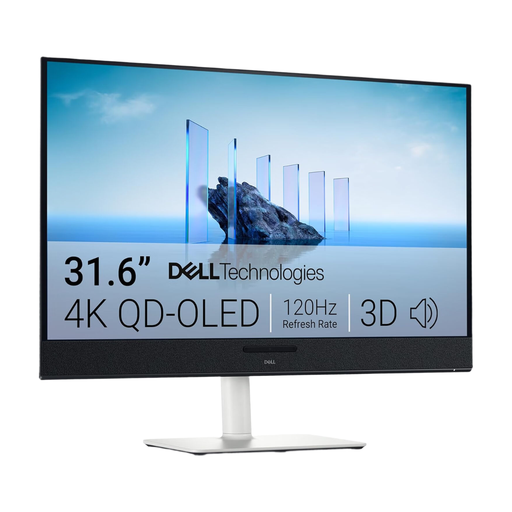
Dell Plus S3225QC 31.6-inch 4K QD-OLED monitor
The 31.6-inch screen is a good option if you want to arrange your design and tools across a larger workspace and have enough room on your desk.
3840 × 2160 pixels, 4K UHD and QD-OLED.
View at Joybuy
Frequently asked questions
Does an anti-glare monitor help in direct sunlight?
An anti-glare surface can reduce distracting reflections, but it won’t control the light coming in. The German Social Accident Insurance recommends facing parallel to the window and using adjustable blinds or shades; EIZO Germany notes that a window behind you may cause reflections.
How do I set up a 4K preview for small text?
Use the native resolution and test your design with the text and display scaling you actually use. Microsoft Support explains how to adjust text size in Windows; the right setting depends on your applications and what you find easy to read.
What should I consider with USB-C and power consumption?
Check your laptop’s video output, cable and charging requirements against the connections and Power Delivery specification of the specific monitor. To compare energy consumption, check the EU energy label and EPREL; your actual electricity costs will depend on factors such as how long you use the monitor and your electricity tariff.
What are the rules in Germany for a workstation by a window?
Where the German Workplace Ordinance applies, ASR A6 sets out more specific requirements for working with screens. According to the Federal Institute for Occupational Safety and Health, employers can assume they are meeting the relevant requirements of the ordinance if they comply with the technical rule. This is not a general requirement for private individuals to buy a particular monitor model; the limited scope of application described in § 1 ArbStättV applies to teleworking workplaces.
What are my rights if a product is faulty or I buy online?
If a product is faulty, your statutory rights are against the seller and are separate from any voluntary guarantee. For online orders in Germany, consumers generally have a 14-day cancellation period from delivery; the conditions of the specific purchase apply. The consumer advice centre explains these differences and conditions.


