A compact editing setup
If desk space is limited, check the exact monitor’s overall dimensions, stand footprint and positioning options first.


First, measure the available width and depth of your desk, then decide whether a more compact 24-inch model or a 27-inch 4K monitor is a better fit. A 24-inch WUXGA model takes up less space, but has fewer pixels than the 27-inch 4K monitors considered here. For SDR holiday videos, choosing the right Rec.709 mode and settings in your editing software matters more than an HDR logo. A monitor arm and USB-C are only worthwhile if they suit your desk, mounting options and laptop.
If desk space is limited, check the exact monitor’s overall dimensions, stand footprint and positioning options first.
For holiday videos with Rec.709/SDR output, the right colour mode and your editing software settings are important factors to consider.
Check whether your laptop can output video over USB-C and whether the monitor’s power delivery meets its charging needs.
A good fit if: Available desk width is the main consideration and a smaller video preview is enough.
The trade-off: A WUXGA model such as the EIZO CS2400S has fewer pixels than the 27-inch 4K monitors considered here.
A good fit if: The monitor and stand fit your desk and you want more pixels for previews and your editing interface.
The trade-off: ASUS lists the PA279CRV as 61.22 cm wide and 21.50 cm deep with the stand attached.
A good fit if: You want to keep the desk surface clear and your desk and monitor are suitable for mounting.
The trade-off: Check the mount, range of movement and cable routing. A monitor arm does not reduce the space needed for the display itself.
| Buying priority | What to check | Who is it important for? |
|---|---|---|
| Footprint and positioning | Overall dimensions with the stand; for an arm, check mounting and clearance for movement | If my desk has limited space, I want to know in advance whether the monitor and its setup will actually fit. Around 36% of consumers are likely to prioritise available desk space. |
| SDR colour reproduction | Rec.709 mode and suitable colour management in the editing software | For Rec.709/SDR output, I want to judge video colours using a suitable monitor mode and sequence settings. Around 29% of consumers are likely to prioritise SDR colour above all else. |
| Laptop connectivity | Laptop video output over USB-C and suitable charging power | When editing on my laptop, I want to use as few cables as possible without taking video output or power delivery for granted. Around 21% of consumers are likely to prioritise laptop connectivity above all else. |
| HDR output | Intended output format and the HDR settings required | If I actually want to output and assess my videos in HDR, I want to check the display’s capabilities for that workflow rather than relying on a logo alone. Around 14% of consumers are likely to prioritise HDR output above all else. |
The screen’s diagonal measurement does not tell you how much room the casing and stand will take up, or how much clearance you need to position it.
Measure the space available and compare it with the dimensions of the specific model in the position you intend to use it.
If the stand does not fit, you may need a suitable separate mount.
A monitor’s stated HDR support does not, by itself, prove that it is suitable for demanding HDR colour assessment.
First decide whether you want to output in SDR or HDR, then check the display capabilities and settings required for your chosen format.
A voluntary guarantee and your statutory consumer rights are different things. The German consumer advice centre distinguishes between the manufacturer’s guarantee terms and claims against the seller.
Keep your proof of purchase and guarantee terms. If there is a fault, contact the seller rather than assuming you should deal with the manufacturer alone.
The ProArt range includes creative monitors such as the 27-inch 4K PA279CRV.
The Creative Pro range offers different options for equipping a creative workspace.
The ColorEdge CS2400S is a 24-inch, 16:10 model with WUXGA resolution.
The UltraSharp U2725QE is a 27-inch 4K model with a Thunderbolt hub.
The UltraFine 27UP850K-W is a 27-inch 4K model with USB-C.
The Joybuy options below include a 24-inch model and 27-inch 4K monitors for editing video at a small desk.
 No image available
A 27-inch UHD resolution could be a good fit if you want more pixels for previews and your editing interface.
Specifications include 3840 × 2160 pixels, 98% DCI-P3 and 100% Adobe RGB. These figures do not, by themselves, confirm a Rec.709 mode.
For positioning, the listed features include height adjustment, pivot, tilt and VESA 100 × 100 mm.
 No image available
This 27-inch 4K model is worth considering if you want a detailed preview and have enough room for it on your desk.
Specifications include IPS, 99% sRGB, HDR10, HDMI and DisplayPort. This does not confirm a Rec.709 mode.
Dimensions with the stand are listed as 616.3 × 470.4 × 200.5 mm. VESA 100 × 100 mm is also listed.
 No image available
Its 4K resolution could be useful for detailed video previews and giving you more editing interface space on screen.
The product specifications list 4K UHD, Mini-LED, HDR 1400 and USB-C with 65 W. These features do not, by themselves, confirm Rec.709 colour reproduction.
For positioning, the listed features include height adjustment, tilt, swivel and VESA compatibility.
 No image available
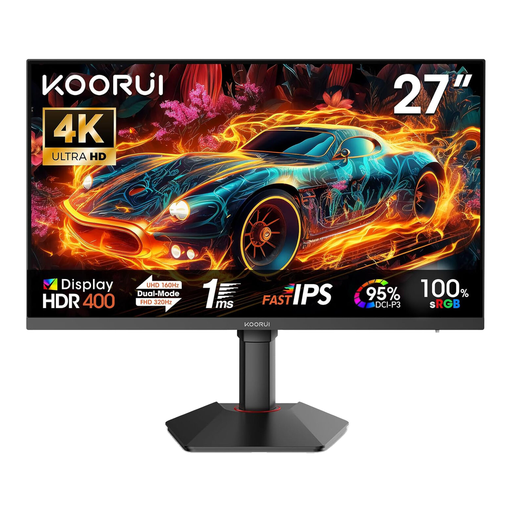
A 27-inch 4K model could be a good fit if you want more pixels for previews and your editing interface.
Specifications include Fast IPS, 100% sRGB, 95% DCI-P3 and HDR 400. This does not confirm Rec.709 calibration.
For positioning, the listed features include height adjustment, tilt, pivot and VESA 75 × 75 mm.
 No image available
The 24-inch format is a more compact option for a desk with limited space, but it has fewer pixels than the 4K models considered here.
Specifications include IPS, 99% sRGB, HDMI and VGA. This does not confirm a Rec.709 mode.
The monitor has a tilting stand; VESA 100 × 100 mm is also listed.
First, set your output format in your editing software. Adobe describes Rec.709 as the Broadcast 709 (SDR) preset in Premiere. If you use this workflow, select a suitable monitor mode and check the conversion settings for HDR footage.
Only if the monitor, mount and desk are all compatible. VESA 100 × 100 mm is listed for the ASUS PA279CRV, while the BenQ PD2705UA is described as including an adjustable ErgoArm. Check the specific mounting requirements and available clearance before installation.
Consumers generally have a right to cancel a distance contract. Section 355 of the German Civil Code (BGB) sets a 14-day period and requires you to make your decision clear to the trader. For faulty goods, statutory rights against the seller are separate from a voluntary guarantee. The German consumer advice centre says that new goods are generally covered by a two-year statutory warranty period.
Yes. The Federal Ministry for the Environment, Climate Action, Nature Conservation and Nuclear Safety lists electronic displays as a product group already covered by the A-to-G label. Compare the label and the specific model details in EPREL rather than treating energy classes as interchangeable across different devices.