Joybuy monitors for card layouts
The Joybuy models listed include 27-inch monitors with QHD or 4K resolution. For small text, also check the scaling; for a laptop desk setup, check that you have the connections you need.
 No image available
MSI MAG 274UPDFDE E16M
The 4K specifications in the product name may be useful for fine design details; check that everything is easy to read at your preferred scaling setting.
27 inches; UHD 160 Hz or FHD 320 Hz; Mini-LED; Rapid IPS.
Joybuy
 No image available
INNOCN CB27U1 27 Inch 4K UHD Monitor
4K resolution is an option for fine layout details; adjust the scaling to keep text easy to read.
3840 × 2160; IPS; 120 Hz; USB-C with 90 W Power Delivery; height-adjustable.
Joybuy
 No image available
KTC M27P6 27 Inch 4K MiniLED Monitor
The 4K resolution in the product title may be useful for fine design details; check how your chosen text size looks at the intended scaling setting.
4K 160 Hz or FHD 320 Hz; MiniLED; USB-C 65 W; KVM; height-adjustable, tiltable and swivel-adjustable.
Joybuy
 No image available
KTC H27D9 27 Inch QHD Monitor
QHD is a text-focused alternative to the 4K models listed; if you use especially fine typography, take your scaling setting into account.
2560 × 1440; IPS; 120 Hz; 123% sRGB.
Joybuy
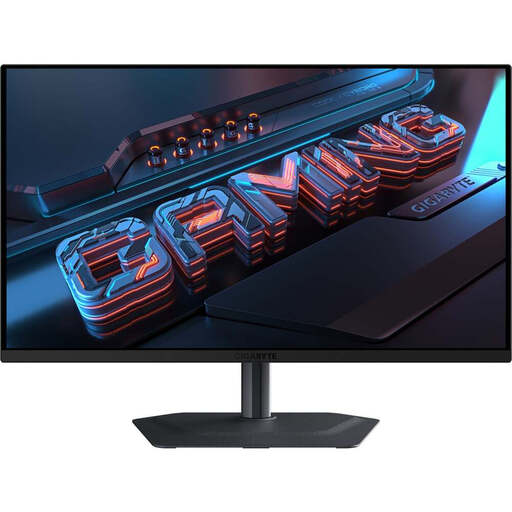 No image available
GIGABYTE MO27Q2A 27" QHD QD-OLED Gaming Monitor
The QHD resolution in the product name offers a text-focused alternative to the 27-inch 4K models listed; check how fine text looks at your chosen scaling setting.
2560 × 1440; QD-OLED; 240 Hz.
Joybuy
Frequently asked questions
Does a monitor for vocabulary cards need to be 4K?
No, not necessarily. Compare your actual card template with text that’s easy to read and the window layout you want. A 27-inch QHD model offers 2560 × 1440 pixels, while the 27-inch 4K models listed here offer 3840 × 2160 pixels. What matters is whether the extra detail is useful at your chosen scaling setting.
Can I assess print colours accurately as soon as I connect the monitor?
No. A stated colour gamut or colour mode describes the monitor, not the entire print result. For demanding print work, the monitor, colour management and output process all need to work together.
Will any USB-C port support display and laptop charging?
No. Check the laptop’s supported video output and charging requirements, as well as the monitor functions explicitly listed. BenQ specifies DisplayPort Alt Mode and 90 W Power Delivery for the PD2706U.
How can I compare a monitor’s energy consumption?
Compare the EU energy labels for specific models. The European Commission explains that the label shows consumption in kWh per 1,000 hours. To estimate your own costs, you’ll also need your usage hours and electricity price.
What are the rules in Germany on energy labels and faults?
The European Commission includes electronic displays in its energy-labelling section. For consumer purchases, statutory rights for faulty goods are separate from a voluntary guarantee; according to information from the Verbraucherzentrale, the first step when something is faulty may be to request a repair or replacement. The Federal Institute for Occupational Safety and Health explains that ASR A6 does not apply across the board to display equipment used in private settings.


