Writing and source research
If you write longer pieces and compare an outline, sources and a browser preview, look for a monitor that makes it easy to arrange windows clearly and adjust the screen to suit your needs.


If your main focus is writing, with sources, an outline and a preview open side by side, prioritise clear text, a screen size that suits your needs and an adjustable stand. If you also assess reference images, look for a colour mode that fits your workflow and check the specifications for the exact model. USB-C docking is only worthwhile if the video output, charging power and ports are compatible with your laptop.
If you write longer pieces and compare an outline, sources and a browser preview, look for a monitor that makes it easy to arrange windows clearly and adjust the screen to suit your needs.
If you regularly assess reference images or web graphics, check the colour mode and image display on the specific monitor as part of your own workflow.
If you often use a laptop at your workspace, make sure the video output, power supply and peripherals you need are compatible with the ports on both devices.
First, work out whether your day-to-day work relies most on clear text and multiple windows, assessing image colours or connecting a laptop. Then compare the resolution, settings and ports of the specific model with your workspace.
| What you need | What to check before buying | Who will find this most important? |
|---|---|---|
| Clear text and multiple windows | Consider the screen size, native resolution, preferred scaling and how you’ll actually arrange your windows together. | If I need to keep text, sources and a preview in view at the same time, a clear layout is essential. Around 36% of consumers prioritise text and arranging windows. |
| Reference images and web colours | Compare the colour mode and stated colour coverage with the colour settings in your operating system and applications. | If I select web graphics using reference images, I want the colour mode to suit my workflow. Around 29% of consumers prioritise image colours. |
| Ergonomic setup | Check the height adjustment, tilt, potential pivot position, desk space and light levels at your workspace. | During long writing sessions, I want to position the screen to suit the way I work and minimise distracting reflections. Around 21% of consumers prioritise workspace ergonomics. |
| Laptop connectivity | Check USB-C video output, the charging power you need, and the cables and peripheral ports on both devices. | If I regularly connect my laptop, I want to know whether the intended connection can carry both the picture signal and power. Around 14% of consumers prioritise laptop connectivity. |
Manufacturers’ sRGB and DCI-P3 specifications refer to different properties. They don’t automatically show how images will look in every application.
First check which colour gamut suits your image-related work, then look at the colour modes and settings on the specific monitor.
Video over USB-C requires a compatible connection, and the stated charging power must also suit your laptop.
Check your laptop’s video output, power requirements and cable against the monitor’s specifications.
Depending on the devices you’re using, you may need a compatible cable or a different connection setup.
QHD and 4K suit different viewing preferences. Scaling, the stand and the light in your workspace also affect how comfortable text and images are to view.
Check text size and window layout alongside the adjustment options and lighting at your workspace.
The Dell Pro Plus P2725DE is a documented example of a QHD work monitor with an adjustable stand.
According to its German-language specification sheet, the DesignVue PD2705U combines a 27-inch 4K display with an sRGB mode and USB-C connectivity.
The FlexScan EV2740X is a documented 27-inch 4K example with an sRGB mode and docking features.
According to LG, the UltraFine 27UP850K-W combines a 27-inch 4K display with USB-C and an adjustable stand.
The options below include QHD and 4K/UHD monitors, as well as a larger 5K model for writing, working with multiple windows and viewing reference images. When choosing, consider the resolution, available desk space and ports that suit your workflow.
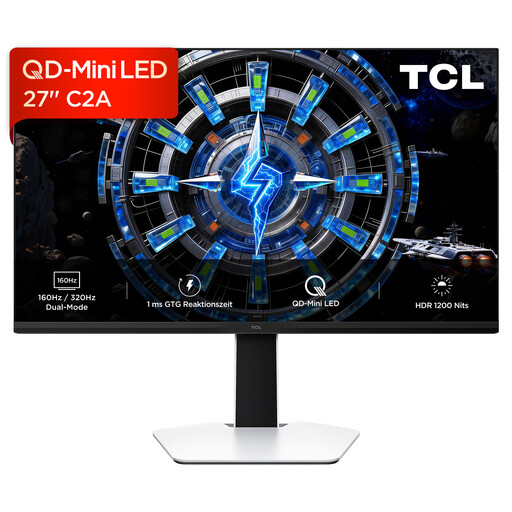 No image available
Could suit writing and reference images if you’re looking for a 27-inch monitor with a stated 4K UHD resolution.
27 inches; 4K UHD; 160 Hz.
 No image available
An option if you’re looking for a 27-inch monitor with 4K resolution and USB-C for text and reference images.
3840 × 2160; IPS; USB-C with 90 W Power Delivery; height-adjustable.
 No image available
Could suit writing with several windows open if you want QHD and a USB-C connection to your laptop.
2560 × 1440; 75 Hz; USB-C with 65 W Power Delivery; height-adjustable.
 No image available
A QHD option for writing and working with multiple windows, if a tilting stand suits your setup.
2560 × 1440; IPS; 100 Hz; tilting stand.
 No image available
Could be worth considering for viewing sources, text and a preview side by side, if your desk has enough room for the larger screen.
5120 × 2160; IPS; 100 Hz; 21:9 aspect ratio; USB-C with up to 65 W Power Delivery.
The 40-inch screen takes up more desk space.
No, not just for images. Among the documented 27-inch models, 4K offers more pixels than QHD. The colour mode and your workflow also matter when assessing web colours. Check that text remains easy to read at your preferred scaling, too.
Adjust the height and tilt to suit your working position, and check whether light sources cause distracting reflections. For workplaces and home-working setups covered by ASR A6, the requirements and measures set out there apply; the Federal Institute for Occupational Safety and Health and the Committee for Workplaces do not apply these requirements to every private desk as a blanket rule.
Compare the energy information for the specific models. Whether you need a compatible cable or a separate docking solution depends on your laptop and the monitor you choose.
For a qualifying distance sale from a business seller, you generally have a 14-day right to cancel from the date of delivery; exceptions and conditions apply. In addition, under EU rules, consumer purchases generally come with a legal guarantee of at least two years from receipt, which is the seller’s responsibility. This is separate from any additional manufacturer’s warranty.
The European Commission lists electronic displays, including computer monitors, among the products covered by energy labelling and ecodesign requirements. Check the product information for the specific model rather than estimating its energy consumption from the screen resolution.