If you mainly write, an adjustable QHD office monitor is a sensible starting point. The key question is whether the text and outline pane remain readable side by side at your usual font size. A 4K model may be worth considering for fine illustrations or checking page layouts, but check the scaling rather than choosing on pixel count alone. You set up the nested headings in your writing software using styles, not on the monitor.
Who is this selection for?
Writers working with long outlines
When you’re writing longer chapters, you’ll want to keep both heading navigation and the main text in view. Microsoft Support explains that headings can help you organise a document in the Navigation pane and create a table of contents.
Designers creating an illustrated guide
If you also need to check illustrations and page layouts, fine image detail may matter more than extra connectivity. The right resolution also depends on how you scale windows and text.
Writers using a laptop setup
If you regularly connect a laptop, check its video output, the connection you’ll use and how much power it needs to charge. An adjustable screen can also help you position it to suit your regular writing space.
What should you look for when buying?
| Consideration |
What to check |
Especially important if |
| Readability during long writing sessions |
Check the text size, screen position and reflections in your usual workspace; ASUS lists an anti-glare surface for the PA279CRV. |
I want to be able to read the main text comfortably at my desk during long writing and proofreading sessions. Around 36% of consumers put readability first. |
| Room for the document and outline |
Open the document and Navigation pane side by side, then check that the text remains readable at your chosen scaling. Dell lists the P2725DE as a 27-inch monitor with 2560 × 1440 pixels, and the P2725QE as a 27-inch monitor with 3840 × 2160 pixels. |
I want to see both the document and heading navigation at the same time, without making the text too small to read. Around 29% of consumers prioritise room for the document and outline. |
| Laptop connection and an adjustable workspace |
Check that your laptop’s video output and charging requirements match the specific monitor and cable. BenQ lists 65 W USB-C power delivery for the GW2790QT. |
If I regularly connect my laptop, I want to know whether video and power delivery are compatible with my device. Around 21% of consumers prioritise the laptop connection. |
| Detail in illustrations and layouts |
Check whether you’ll actually be designing the guide, and what scaling your work windows require. ASUS lists 3840 × 2160 pixels and 99% Adobe RGB for the PA279CRV; the colour-gamut figure alone doesn’t tell you what the finished print will look like. |
If I’m checking images and page layouts, I want to assess fine detail rather than just edit the main text. Around 14% of consumers prioritise image and layout detail. |
Common misconceptions
-
4K automatically gives you more usable screen space
Pixel count alone doesn’t tell you how much content you’ll see at a comfortably readable text size. Font size, scaling and window layout all affect the result.
Before prioritising resolution, try your document, heading navigation and, if relevant, an image template at your usual scaling.
-
Every USB-C port works with every laptop
For video and power delivery, the monitor, connection and laptop need to be compatible. Charging requirements can vary from one device to another.
Compare your laptop’s video output, cable and charging requirements with the specifications of the specific monitor model. You may need an additional cable, a power supply or a different connection solution.
-
A high-resolution monitor creates the heading structure
More pixels won’t create navigable headings in your document.
Set up heading levels in your writing software using the appropriate styles, and check the navigation there independently of your monitor purchase.
Relevant brands at a glance
Dell
Dell offers two 27-inch USB-C hub monitors, the P2725DE and P2725QE, which differ in resolution.
- Dell Germany lists the P2725DE at 2560 × 1440 pixels and the P2725QE at 3840 × 2160 pixels.
- You’ll need to check how readable your outline is with your chosen font size and window layout.
BenQ
According to BenQ, the GW2790QT combines a 27-inch QHD display with USB-C and pivot rotation.
- BenQ lists 65 W power delivery and 90-degree rotation.
- Whether your laptop and connection can transmit video and supply enough power depends on the specific devices.
ASUS
The ProArt PA279CRV is a 27-inch 4K model for writing setups where you also need to check images or page layouts.
- ASUS lists an anti-glare surface, pivot rotation and 99% Adobe RGB for this model.
- The colour-gamut figure doesn’t guarantee what the finished print will look like.
EIZO
According to EIZO, the FlexScan range includes various office monitor sizes, including the EV2490 and EV2740X.
- EIZO lists the EV2490 as Full HD and the 27-inch EV2740X as a 4K model.
- The EV2740X’s higher resolution alone doesn’t determine whether a more compact model is right for your desk.
LG
According to LG, the 27UP850K-W is a 27-inch 4K model with USB-C for working with text and illustrations.
- LG lists a height-adjustable stand that tilts and swivels.
- HDR and colour features aren’t automatically deciding factors for a guide that’s mostly text.
Joybuy products for your writing setup
This selection ranges from QHD office monitors for writing to 4K and widescreen displays if you also want to check image detail or work with several windows.
 No image available
Lenovo ThinkVision T27Q-40, 27-inch, QHD, IPS
The 27-inch QHD format is an option if you want to view your document and outline at the same writing station.
The listed resolution is 2560 × 1440 pixels. The stand is height-adjustable, tilts, swivels and pivots.
USB-C power delivery is listed at 15 W. Compare this figure with your laptop’s charging requirements.
View at Joybuy
 No image available
KTC H27T27, 27-inch, QHD, IPS
The 27-inch QHD display is worth considering if you want to arrange your text and outline pane together on screen.
The listed resolution is 2560 × 1440 pixels, and the stand tilts.
View at Joybuy
 No image available
INNOCN 40C1U, 40-inch, 5K, 21:9
The widescreen format is an option if you want to arrange several windows side by side while writing.
Specifications include a 40-inch screen, 21:9 aspect ratio, 5120 × 2160 pixels, an IPS display and 100 Hz. The stand is height-adjustable, and PIP/PBP is also listed.
View at Joybuy
 No image available
INNOCN CB27U1, 27-inch, 4K UHD, IPS
The 27-inch 4K format is worth considering if you want to view fine illustrations or page layouts as well as text.
The listed resolution is 3840 × 2160 pixels. Other listed features include USB-C with 90 W Power Delivery and a height-adjustable stand with pivot rotation.
Check that video output and charging power are compatible with your laptop.
View at Joybuy
 No image available
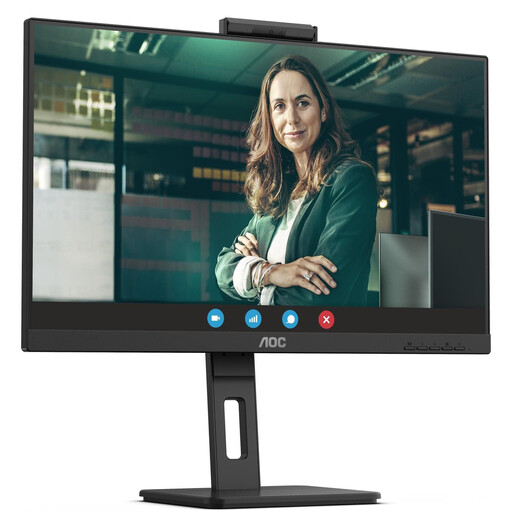
AOC Pro-Line Q27P3CW, 27-inch, QHD, IPS
The QHD format is one way to arrange your document and outline pane together at your writing station.
The listed resolution is 2560 × 1440 pixels. The stand is height-adjustable and pivots; USB-C supports up to 90 W Power Delivery.
Check your laptop’s video output and charging requirements against the connection specifications.
View at Joybuy
Frequently asked questions
Will a larger monitor automatically create navigation for nested headings?
No. In Word, heading styles make headings appear in the Navigation pane and allow you to use them in a table of contents. Microsoft Support recommends treating this feature in your writing software separately from your monitor purchase.
How should I set up my monitor for long writing sessions?
Adjust the screen position and text display so that text is clear and large enough to read at your actual workstation. The German Federal Institute for Occupational Safety and Health describes the scope of ASR A6 for fixed-screen work in workplaces and at teleworking stations; this is not a blanket statement about every home desk.
Will any USB-C monitor provide enough power to charge my laptop?
No. BenQ lists 65 W for the GW2790QT, while ASUS lists 96 W USB-C Power Delivery for the PA279CRV. Also check whether your laptop can output a video signal through the connection you’re using and how much charging power it needs.
What rights are important when buying online in Germany?
Online consumer contracts generally come with a 14-day right to cancel. The Verbraucherzentrale distinguishes this from statutory rights relating to faulty goods: for newly purchased items, these rights can generally be exercised within two years of receipt and are claims against the seller.


