Writers who work with revision notes side by side
If you often want to read and edit your manuscript and notes at the same time, check how much usable window space you have at your usual font size.


If you often need to see your manuscript and revision notes at the same time, QHD is a sensible place to start. Check both windows at your usual font size and scaling. A more compact model may suit a smaller desk; 4K or a particularly large display is worth considering if you regularly need to view extra documents or images. Also think about desk space, adjustability and – if you use a laptop – whether the video connection and charging power are actually compatible.
If you often want to read and edit your manuscript and notes at the same time, check how much usable window space you have at your usual font size.
You should be able to adjust the screen height, tilt, text and lighting to suit your workspace. The German Federal Institute for Occupational Safety and Health sets out requirements for workplaces within the scope of ASR A6; these do not automatically apply to private desks.
If you regularly connect your writing laptop, video output and, where applicable, charging must be compatible with both the laptop and the specific monitor port.
First check that your two text windows fit side by side and are easy to read. Then consider how the monitor will sit on your desk, followed by the connections you actually need.
| Buying priority | What to check | Who it matters to |
|---|---|---|
| Readable text windows | Arrange your manuscript and notes side by side at your usual font size and scaling; consider the resolution and screen size together. | If I often want to read text and revision notes at the same time, both need to fit without the text becoming uncomfortably small. Around 36% of consumers put viewing text side by side first. |
| Adjustability at your desk | Check the height and tilt adjustment and, where applicable, pivot; consider the screen position and lighting in your workspace. | During longer writing sessions, I want to adjust the screen height and position so the text remains easy to read at my desk. For around 29% of consumers, workspace adjustability is the top priority. |
| Laptop connection | Check USB-C video output, DisplayPort Alt Mode and the required charging power against the full laptop and monitor model names. | If I regularly connect my laptop, I want to know whether one cable will support video and, where applicable, charging. Around 21% of consumers put laptop connectivity first. |
| Desk space and power consumption | Measure the space needed, including the stand or arm, and compare the EU energy label details for specific models. The European Commission rates electronic displays on an efficiency scale from A to G. | If I want to keep paper and handwritten notes beside my monitor, I want to estimate the space it will take up in advance. Around 14% of consumers prioritise desk space and ongoing power consumption. |
Screen size and pixel count alone don’t show how your manuscript and comments will actually fit at your preferred scaling.
Before choosing, arrange two typical windows with comments at your usual font size, then measure the space available on your desk.
If your planned layout doesn’t fit, you may need an additional screen or a different stand.
The USB-C port, video mode and maximum charging power depend on the specific model. For the EIZO EV2490, the manufacturer lists DisplayPort Alt Mode and up to 70 W through the USB-C upstream port.
Check the full monitor and laptop model names, along with video output and the charging power required.
Depending on the connections you need, you may also require a compatible cable, power adapter or dock.
A manufacturer’s claim about a comfort mode doesn’t prove that the text and screen position will suit your workspace. Within its scope, ASR A6 takes into account factors including the task, viewing distance and legibility of displayed text.
Check the screen position, font size and lighting in your workspace rather than assuming that a mode or quality mark alone guarantees personal comfort.
The Pro Plus office range includes models with different resolutions and connection options.
The FlexScan EV2490 is a 23.8-inch Full HD model with USB-C docking.
The ThinkVision T27h-30 is a 27-inch QHD model with USB-C and other connections.
The ProArt PA279CRV is a 27-inch 4K model with additional adjustment options.
The UltraFine 27UP850K-W is a 27-inch 4K option for writers who also review images.
The models shown here range from 27-inch QHD monitors to a 40-inch ultrawide. Choose based on window space, comfortable text scaling, the room you have available and your laptop’s connection requirements.
 No image available
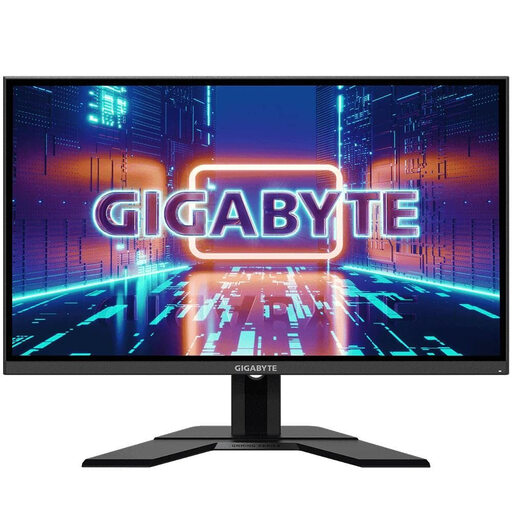
A possible choice if you want your manuscript and notes side by side on a 27-inch display.
27 inches; 2560 × 1440 pixels; height-adjustable stand with tilt, swivel and pivot; HDMI and DisplayPort.
 No image available
The 27-inch QHD format is worth considering if you want to see your manuscript and revision notes at the same time.
27 inches; 2560 × 1440 pixels; IPS display; adjustable stand; HDMI, DisplayPort and USB hub.
 No image available
Consider this model if you want to work with two text windows and connect your laptop to the monitor.
27 inches; 2560 × 1440 pixels; USB-C Power Delivery up to 90 W; USB hub; height-adjustable, swivelling and pivoting stand.
 No image available
An option for working with documents side by side, provided your laptop supports compatible USB-C video output.
27 inches; 2560 × 1440 pixels; USB-C with DisplayPort 1.4 and up to 90 W Power Delivery; USB hub; height-adjustable stand with tilt, swivel and pivot.
 No image available
Worth considering if you want to keep several items in view at all times and have enough desk space.
40 inches; 5120 × 2160 pixels; PIP/PBP; USB-C with 65 W Power Delivery; height-adjustable stand. Its large format takes up more desk space than more compact monitors.
No, not for this task alone. First check that both windows remain readable on a QHD model at your usual font size and scaling. 4K can provide extra space for additional content, but resolution alone doesn’t tell you whether the text and window layout will suit you.
Only if the monitor supports video over USB-C, its charging power is suitable for your laptop and the laptop also supports the required video output. EIZO lists DisplayPort Alt Mode and up to 70 W through the USB-C upstream port for the EV2490; whether that’s enough depends on your laptop.
ASR A6, from the German Federal Institute for Occupational Safety and Health, applies to the workplaces and home-based workplaces within its scope; it doesn’t automatically apply to private screen use. Its guidance on making text clear and easy to read in a way that suits the task and viewing distance can help when setting up your workspace, but it isn’t a general requirement for writing a diary at home.
Compare the EU energy labels for the specific models. The European Commission rates electronic displays on a scale from A to G. The cost in euros also depends on how you use the monitor and your electricity tariff.
When you buy from a trader in the EU, you generally have at least two years of legal guarantee rights from the date you receive the product. Your Europe explains how these differ from an additional manufacturer’s guarantee. Online purchases generally come with a 14-day right to cancel; any applicable legal exceptions still apply.
The German Environment Agency advises against putting waste electrical equipment in household rubbish. Check with your local collection point to find out how to dispose of it properly.