Developers working with code and previews
You want to be able to read your editor, the live flashcard view and test results at the same time. Try arranging your windows at your usual text size rather than judging by screen size alone.


For working with code, previews and test results at the same time, a QHD monitor with enough screen space is a good starting point. If you often read long sections of code or test logs from top to bottom, it’s also worth considering a taller aspect ratio such as 3:2. Dell lists a resolution of 2560 × 1440 pixels for the P2725D and P2725DE, while BenQ gives the RD280U a 3:2 format and a resolution of 3840 × 2560 pixels. The best text size and window layout for you will determine how readable the screen is. If you use a laptop, make sure the video connection and charging requirements are compatible with the exact monitor model. On a small desk, weigh up the window layout you need against the space available.
You want to be able to read your editor, the live flashcard view and test results at the same time. Try arranging your windows at your usual text size rather than judging by screen size alone.
When you’re working with long sections of code, error messages and test results, screen height and a comfortable viewing position matter. What counts is whether the display remains easy to read at your workstation.
If you regularly connect a laptop, make sure video output, peripherals and, where needed, power supply are compatible with your devices’ ports and requirements.
A good fit if: you want enough room to place your editor, preview and test results side by side. Dell lists a resolution of 2560 × 1440 pixels for both the P2725D and P2725DE.
Consider: the area you can comfortably read also depends on scaling and text size. Check the ports for the exact model name.
A good fit if: you read long sections of code or test logs from top to bottom. BenQ lists a 28.2-inch screen with a 3:2 aspect ratio and a resolution of 3840 × 2560 pixels for the RD280U.
Consider: extra height won’t necessarily give you enough room for several wide windows. Coding modes don’t guarantee better readability for everyone.
A good fit if: you also want to assess fine details in application interfaces. ASUS lists a 27-inch screen with a resolution of 3840 × 2160 pixels for the PA279CRV.
Consider: more native pixels don’t automatically make text easier to read. Your windows still need enough room at your preferred scaling setting.
A good fit if: desk space is limited or you usually open your preview and test results one at a time. EIZO lists a 23.8-inch screen with a resolution of 1920 × 1080 pixels for the EV2490.
Consider: compared with the higher-resolution models mentioned here, you’ll have fewer native pixels for several views open at once.
When developing a flashcard app, the best monitor for you depends on what matters most in your own workflow.
| Priority | What to check when buying | Who is this especially important to? |
|---|---|---|
| Windows side by side | Arrange your editor, preview and test output at your usual text size, then compare screen size and resolution. | If I want to read all three views at once, the window layout needs to work at my preferred text size. Around 36% of consumers say being able to read several work windows at once is their top priority. |
| Long code and test views | Compare aspect ratio and native resolution, and check that the stand offers height adjustment for your intended workstation. | When I’m reading long sections of code and test logs, I want a clear view without constantly having to scroll through the output. Around 29% of consumers prioritise long code and test views. |
| Laptop connection | Check that the video output, charging requirements and necessary peripheral connections are compatible with the exact monitor model. | When I connect my laptop at my desk, I want the display signal and, if needed, power supply to work with my device. Around 21% of consumers prioritise a suitable laptop connection. |
| Limited desk space | Measure the space available, including the stand, and check that your required windows remain easy to read on the screen. | I want the monitor to fit on a small desk, even if I don’t always use the preview and test results side by side. Around 14% of consumers prioritise having a compact footprint. |
Dell describes the P2725DE as a USB-C hub monitor. You shouldn’t assume that it has the same features as the P2725D just because the model names are similar.
Check the full model name and its ports before planning to use it as a docking station.
Resolution and aspect ratio describe the pixels and screen area. Manufacturers’ claims about display or eye comfort features don’t tell you how readable the screen will be at your chosen text size and desk lighting.
Compare your usual text size and window layout on a 16:9 and a 3:2 screen.
Ports and maximum charging power vary between monitors. A USB-C port alone doesn’t tell you whether video output and power delivery will work with your laptop.
Check your laptop’s requirements and the specifications for the exact monitor model before replacing any cables or power supplies.
The P2725D and P2725DE are worth considering if you’re comparing 27-inch QHD screens and need a USB-C hub on the DE model.
The RD280U is an option if you’re comparing a taller screen format and specialist display settings.
The ProArt PA279CRV combines a 27-inch 4K screen with features for colour display and editing.
The FlexScan EV2490 is a compact office option with a USB-C port.
The ThinkVision P27h-30 is a QHD docking option for your desk if you want to connect a laptop or two computers.
This Joybuy selection includes large, compact and portable screen options for code, previews and test results. Before choosing, check that the screen area, connections and available desk space suit your workstation.
 No image available
The large screen area is a good option if you want to arrange code, previews and test results side by side.
The product title lists an IPS display, 100 Hz and USB-C with 65 W PD. The stated width with the stand is 944.1 mm, so check that you have enough room.
 No image available
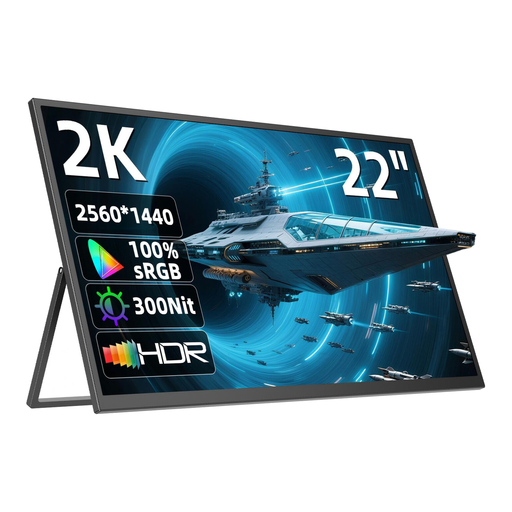
QHD resolution is an option for development windows on a compact second screen.
The product title lists a resolution of 2560 × 1440 pixels, IPS, USB-C, Mini-HDMI, a stand adjustable through 180° and VESA compatibility. The 22-inch screen limits the space available for several views side by side.
 No image available
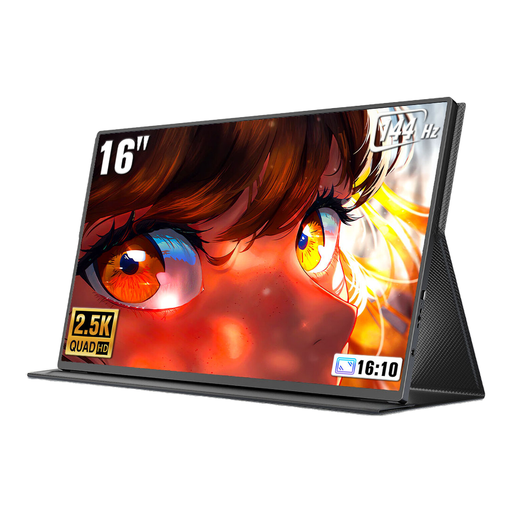
The 16:10 format is an option if you want to read longer code or test views on a portable second screen.
The product title lists a resolution of 2560 × 1600 pixels, Mini-HDMI, Type-C and VESA compatibility. The 16-inch screen offers less room for several windows arranged side by side than larger displays.
 No image available
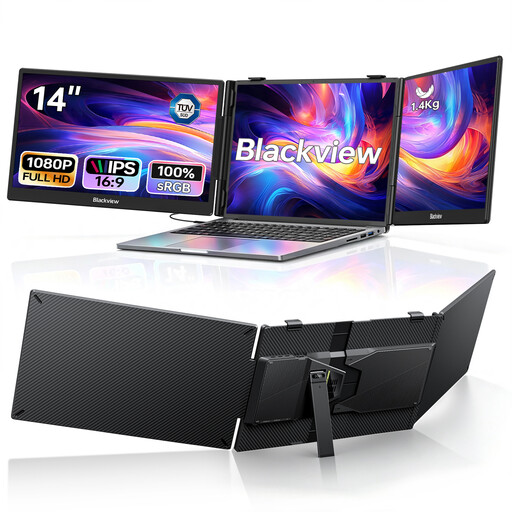
This screen extender gives you two extra displays, so you can keep work views separate from your laptop screen.
The product title lists two IPS screens, each with a resolution of 1920 × 1080 pixels, as well as USB-C and 100 W Power Delivery passthrough. It’s listed as compatible with laptops between 13 and 17.3 inches, but check that it fits your device.
 No image available
The compact size makes this an option for a desk with limited space and a laptop connection.
The product title lists a 24-inch Full HD IPS screen. This model is also listed with USB-C offering up to 90 W Power Delivery, an integrated USB hub and a height-adjustable stand. Full HD offers fewer native pixels for side-by-side windows than QHD.
No. The monitor displays code, the running application and test output. The tests themselves run in your development environment on the connected computer.
Adjust the text size and screen position so your work windows remain easy to read. The German Federal Institute for Occupational Safety and Health explains workplace requirements and certain home-working arrangements in ASR A6; these rules don’t apply universally to every home desk.
No. Compare your laptop’s video output and charging requirements with the specifications for the exact monitor model. Lenovo lists charging of up to 100 W for the German-market version of the ThinkVision P27h-30; EIZO lists up to 70 W via the EV2490’s USB-C upstream port. Both figures come from the respective manufacturers.
Computer monitors covered by EU rules carry an energy label with a scale from A to G, as explained by the European Commission. Compare the product information for the specific model; an energy rating alone won’t tell you your actual running costs.
According to the German Consumer Advice Centre, consumers who buy new goods can generally exercise their statutory rights against the seller within two years of receiving them. Whether and how these rights apply in a particular case depends, among other things, on the type of purchase and the goods. A voluntary guarantee is separate from these rights.