If you want to compare several timetables at once, make sure your window layout remains readable at your preferred text size. A 34-inch ultrawide monitor offers a different layout from a 27-inch QHD model. If you mainly read text or have limited desk space, scaling and dimensions are important considerations. For a laptop, you’ll also need to check that its video output and USB-C charging requirements are compatible with the monitor.
Which monitor options suit different needs?
Comparing multiple windows
If you keep several timetables or spreadsheets open side by side, check that the columns remain readable at your preferred scaling. LG’s listed 34-inch models and the 27-inch QHD examples from Dell and BenQ offer different screen formats.
Reading text for extended periods
If you spend a long time reading journey times and connections, adjust the text size and screen position to suit your eyesight. The Federal Institute for Occupational Safety and Health covers how to match screen position to individual visual needs in its guidance on working with screens.
Using a laptop at different workstations
If you want to connect your laptop easily, compare its video output and charging requirements with the specifications of the particular monitor. Dell and BenQ list different USB-C charging capacities and connectivity features for their respective models.
What should you look for when buying?
27-inch QHD
A good fit if: You want to arrange timetable windows on a compact desk and check how readable they are at your preferred scaling. Dell and BenQ list a resolution of 2560 × 1440 pixels for their respective models.
Bear in mind: The models listed differ in their USB-C features and charging capacity, so check that they match your laptop.
34-inch ultrawide
A good fit if: You regularly open several wide spreadsheets side by side and have enough room for the monitor. LG lists the 34U650A-B model with a resolution of 3440 × 1440 pixels.
Bear in mind: A wider format doesn’t guarantee more readable text. Check the desk space required, viewing distance and window layout.
27-inch 4K
A good fit if: Fine details matter as well as timetables, and your operating system’s text scaling works for you. ASUS lists a resolution of 3840 × 2160 pixels for the PA279CRV.
Bear in mind: More pixels are no substitute for checking readability or having extra screen width.
| Priority |
What to check before buying |
Who is this most important for? |
| Arranging several timetables |
Compare the window layout, resolution and dimensions of the specific model. |
If I want to read several timetables at once, the usable window width matters most to me. Around 36% of consumers put comparing several timetables side by side first. |
| Reading journey times clearly |
Try your own timetable pages at your preferred text scaling and consider the screen position. |
When researching for a long time, I want to be able to read journey times and small text comfortably. Around 29% of consumers prioritise the readability of journey times and text. |
| Connecting a laptop |
Check the laptop’s video output against the monitor’s video input and required charging capacity. |
If I want to use my laptop with the monitor, the connection needs to work with my device. Around 21% of consumers put laptop compatibility first. |
| Desk space and power consumption |
Check the dimensions of the casing and stand, as well as the EU energy label for the specific model. |
With limited desk space, I want to keep the footprint small and factor energy consumption into my comparison. Around 14% of consumers prioritise space requirements or power consumption. |
Which assumptions should you avoid?
-
Assuming screen size tells you how much readable space you’ll have
The screen formats and resolutions vary between the listed 27-inch QHD, 27-inch 4K and 34-inch ultrawide models. Screen size alone doesn’t tell you how readable your timetable windows will be at your preferred text scaling.
Try arranging two of your timetable windows side by side and test the text scaling before deciding based on screen size.
-
Assuming USB-C guarantees video and enough charging power
A USB-C port alone doesn’t guarantee a compatible video signal or enough charging power for every laptop. BenQ lists DisplayPort Alt Mode and 65 W Power Delivery for the GW2790QT; Dell lists 90 W for the P2725DE.
Check your laptop’s video output and charging requirements against the specifications of the specific monitor and the cable you’ll use.
If the connection or charging capacity isn’t suitable, you may need an extra charger or an alternative connection.
-
Assuming an older model listing means it’s still available to buy
LG marks the 34WQ75X-B as no longer available on its German product page. This status applies to that specific model.
When looking at an ultrawide offer, check the full model number and the availability of the specific listing.
Which brands offer suitable monitor examples?
Dell
Dell Germany lists the Pro P2725DE as a 27-inch QHD USB-C hub monitor for use with a laptop.
- Dell lists a resolution of 2560 × 1440 pixels and 90 W USB-C power delivery for the P2725DE.
- Check that your laptop’s video signal and charging requirements are compatible with this specific model.
BenQ
BenQ lists the GW2790QT as a 27-inch QHD monitor with USB-C and a height-adjustable stand.
- BenQ lists 65 W Power Delivery and DisplayPort Alt Mode for the GW2790QT.
- For a single-cable setup, the video signal and charging capacity need to be compatible with your laptop.
LG
LG lists the 34-inch 34U650A-B model with a resolution of 3440 × 1440 pixels in its German range.
- The format offers one way to arrange several windows horizontally.
- The extra width alone doesn’t guarantee that timetables will be more readable; check the space required and text scaling.
ASUS
ASUS lists the ProArt PA279CRV as a 27-inch 4K model with a height-adjustable stand.
- ASUS lists a resolution of 3840 × 2160 pixels and 96 W USB-C power delivery for the PA279CRV.
- The model’s colour features aren’t a proven benefit specifically for comparing timetables; test how text looks at your preferred scaling.
Joybuy monitors for comparing timetables
The following Joybuy offers include 34-inch ultrawide and 27-inch QHD and 4K monitors for arranging timetable windows side by side and comparing text details.
 No image available
CRUA CR340QA-H 34-inch WQHD monitor
For arranging several wide timetable windows side by side.
34 inches; 21:9; 3440 × 1440 pixels; 1500R curvature; 165 Hz; 1 ms MPRT; VESA 75 × 75 mm.
View at Joybuy
 No image available
INNOCN CB27U1 27-inch 4K UHD monitor
For comparing timetables when you also want to assess fine text or map details.
27 inches; IPS; 3840 × 2160 pixels; 120 Hz; USB-C with 90 W Power Delivery; height-adjustable.
View at Joybuy
 No image available
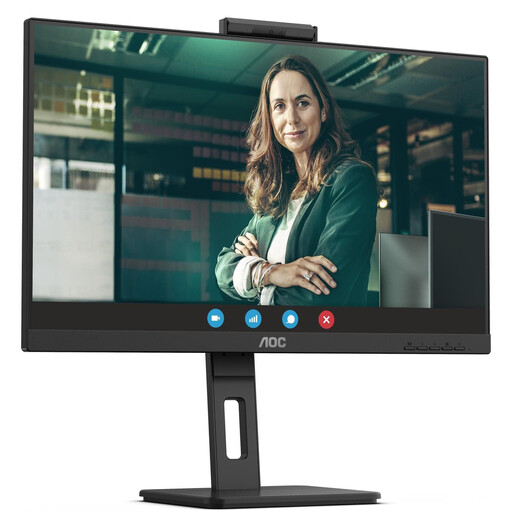
AOC Pro-Line Q27P3CW 27-inch QHD monitor
For viewing two timetable windows on a QHD monitor; check how readable they are at your preferred scaling.
75 Hz; IPS; 350 cd/m².
View at Joybuy
 No image available
Philips 345B1C 34-inch curved ultrawide monitor
For viewing several timetables side by side across a wide screen.
WQHD with 3440 × 1440 pixels; 21:9; 100 Hz; VA; 1500R curvature; height-adjustable.
View at Joybuy
 No image available
MSI PRO MP275QPDGDE 27-inch WQHD docking monitor
For comparing two timetable windows on a 27-inch WQHD monitor.
IPS; 100 Hz; 1 ms MPRT; USB-C with 98 W Power Delivery; daisy-chain; KVM; integrated webcam.
View at Joybuy
Frequently asked questions
How can I check whether two timetables will fit side by side and remain readable?
Try your actual timetable pages at your preferred text scaling and compare the screen format and native resolution. The listed options range from 27-inch QHD to 34-inch models with 3440 × 1440 pixels. None of these specifications alone guarantees a particular number of readable columns.
Which is better for comparing timetables: 27-inch QHD or 34-inch ultrawide?
27-inch QHD is a more compact screen format, while 34-inch ultrawide offers a different way to arrange windows horizontally. The right option depends on how many timetables you keep open at once, the scaling you use and how much desk space you have.
What should I check if I want to connect my laptop to the monitor via USB-C?
Check whether your laptop can output a video signal over USB-C and how much charging power it needs. Compare this with the specific monitor’s USB-C video standard and Power Delivery capacity, and check the cable too. A USB-C port alone doesn’t mean every combination will work.
How should I set up the monitor for extended reading?
Adjust the screen position and text display to suit your eyesight. The Federal Institute for Occupational Safety and Health recommends matching screen position to individual visual needs; ASR A6 does not apply universally to all private use at home.


