Route illustrators who draw intricate details
If you draw fine paths and labels, a well-sized workspace can help you keep the drawing area, layers and tools in view at the same time.


For layered route illustrations, start by choosing a monitor that suits your intended output. A high-resolution workspace can help with fine lines and keeping layers and tools open at the same time. For colour-critical print projects, you’ll also need to consider suitable colour spaces and a colour management workflow. If you draw on a laptop, check the video and charging capabilities of the specific connection. Scaling, desk space and power consumption are separate considerations.
If you draw fine paths and labels, a well-sized workspace can help you keep the drawing area, layers and tools in view at the same time.
If your route illustrations are intended for colour-critical output, match the colour spaces and profiles to your intended output and factor them into your workflow.
If you switch between working on a laptop and at a desk, check the specific monitor’s video connectivity, charging function and adjustability.
First, decide whether your priority is fine detail, colour-critical output or a laptop-based workspace. Then check the resolution, colour management and connections to match.
| Priority | What to check when buying | Who is it important to? |
|---|---|---|
| Space and sharpness | Compare screen size and native resolution, and check how the scaling you want works on your own computer. BenQ lists the PD2706U as a 27-inch monitor with a resolution of 3840 × 2160 pixels. | When I draw fine paths and labels, I want to keep layers and tools in view alongside my drawing area. Around 36% of consumers put space and sharpness first. |
| Colour control | Match the colour space you need to your intended output, and check that your workflow includes the right profiles and controls. Adobe describes colour profiles as part of print colour management. | When my illustration is to be printed with colour accuracy in mind, I want to match my colour workflow to the intended output. Around 29% of consumers prioritise colour control. |
| Laptop connectivity | Check that video transmission, charging requirements and cables are compatible with your computer. BenQ lists DisplayPort Alt Mode, data and 90 W Power Delivery over USB-C for the PD2706U. | When I connect my laptop at my drawing station, I want to check that the intended connection supports both the video signal and power supply. Around 21% of consumers prioritise straightforward laptop connectivity. |
| Setup and running costs | Check the height adjustment and swivel functions of the specific stand, as well as the energy label. The European Commission rates electronic displays on a scale from A to G. | When I work at the same drawing station for long periods, I want to position the monitor comfortably and take its power consumption into account. Around 14% of consumers prioritise workstation adjustability and running costs. |
Colour gamut coverage describes a monitor feature, but it doesn’t guarantee that the printed result will meet your expectations. The output profile and checking the file also matter.
Decide on your intended output before buying, then check the manufacturer’s specifications for the relevant colour space.
Profiling and checking the output file can add to your workload.
A USB-C socket alone doesn’t tell you whether a monitor can transmit a video signal or charge your computer sufficiently. BenQ specifically lists these functions for the PD2706U’s USB-C connection.
Check your computer’s ports, charging requirements and cable against the specifications for the specific monitor.
Depending on the equipment you already have, you may need a different cable or a separate power supply.
Resolution, screen size, operating system scaling and the stand all affect how easy it is to use the drawing area and control panels at your workstation.
Check the model’s screen dimensions and adjustment options. If possible, try your preferred scaling on your computer.
The DesignVue range includes monitors for creative work. BenQ lists the PD2706U as a 27-inch display with 4K resolution and USB-C.
EIZO positions the ColorEdge range for colour-managed creative work. According to EIZO, the CS2740 combines 4K resolution with a wide gamut and hardware calibration.
The ProArt range includes monitors for design work. ASUS lists the PA279CRV as a 27-inch 4K monitor with colour modes for sRGB and Adobe RGB.
The 27UP850K-W is a 27-inch 4K monitor with USB-C and an adjustable stand.
Dell lists the U2725QE as a 27-inch 4K Thunderbolt hub monitor.
This Joybuy selection includes monitors for detailed workspaces, with options to suit different colour control and laptop connectivity requirements.
 No image available
The 27-inch version could be worth considering for detailed drawing if you want to use 4K resolution and USB-C at your workstation.
Listed in the product title: 3840 × 2160 pixels, IPS, 120 Hz and USB-C with 90 W Power Delivery.
 No image available
If you prefer a larger drawing area, this 32-inch model is an option worth considering.
Listed in the product title: 3840 × 2160 pixels, QD-OLED, 240 Hz and USB-C with 98 W Power Delivery.
 No image available
If you’re looking for a 27-inch workspace with the different resolution and refresh rate modes listed in the title, check that they suit the way you plan to use it.
Listed in the product title: 4K at 160 Hz or FHD at 320 Hz, Fast IPS and USB-C with 65 W.
 No image available
This 32-inch model is worth considering if you’re looking for a larger 4K drawing area and an adjustable stand.
Listed in the product title: 3840 × 2160 pixels, OLED, tilt, swivel, height adjustment and pivot.
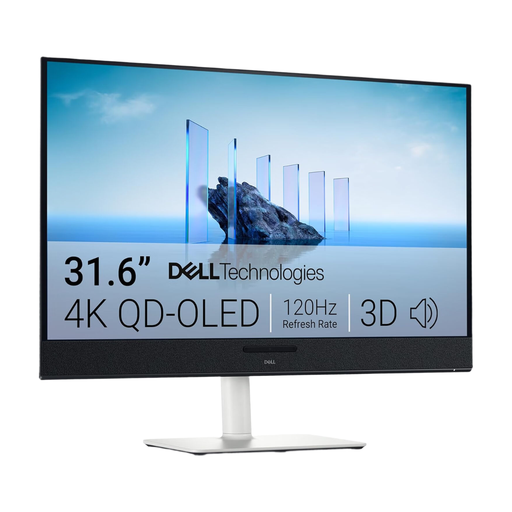 No image available
If you prefer a large workspace, compare this 31.6-inch model with the dimensions of your drawing area.
Listed in the product title: 3840 × 2160 pixels, 4K UHD and QD-OLED.
Not necessarily. Choose your colour settings to suit the intended output. For print projects, the relevant colour profiles are part of the workflow. Adobe describes, among other things, how to handle embedded profiles and convert colours for output devices. A wide monitor colour gamut alone won’t make a file print accurately.
Check that your laptop, monitor and cable support the video transmission and charging functions you need. BenQ lists DisplayPort Alt Mode, data and 90 W Power Delivery over USB-C for the PD2706U. Whether it works with your laptop depends on its ports and the cable you use.
When consumers buy new goods in Germany, they generally have statutory warranty rights against the seller. The consumer advice centre states that these apply for two years from delivery or receipt. This is separate from a voluntary guarantee. For online purchases, you generally also have a 14-day right to cancel, subject to the relevant legal requirements.
Yes. The European Commission rates electronic displays, including computer monitors, on an energy efficiency scale from A to G. In Germany, old electrical appliances shouldn’t go in household rubbish. The Federal Environment Agency lists recycling centres and suitable retailer take-back points as places to drop them off.