If you need to compare patterns and several references side by side, start by checking the usable screen area and how easy it is to read at your preferred scaling. A wide 21:9 display and a 27-inch 4K monitor offer different benefits. For colour-critical work involving fabric or print, you’ll also need a suitable colour space and a controlled colour workflow; a colour-space specification alone doesn’t guarantee a match with the finished material. Before buying, measure the space available and check the connections and, if relevant, the charging power your laptop needs.
Which setup suits your needs?
Pattern designers working with lots of references
If you want to keep your design, measurements and templates open at the same time, a wide display can make it easier to arrange your windows. Check the width of your desk and the vertical workspace available. LG lists the 34WR50QK-B as a 21:9 display with a resolution of 3,440 × 1,440 pixels.
Pattern designers focused on detail
For fine lines and small labels, you need the right resolution and readable scaling. Microsoft explains how to adjust the size of text and apps in Windows.
Designers who need consistent colour matching
If you need to assess colours for a specific output process, check the required colour space and profiles, and whether calibration is needed. EIZO points out that calibration cannot compensate for a colour space that is too small.
What should you look for when buying?
| What matters |
What to check before buying |
Who is it important to? |
| Workspace for designs and references |
Compare the aspect ratio, horizontal and vertical resolution, and your planned window layout with the width of your desk. |
If I want to view patterns, measurements and several templates at the same time, the usable screen area matters most. Around 28% of consumers say having space to work on several things at once is their top buying consideration. |
| Detail and a readable interface |
Check the resolution and screen size alongside text and app scaling at your usual working distance. |
If you need to assess fine lines and labels, text and tools should also be comfortable to view. Around 22% of consumers prioritise checking details. |
| Assessing colours for fabric or print |
Check the output profile and the requirements of your print or textile provider, then look at the colour mode and calibration options. |
If I need to match colours for a specific fabric or print process, a large screen alone isn’t enough. Around 22% of consumers prioritise colour matching. |
| Connecting a laptop |
Compare the video output supported by your laptop’s port, the charging power required, the cable and any data functions you need. |
For consumers who regularly connect their computer to a monitor, the key is making sure the connection suits their specific device and workflow. Around 17% focus mainly on laptop connectivity. |
| Setting up at your craft table |
Check the dimensions of the monitor and stand against the desk space available, as well as the adjustment options you want on the specific model. |
If I also spread out fabric and pattern pieces on the same table, the monitor and stand need to fit within my workspace. Around 11% of consumers put the setup first. |
Common misconceptions
-
A wide display automatically gives you plenty of vertical detail
The models compared here have different vertical resolutions: LG lists 1,440 pixels for the 34WR50QK-B, while ASUS lists 2,160 pixels for the 27-inch PA279CRV. This means they suit different window layouts and detail views.
Sketch out the windows you need to see at the same time and measure your desk before weighing up screen width against vertical resolution.
A wide monitor can take up more space on your worktable.
-
A colour-space percentage guarantees accurate fabric colours
Manufacturer specifications don’t automatically describe your specific monitor or the colours of the finished material. EIZO also points out that calibration can’t compensate for a colour space that’s too small.
First, decide which output process needs accurate colours. Then check the colour space and the right profiling or calibration workflow.
Depending on your workflow, matching colours with profiles, calibration and the output process can take extra time.
-
A USB-C port automatically means you can use a single cable
A USB-C connector alone doesn’t prove that it supports the video mode you need or provides enough power for your laptop.
Before buying, compare your laptop’s port, the video output required, the cable and the charging power explicitly stated for the monitor.
Depending on the combination, you may need a different cable or a separate power supply.
Key brands to consider
LG
The UltraWide range is worth considering if you want to view several reference windows side by side.
- LG lists the 34WR50QK-B as a 34-inch, 21:9 display with a resolution of 3,440 × 1,440 pixels.
- The stand documented for this model is tilt-adjustable; this doesn’t mean it can be height-adjusted. The manufacturer’s specifications aren’t an independent colour test.
ASUS
The ProArt PA279CRV is a 27-inch 4K option to consider for detailed work and different colour modes.
- ASUS lists a resolution of 3,840 × 2,160 pixels, sRGB and Adobe RGB modes, a height-adjustable stand and 96 W USB-C Power Delivery for this model.
- The colour-space figures are manufacturer specifications, not measurements of your specific monitor.
BenQ
The PD2705U and PD2732U models cater to different needs, from sRGB design work to an Adobe RGB-focused workflow.
- BenQ lists the PD2705U as a 27-inch 4K monitor with 99% sRGB, and the PD2732U as offering 99% Adobe RGB and Thunderbolt 4.
- These specifications apply to the models named. Suitability for fabric colours also depends on the output process.
EIZO
The ColorEdge CS2740 is an example of a monitor designed for a colour-management workflow.
- EIZO lists the CS2740 as a 27-inch 4K wide-gamut IPS monitor with hardware calibration using ColorNavigator.
- EIZO points out that calibration can’t compensate for a colour space that’s too small, and doesn’t guarantee a match with every fabric.
Dell
The UltraSharp U2725QE is worth considering if connectivity and docking for your work computer are important to you.
- Dell lists an integrated USB hub and power delivery via the monitor for this 27-inch model.
- These specifications for one model don’t support a blanket claim about colour accuracy across the UltraSharp range.
Joybuy monitors for pattern work
The models featured here include 27-inch 4K displays for detailed work, as well as wide monitors for viewing several references at once. Check the resolution, connections and space required for each specific model.
 Image unavailable
MSI PRO MP273UPDE E6 27" 4K UHD IPS monitor
A 27-inch 4K option if you want to assess pattern details on a more compact screen.
The product title lists 4K UHD, IPS, 60 Hz and HDR Ready.
Joybuy
 Image unavailable
CRUA 49" DQHD monitor, 32:9, 5120 × 1440
The wide 32:9 screen is an option if you want to arrange lots of work windows side by side and have enough space.
The product title lists 49 inches, 5,120 × 1,440 pixels, a height-adjustable stand and 165 Hz. The product description recommends handling the large display carefully during installation.
Joybuy
 Image unavailable
INNOCN 40C1U 40" 5K ultrawide monitor, 21:9
If you want to view your design and references side by side, the product title describes this model as combining a wide 21:9 format with 5K resolution.
Specifications include 5,120 × 2,160 pixels, IPS, 100 Hz, PIP/PBP and 65 W USB-C Power Delivery. The product information gives the width with the stand as 944.1 mm; check that it will fit your desk.
Joybuy
 Image unavailable
INNOCN CB27U1 27" 4K UHD monitor
A 27-inch 4K option if you want to check pattern details and arrange windows on a single screen.
The product title lists 3,840 × 2,160 pixels, IPS, 120 Hz, PIP/PBP and 90 W USB-C Power Delivery.
Joybuy
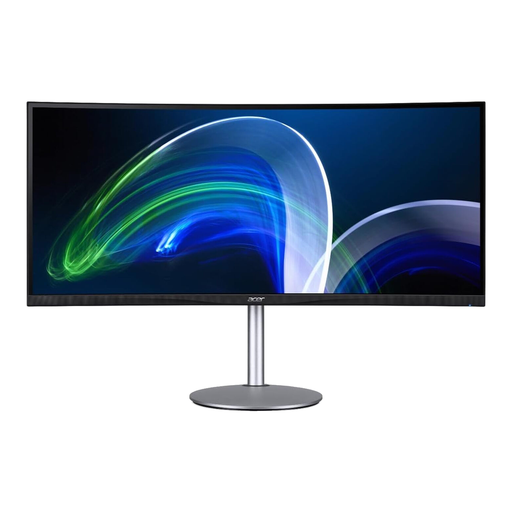 Image unavailable
Acer CB382CURb 37.5" 21:9 monitor, 3840 × 1600
The wide format could suit you if you want to arrange several work windows side by side.
The product title lists 37.5 inches, 21:9, 3,840 × 1,600 pixels and 75 Hz.
Joybuy
Frequently asked questions
Do I need an ultrawide monitor to work with several templates?
No. What matters is whether your window layout works while keeping text easy to read. A 21:9 model can make it easier to arrange windows side by side. Compare its native vertical resolution and footprint with those of a 4K model, and try out the scaling.
How do I set up a 4K monitor if menus look too small?
Start by selecting the native resolution recommended by your operating system, then adjust the scaling for text and apps. Microsoft points out that text can look blurry at a resolution lower than the native one.
Does a calibrated monitor guarantee that fabric will look the same?
No. Calibration controls what you see on the monitor; EIZO says it can’t compensate for a colour space that’s too small. For an accurate assessment, you also need to take the specific output process and its profiles into account.
What should I know about electricity costs and complaints in Germany?
The EU energy label for electronic displays shows an efficiency rating from A to G and model-specific information. Compare similar models when checking this. If a purchase is faulty, distinguish between your statutory rights and any manufacturer’s guarantee. The Verbraucherzentrale says that online purchases generally come with a 14-day right to withdraw, starting when you receive the goods.
Can I use pattern templates for a school cone that I find online?
That depends on the template and how you plan to use it, not on the monitor. Under certain conditions, Section 53 of the German Copyright Act (UrhG) allows individuals to make individual copies for private, non-commercial use. This doesn’t give you general permission to publish someone else’s templates or use them commercially; check the usage rights for the specific template.


