What should you look for when buying a monitor?
First, work out how much space you need for your list and source material. Then check that the adjustability and connections suit your shared workspace.
| Priority |
What to check before buying |
Who is it important to? |
| Space for the list and source text |
Compare the list view and source window at your preferred scaling; check the screen size and native resolution of the specific model. |
If I want to read entries and source text at the same time, I need a suitable window layout and easy-to-read text. Around 31 % of consumers prioritise screen space for text. |
| Adjustability for different people |
Check height and tilt adjustment, the stand’s footprint and light reflections at your desk. |
If several people use the screen, I want to be able to adjust it for each person’s seating position and take distracting reflections into account. Around 31 % of consumers prioritise this flexibility. |
| Laptop connections |
Check video output over USB-C, charging requirements, the USB or network ports you need, and what’s included in the box. |
If I frequently plug in and unplug my laptop, I want to connect the devices I need as easily as possible. Around 23 % of consumers prioritise laptop connections. |
| Desk space and running costs |
Compare the stand’s dimensions with your desk space and, for suitable models, check the EU energy label information. |
If there needs to be room for input devices and documents on the shared desk, I want to consider the footprint and compare energy use. Around 15 % of consumers prioritise space and running costs. |
Monitors for reading lists at a shared desk
The following Joybuy models include 27-inch QHD and 4K screens, as well as larger ultrawide monitors. Before choosing, check that the footprint, preferred window layout and text scaling suit your workspace.
 No image available
GIGABYTE G27Q26 27-inch QHD monitor
Could be an option if you want to arrange several windows on a 27-inch screen and adjust the display for different seating positions.
27 inches; 2560 × 1440 pixels; height adjustment, tilt, swivel and pivot are specified.
View at Joybuy
 No image available
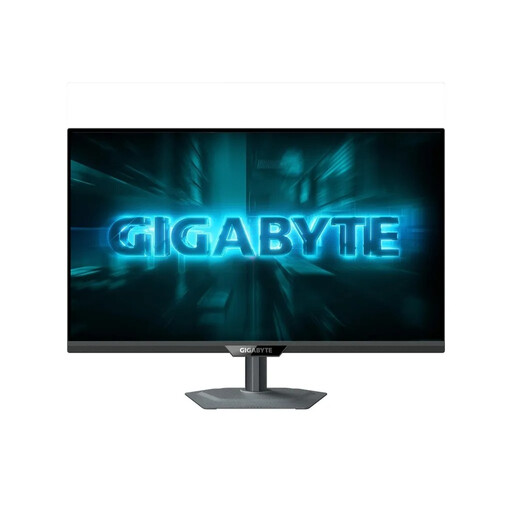
GIGABYTE G27Q2 27-inch QHD monitor
A potential choice if you want a QHD window layout for your reading list and source material, and need to position the screen for different users.
27 inches; 2560 × 1440 pixels; height adjustment, tilt, swivel and pivot are specified.
View at Joybuy
 No image available
CRUA 49-inch DQHD ultrawide monitor
Worth considering if you can arrange lots of content side by side and have enough desk space.
49 inches; 32:9; 5120 × 1440 pixels; a height-adjustable stand is specified. The wide format requires a lot of desk space.
View at Joybuy
 No image available
INNOCN 40C1U 40-inch ultrawide monitor
Could be a good fit if you want a wide workspace for several pieces of content and have room for a 40-inch display.
40 inches; 5120 × 2160 pixels; USB-C with 65 W Power Delivery and a USB hub are specified. Height adjustment, tilt and swivel are listed.
View at Joybuy
 No image available
INNOCN CB27U1 27-inch 4K UHD monitor
An option if you’re looking for 4K resolution and can choose text scaling and viewing distance to keep text easy to read.
27 inches; 3840 × 2160 pixels; USB-C with 90 W Power Delivery is specified. The stand offers 150 mm of height adjustment, as well as tilt, swivel and pivot.
View at Joybuy
Frequently asked questions
For a long reading list, should I choose 16:10 or 27-inch QHD?
If you need extra lines of text but have limited desk space, consider a 24-inch 16:10 model such as the Philips 24B2N3200D/00, with 1920 × 1200 pixels. For viewing a list and source material side by side, a 27-inch QHD screen could be an alternative, provided your desk space, viewing distance and preferred text scaling are suitable.
How should I set up the screen at a shared workstation?
Adjust the display for each person using it and check readability in the usual lighting conditions. The DGUV recommends looking slightly down at the screen and sitting 50 to 80 cm away; also check the text size and setup at your own workstation.
Can I connect and charge any laptop using a USB-C cable?
No, you can’t tell from the USB-C port alone. Check the video output supported and the laptop’s charging requirements against the monitor’s documented features. Also check the cable and what’s included in the box.
How can I compare power consumption and my rights if a monitor is faulty?
Monitors sold in the EU carry energy labels ranging from A to G; compare the information for the specific models. For an ordinary purchase of goods in Germany, statutory claims for defects generally expire two years after delivery (§ 438 BGB); this is separate from any voluntary manufacturer’s warranty.
Are there any specific workplace requirements for monitors?
If the shared desk is a display screen workstation in a workplace for employees, the German Workplace Ordinance and the more detailed ASR A6, which applies within its scope, are relevant. They cover workstation design but don’t impose a blanket requirement to use a particular monitor format. ASR A6 excludes use outside workplaces or teleworkstations, such as in private homes, from its scope.


