Morning radio listeners
You want to tune in to a regular live news stream without a lengthy search, and prefer easy-to-reach controls or station presets.


If you listen to a regular live news stream, an internet radio with easy-to-access presets is a natural choice. For a particular podcast, check whether that exact programme is available on the device or through a compatible app. A smart speaker lets you start listening hands-free, but it also involves a privacy decision. A network streamer lets you keep using your existing speakers, provided they have the right connections; passive speakers will also need an amplifier.
You want to tune in to a regular live news stream without a lengthy search, and prefer easy-to-reach controls or station presets.
You listen to a particular on-demand briefing and want to pick it up in the kitchen or elsewhere in your open-plan home.
You already have suitable speakers or a hi-fi system and want to add network streaming rather than set up a second complete audio system.
A good fit if: you want to start a regular live stream or a supported podcast directly on the device.
Trade-off: DAB+ and FM offer additional ways to listen, but they don’t guarantee that your chosen podcast is available.
A good fit if: you want to start your briefing hands-free and the service works with the assistant in question.
Trade-off: The German Federal Office for Information Security points out that voice commands are often processed in the cloud.
A good fit if: you already have active speakers or a system with suitable inputs.
Trade-off: WiiM says the WiiM Pro is not an amplifier. Passive speakers also need a suitable amplifier or receiver.
A good fit if: you want a standalone speaker with app, touch or optional voice controls.
Trade-off: The Sonos Era 100 must be set up over Wi-Fi using the Sonos app before you can use Bluetooth.
| What matters | What to check before buying | Who is this important to? |
|---|---|---|
| Finding and starting your briefing | Check whether your specific news service is available as a live stream or podcast, and whether you can save it as a favourite. | If I want to find my regular live news stream quickly, I check the exact playback options and whether I can save it as a favourite. Around 33% of consumers would prioritise the briefing’s availability above all else. |
| Simple everyday controls | Compare easy-to-reach buttons and presets with app or voice control. If using voice, check that the service is supported and see how to control the microphone. | If I want to start my briefing in just a few steps every morning, I look for an easy-to-access control method. Around 27% of consumers would prioritise getting started without fuss. |
| Where you listen | Check the location and power supply, and whether a battery is available as an option if that matters to you. Try to assess how clear speech sounds from your usual listening spot. | If I listen in different parts of my open-plan home, I want to be able to position the device to suit. Around 20% of consumers would prioritise where they listen. |
| Hi-fi system and privacy | Check the inputs on your speakers or hi-fi system. If you use voice control, also consider the microphone controls and privacy settings. | If I want to connect existing audio equipment or weigh up whether to use a microphone, I check the connections and control options. Around 20% of consumers would prioritise integration or privacy. |
A live news stream and individual on-demand episodes don’t necessarily use the same playback method.
Before you buy, search for your specific briefing and check that you can start that exact programme easily.
The WiiM Pro does not amplify passive speakers by itself.
Compare the inputs and outputs on your existing equipment, and check whether you need active speakers, an amplifier or connection cables.
Depending on your existing system, you may need suitable active speakers, an amplifier or connection cables.
Sonos says the Era 100 must first be set up over Wi-Fi using the Sonos app, even if you plan to use it over Bluetooth later.
Before you buy, check that you’re happy to complete the Wi-Fi and app set-up.
Voice commands are often not processed solely on the device. If the microphone on an Echo is switched off, it won’t respond to voice commands again until you switch it back on; you can still use the app to control it.
Consider whether app or button controls will suit you. If not, check the microphone and privacy settings.
Pure’s Evoke Play is an internet radio for listeners looking for radio, podcasts and a built-in speaker in one device.
According to WiiM, the WiiM Pro adds network streaming to compatible active speakers or an existing hi-fi system.
The Sonos Era 100 is a standalone Wi-Fi speaker with app, touch and optional voice controls.
Medion says the LIFE P85333 combines internet radio and podcasts with DAB+, FM and built-in stereo speakers.
The RADIO 3SIXTY is designed for listeners looking for a tabletop radio with DAB+, FM and internet radio, rather than a separate streamer.
This selection includes devices for internet radio and podcasts, as well as compact Wi-Fi and Bluetooth audio options. Before you buy, check that your chosen news content and playback method are supported.
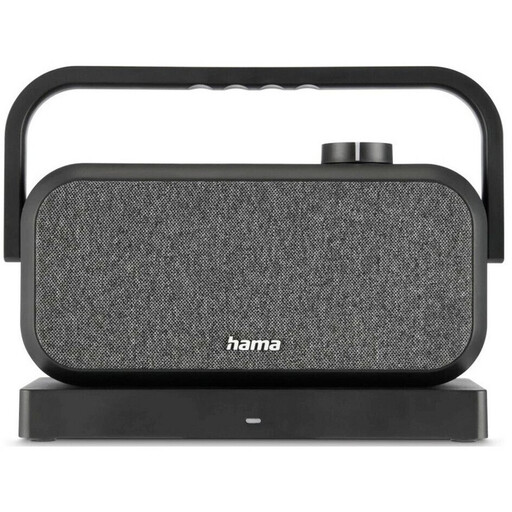 No image available
Could be worth considering if a portable stereo speaker with Bluetooth suits your planned playback method. Check whether you can connect the source of your briefing.
The product name lists a 2.4 GHz station and Bluetooth.
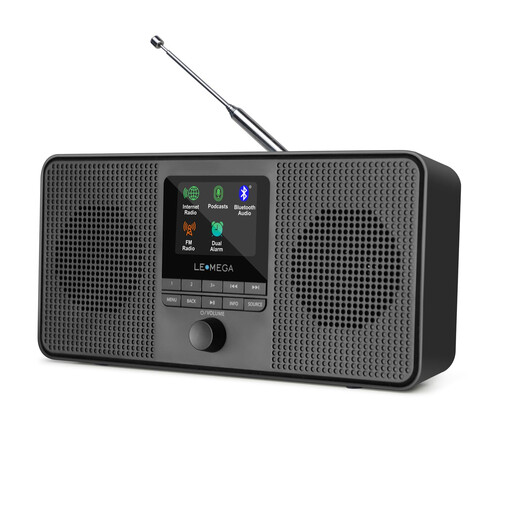 No image available
Could be a good fit if you’re looking for an internet radio with built-in stereo speakers and podcast playback. Check whether your specific briefing is available.
The product name lists internet radio, podcasts, Bluetooth, DAB and FM. 4 AA batteries are required for battery operation; they are not included.
 No image available
Could be an option if you’re looking for a compact audio device and your chosen briefing service is available on it. Check compatibility before you buy.
Features listed include Bluetooth 5.0, a 4-inch touchscreen, Android 11, 2 GB RAM and 16 GB storage, expandable to 256 GB. The product name also lists FM radio and a speaker.
No. An internet radio that can find the podcast, or a compatible way to play it from your phone, may be all you need. Check the specific programme: having access to a radio station’s live stream doesn’t prove that its on-demand episodes are available too.
Not with the WiiM Pro: the manufacturer says it isn’t an amplifier. Passive speakers need to be connected to a suitable amplifier or receiver; compatible active speakers can be connected to the analogue output.
According to the information provided for Echo, the device won’t respond to voice commands until you switch the microphone back on. You can still control it through the Alexa app.