
Lieferung heute & morgen

Qualitätsgarantie

Willkommens-Angebote freischalten: KOSTENLOSE Lieferung | Bis zu 80 % RABATT | Kostenlose 30-Tage-JoyPlus-Testphase
App herunterladen
A motherboard connects the processor, RAM, graphics card, drives and ports. Even so, buyers often focus solely on chipset names or particularly high RAM speeds. This can result in an incompatible combination, unused features or unnecessary additional costs.
Three common buying misconceptions occur particularly often:
Check the processor first, and only then choose the motherboard. For current AMD Ryzen systems, for example, AM5 motherboards with DDR5 support are an option. Older Ryzen platforms such as an AM4 motherboard generally use DDR4 and are not compatible with AM5 processors.
The socket is equally important for Intel systems. Depending on the BIOS and the manufacturer’s specifications, an Intel LGA1700 motherboard can support Intel Core processors from different generations. Among other things, the chipset determines the number of USB, SATA and PCIe ports, as well as the options for configuring the memory or processor.
Before buying, pay attention to:
A DDR5 motherboard provides a current memory platform, but requires DDR5 modules. A DDR4 motherboard can make sense if you already have suitable RAM or are planning a budget-conscious upgrade.
High clock-speed specifications are usually marked as overclocking values, such as “OC”. The speed actually achievable depends on the CPU, BIOS and memory kit used. Therefore, check the manufacturer’s Memory Qualified List and, when using two modules, install them in the recommended slots for dual-channel operation.
Maximum capacity also matters: 32 to 64 GB may be sufficient for a basic office PC, while a workstation for virtual machines or large projects will benefit from more memory. Four DIMM slots also provide more upgrade options than two.
The case must match the form factor. A Micro-ATX motherboard is compact and suitable for smaller PCs. An ATX motherboard usually provides more room for expansion cards, drives and additional ports. For very compact systems, a Mini-ITX model may be suitable, although these often offer fewer slots.
For mass storage, compare the number and generation of the connections:
A motherboard with Wi-Fi is practical for PCs without a network cable. Also check the standard, antenna connections and Bluetooth. For offices or small businesses, wired Gigabit or 2.5-Gigabit LAN may be the more predictable solution.
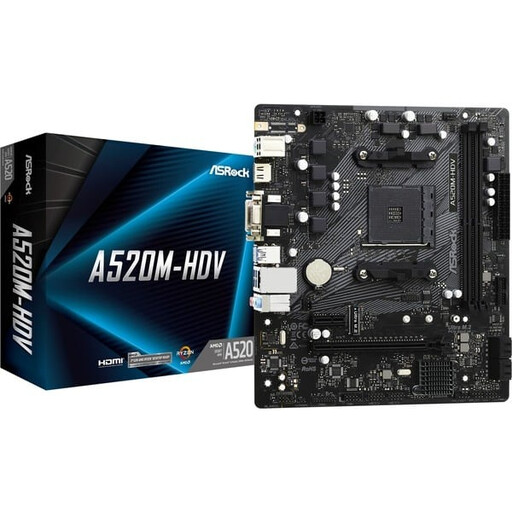
Why this product suits the profile: This AM4 motherboard is designed for compact everyday PCs with compatible Ryzen processors and DDR4 memory.
The specifications explicitly state the AM4 socket, DDR4 support and limitations with certain Ryzen models.
Micro-ATX, one M.2 slot and four SATA ports are suitable for a straightforward PC build.
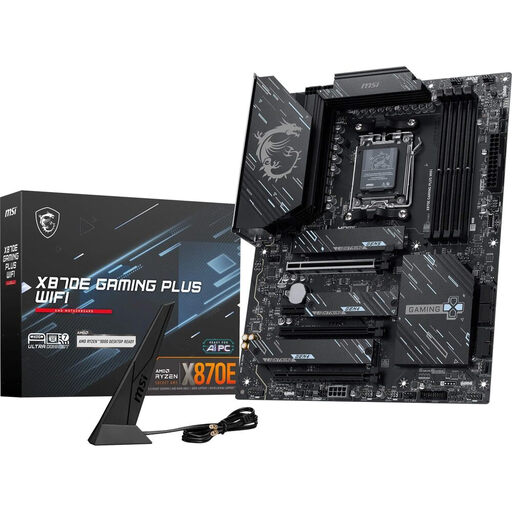
Why this product suits the profile: This ATX motherboard is aimed at users who want to combine AM5, multiple M.2 drives and extensive connectivity.
The platform, memory and connection specifications are clearly listed, making it possible to check your requirements before buying.
Four DDR5 slots, three M.2 connections, PCIe 5.0, Wi-Fi 7 and 5G LAN are documented features.
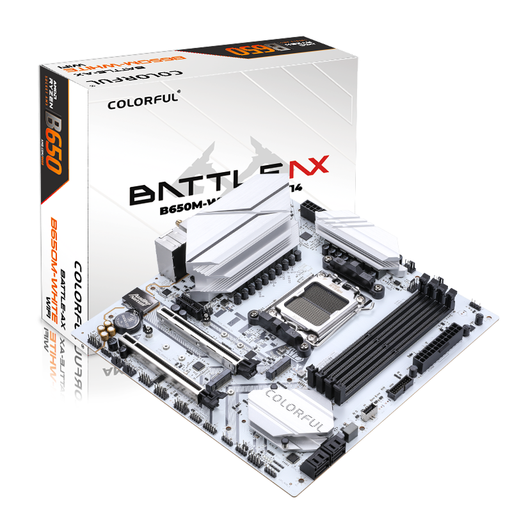
Why this product suits the profile: This Micro-ATX motherboard combines AM5, DDR5, Wi-Fi and several fast storage options for compact gaming or work PCs.
The two M.2 slots and the PCIe 5.0 x16 slot are listed separately; actual use still depends on the CPU and SSD.
Four DDR5 DIMM slots, Wi-Fi 6 and 2.5-Gigabit LAN offer flexible expansion options.
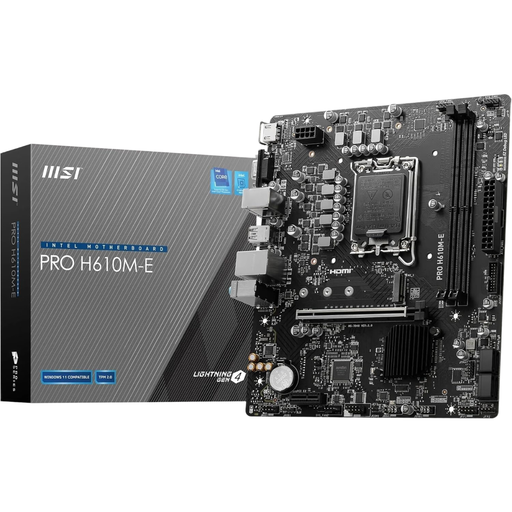
Why this product suits the profile: For a compact Intel PC with existing DDR4 hardware, this model provides a clearly defined platform.
The DDR4 limitation, LGA1700 socket and two memory slots are clearly specified.
Micro-ATX, PCIe 4.0 x16, an M.2 connection, HDMI, DisplayPort and VGA cover many standard builds.
We have put together a complete, regularly updated list of products that fully meet these strict selection criteria and the safety regulations applicable in the EU.
Compare the manufacturer’s CPU socket, chipset and support list. For AMD Ryzen processors, you need to distinguish between AM4 and AM5. For Intel, the LGA socket must match the relevant Core platform. BIOS compatibility should also be checked before installation.
Its service life depends on operating conditions, dust levels, cooling and the connected components. It is not possible to give a reliable fixed lifespan. Good case ventilation, a suitable power supply and careful installation help reduce avoidable strain. The socket and expansion standard also determine how long future upgrades will remain possible.
The price depends, among other things, on the chipset, form factor, DDR4 or DDR5 support, number of M.2 slots, networking standard and Wi-Fi generation. Therefore, do not compare only the purchase price; consider the features you actually need as well. An integrated Wi-Fi module can save you from buying and installing an additional expansion card.