
Lieferung heute & morgen

Qualitätsgarantie

Willkommens-Angebote freischalten: KOSTENLOSE Lieferung | Bis zu 80 % RABATT | Kostenlose 30-Tage-JoyPlus-Testphase
App herunterladen
A motherboard connects the processor, RAM, graphics card, SSDs and external devices. If you want to buy a motherboard, you should therefore look beyond chipset names, high clock speeds and gaming labels. What matters is whether the board is compatible with your existing or planned PC system.
An AMD AM5 motherboard is not compatible with an Intel processor. An Intel system likewise requires the correct socket and chipset. Even within the same platform, a BIOS update may be necessary. Before buying, you should therefore check:
For a Ryzen motherboard, consult the manufacturer’s official processor compatibility list. The same applies to Intel motherboards and the relevant Core generation.
DDR4 and DDR5 memory are not interchangeable. The modules differ both technically and mechanically. A DDR4 motherboard requires DDR4 RAM, while a DDR5 motherboard only accepts compatible DDR5 modules.
This makes it important to check your existing RAM before upgrading. Switching to DDR5 may involve additional costs, as you may need new RAM modules as well as a new motherboard. Also check the number of DIMM slots and the maximum memory capacity specified by the manufacturer.
A PCIe 5.0 motherboard provides suitable slots for devices from this generation. However, this does not automatically mean that every graphics card or SSD will run faster as a result. Actual speeds depend on the device, processor, chipset and how the PCIe lanes are distributed.
For many office, gaming and creative systems, a PCIe 4.0 motherboard is sufficient. Before buying, also check how many M.2 slots are available and whether they support PCIe, SATA or different generations.
The socket determines which processors are mechanically compatible. The chipset influences the range of USB, SATA, PCIe and M.2 interfaces, among other features. An affordable chipset may be ideal for an office PC, while a performance-focused system needs more robust power delivery, connections and expansion options.
When choosing a motherboard for a PC upgrade, you should also check whether your processor, RAM, cooler, power supply and case can be reused. Replacing the motherboard may also require Windows to be reactivated or drivers to be installed again.
An ATX motherboard generally offers more slots and a roomier layout. However, it requires an ATX-compatible case. A Micro-ATX motherboard is more compact and is suitable for smaller systems. It can still offer several M.2 interfaces, PCIe slots and four RAM banks.
Before placing your order, check the case dimensions and the position of the mounting points. Graphics card length, CPU cooler height and space for cables can also affect installation.
A motherboard with Wi-Fi is useful if there is no network cable where you intend to set up your PC. Check the standard, the supplied antennas and operating system support. According to some product specifications, certain Wi-Fi 7 features require Windows 11 24H2 or later; suitable drivers may not be available for Windows 10, depending on the Wi-Fi chip.
Other relevant factors include:
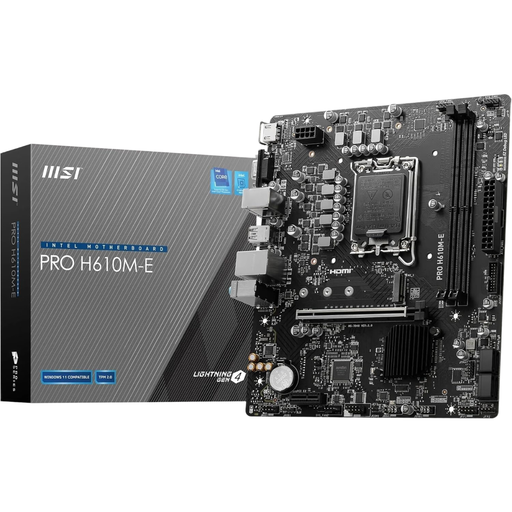
Why this product suits this profile: This Micro-ATX model is designed for compact Intel systems with DDR4 memory and, according to the product specifications, supports 12th-generation Intel Core processors.
DDR4 support is clearly specified. This means existing DDR4 RAM can be reused; DDR5 modules must not be installed.
PCIe 4.0 x16, one M.2 connection, HDMI, DisplayPort, VGA and Gigabit LAN.
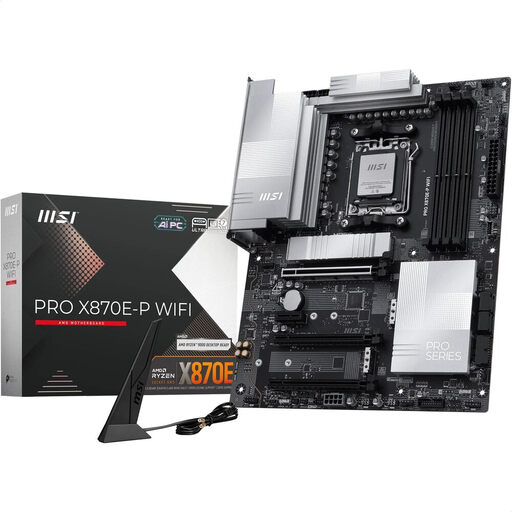
Why this product suits this profile: This ATX motherboard is designed for AMD Ryzen processors from the 7000, 8000 and 9000 series and offers a wide range of interfaces for performance-focused systems.
The socket, DDR5 memory and supported Ryzen series are clearly specified. This makes it easier to check compatibility before buying.
Four DDR5 DIMM slots, three M.2 connections, PCIe 5.0 x16, Wi-Fi 7, 5G LAN and USB4 Type-C.
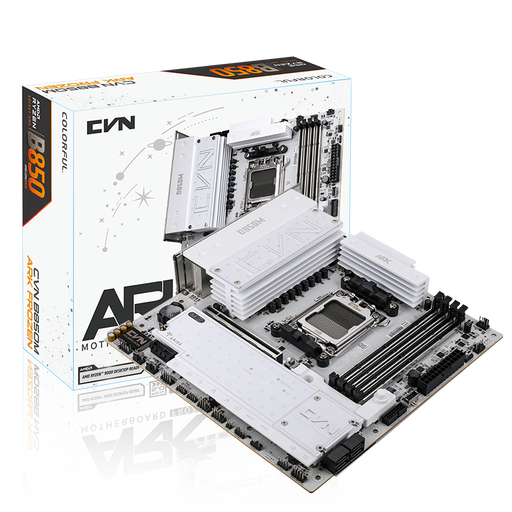
Why this product suits this profile: Content creators and power users get three M.2 slots, four SATA connections and several high-speed USB interfaces in a Micro-ATX format.
The storage and connectivity specifications are listed in detail. This lets you check in advance whether multiple NVMe SSDs and SATA drives will fit.
AM5 support, four DDR5 slots supporting up to 192 GB, PCIe 5.0 x16, 2.5 Gbit/s LAN and Wi-Fi 7.
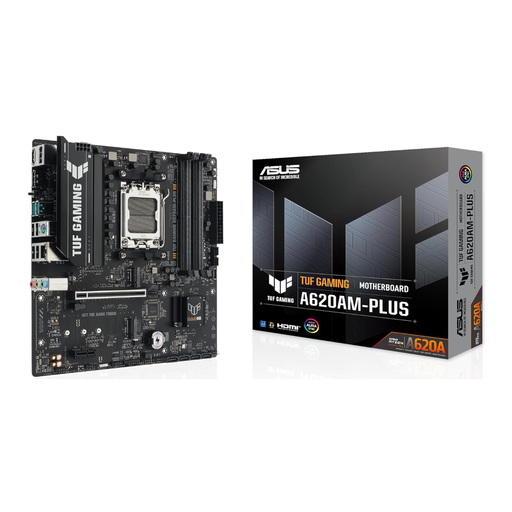
Why this product suits this profile: This AM5 Micro-ATX model combines DDR5 support with DisplayPort, HDMI and SATA, as well as business-focused CSM compatibility.
Key specifications such as the AM5 socket, DDR5 support and two M.2 connections can be checked before ordering.
Up to 128 GB DDR5 according to the product specifications, two PCIe 4.0 M.2 slots, USB at 5 Gbit/s and Gigabit Ethernet.
We have put together a complete, regularly updated list of products that fully meet these strict selection criteria and the safety regulations applicable in the EU.
That depends on your existing components. First check the CPU socket, RAM type, case format, power supply connections and existing drives. With an AM4 system, a DDR4-compatible motherboard can reduce the need to replace other components. Switching platforms to AM5 will generally require DDR5 memory.
There is no reliable fixed lifespan. It depends on operating conditions, exposure to dust, power supply and your upgrade plans. A motherboard remains technically usable as long as the processor, memory and interfaces meet your requirements. A BIOS update may extend compatibility to later supported processors, provided the manufacturer offers this option.
Base your decision on the features you actually need. Two RAM slots, one M.2 connection and Gigabit LAN may be enough for an office PC. Depending on the graphics card, number of SSDs, networking and expansion cards, gaming PCs and workstations require more extensive features. A higher price is only worthwhile if you will actually use the additional connections, storage options or networking features in your own system.