
Lieferung heute & morgen

Qualitätsgarantie

Willkommens-Angebote freischalten: KOSTENLOSE Lieferung | Bis zu 80 % RABATT | Kostenlose 30-Tage-JoyPlus-Testphase
App herunterladen
A motherboard connects the processor, RAM, graphics card, SSDs and other ports to create a working PC system. The choice may initially seem straightforward, but many unsuitable purchases are not caused by one individual specification. They result from a lack of compatibility between several components.
Three marketing traps in particular often lead to unnecessary costs:
The socket determines which processor family can be installed. An AM5 motherboard is designed for current AMD Ryzen platforms and uses DDR5 RAM. Depending on the model, an LGA-1700 motherboard supports selected Intel processors from different generations. A newer platform for Intel Core Ultra processors uses an LGA-1851 motherboard.
Before buying, check the following:
For AMD, for example, a B650 motherboard, a B850 motherboard and an A620 model represent different levels of features. With Intel, a B760 motherboard, H610 models and Z790 or Z890 platforms mainly differ in expandability, connectivity and overclocking features.
A DDR5 motherboard requires DDR5 modules, while a DDR4 motherboard only accepts DDR4 RAM. The slots are mechanically different, so DDR4 and DDR5 cannot simply be swapped for one another.
DDR4 can be a sensible choice for existing systems and budget-conscious upgrades. DDR5 offers a wider choice of modern motherboards for current platforms, as well as higher officially supported speeds or speeds supported via profiles. However, the maximum figures are not the only factors that matter:
If you want to continue using your existing memory, you can find suitable models in the DDR4 motherboard category.
An ATX motherboard measuring 305 × 244 mm generally provides more room for expansion cards, M.2 storage and ports. At around 244 × 244 mm, a Micro-ATX motherboard is more compact and suitable for smaller cases. Before buying, make sure the mounting points and case support are compatible.
You should also count and check the following:
A motherboard with Wi-Fi means you do not need an additional wireless card. With a PCIe 5.0 motherboard, check whether the SSDs or expansion cards you plan to use actually support this standard.
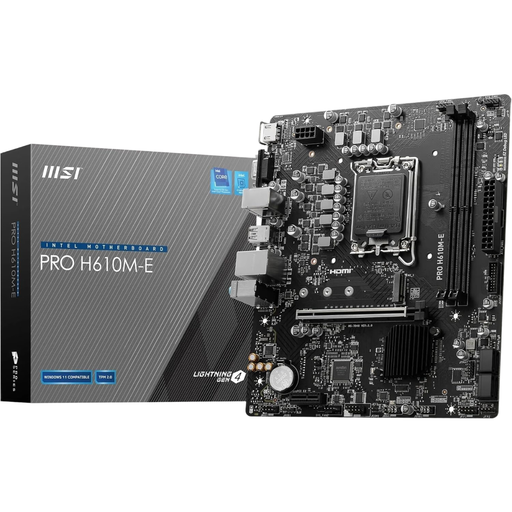
Why this product suits this profile: This Micro-ATX model is designed for compact Intel systems with LGA 1700 and existing DDR4 memory.
DDR4 support is clearly specified, preventing DDR5 from being accidentally paired with an incompatible board.
2 DDR4 DIMM slots, PCIe 4.0 x16, M.2 Gen3 x4, plus HDMI, DisplayPort and VGA outputs.
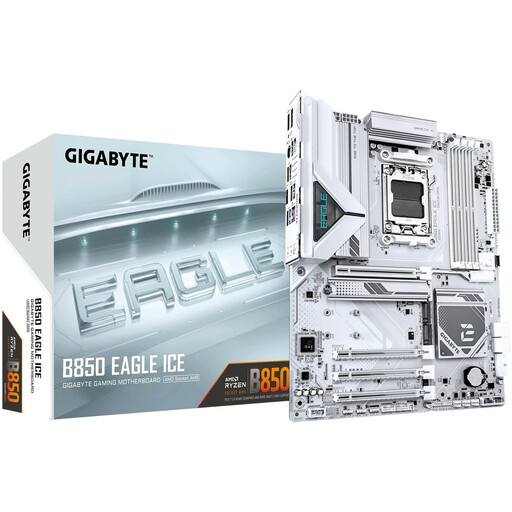
Why this product suits this profile: This ATX board provides a comprehensive foundation for a modern AMD PC, with several storage and expansion options.
The platform, AM5 socket and DDR5 memory technology are clearly matched. Three M.2 slots make future storage upgrades easier.
AMD B850 chipset, four DDR5 DIMM slots supporting up to 256 GB, PCIe 5.0 and 2.5GbE LAN.
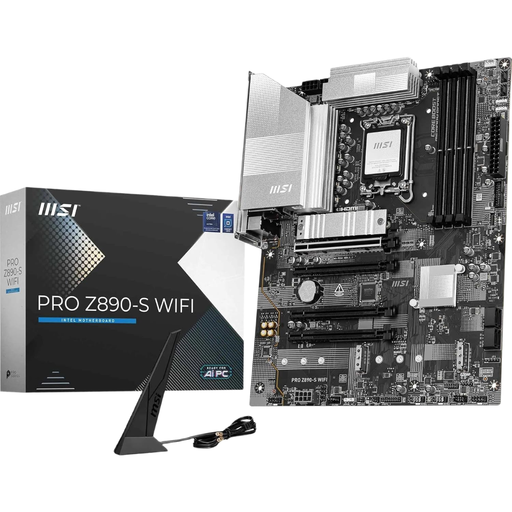
Why this product suits this profile: Content creators and power users get several fast storage and connectivity options in an ATX layout.
The feature set goes beyond individual buzzwords: Wi-Fi 7, Thunderbolt 4, three M.2 slots and PCIe 5.0 are all clearly specified.
LGA 1851, Intel Z890 chipset, up to 256 GB DDR5, one M.2 Gen5 slot and two M.2 Gen4 slots.

Why this product suits this profile: This compact AM5 platform is suitable for a straightforward AMD office or everyday PC.
The specification lists DDR5, AM5 and Micro-ATX separately, preventing the common mix-up with DDR4 or AM4 components.
AM5 socket, two DDR5 slots, PCIe 4.0 x16, M.2 PCIe 4.0 x4 and four SATA 6 Gb/s ports.
We have put together a complete, regularly updated list of products that fully meet these strict selection criteria and the safety regulations applicable in the EU.
Before installation, disconnect the power supply and the entire PC from the mains. Hold the motherboard by its edges and avoid touching the socket pins and gold contacts. The following points are also important:
Lifespan depends more on temperature, dust, power delivery and mechanical stress than on a blanket number of years. Regular cleaning with compressed air and stable airflow help reduce typical strain. If you notice unusual noises, smells or instability, switch off the PC and check the cabling.
The key factors are the socket, chipset and CPU support list. An AMD processor requires an AMD motherboard with a compatible AM4 or AM5 socket. With Intel, LGA 1700 and LGA 1851 must be clearly distinguished. A BIOS update may also be required.
No. For office applications, a compatible socket, sufficient RAM, M.2 support and the required ports are often enough. A gaming motherboard often provides additional PCIe slots, stronger power delivery, better networking features or RGB functions, none of which are essential for office applications.
For a basic PC, one M.2 slot is usually sufficient. Two or more slots are useful if you want to store the operating system, games, video projects or work data separately. Also check whether individual M.2 slots disable SATA ports or PCIe slots when they are occupied.