
Lieferung heute & morgen

Qualitätsgarantie

Willkommens-Angebote freischalten: KOSTENLOSE Lieferung | Bis zu 80 % RABATT | Kostenlose 30-Tage-JoyPlus-Testphase
App herunterladen
A motorcycle CarPlay display can bring navigation, music and phone calls together on your motorbike. However, devices differ considerably in screen size, power supply, Bluetooth connectivity and mounting systems. If you only look for terms such as “waterproof” or “Wireless CarPlay”, you can easily overlook important details.
The most common purchasing problems arise from three typical pitfalls:
For a waterproof motorcycle display, the IP protection rating should be stated clearly. IP67 generally means dust-tightness and protection against temporary immersion under the conditions of the relevant standard test. This does not mean that the display is designed to withstand every type of water exposure or extreme temperature.
You should also check the power supply:
A motorcycle touchscreen should ideally only be operated to a limited extent while riding. Voice control via Siri or Google Assistant may be a more practical alternative, depending on your smartphone, headset and connection. Settings and pairings should be completed before setting off.
A motorcycle sat nav with CarPlay generally uses the navigation and media functions of the connected smartphone. The display itself is therefore not automatically a standalone navigation device. Before buying, check the following:
For a BMW motorcycle CarPlay solution, you should also check whether the mount, power connection and operating concept suit your bike. A dedicated plug-and-play connection can simplify installation, but is not automatically compatible with every BMW model.
A 5-inch motorcycle sat nav takes up less space and may suit smaller cockpits or riders who prefer a discreet display. A 7-inch motorcycle sat nav provides larger on-screen elements, but requires careful positioning on the handlebars.
Look out for:
A motorcycle crash-bar bumper is a separate component and does not replace a sturdy display mount. On adventure and touring enduro bikes, a bumper can protect the crash bars, but it must fit the tube diameter. The model listed here is specified for 25 mm tubes; check the dimensions against your own motorcycle before ordering.
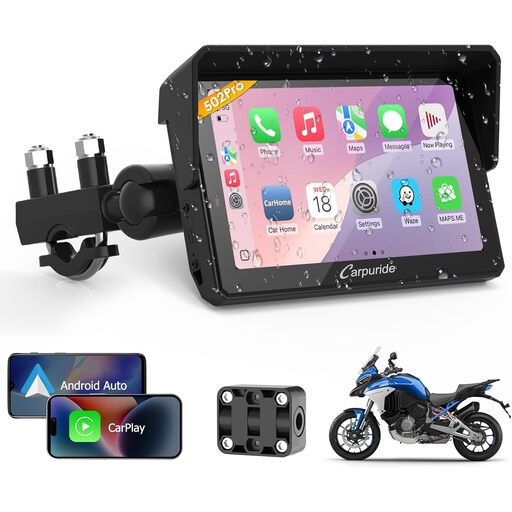
Why this product suits this profile: The 5-inch format takes up comparatively little space and combines navigation, CarPlay, Android Auto and Bluetooth functions in a compact device.
The specifications list IP67, two power options and a handlebar mount. This means you can check the water protection, power supply and installation details before buying.
5-inch touchscreen, Wireless CarPlay and Android Auto; dual Bluetooth for a smartphone and headset, or two helmets in the designated mode.
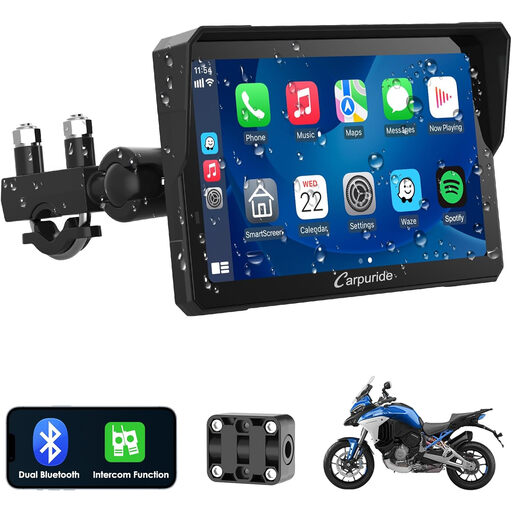
Why this product suits this profile: The 7-inch display is aimed at riders who prefer larger map views and an easy-to-read interface.
The product specifications list Wireless CarPlay, Android Auto, dual Bluetooth and intercom separately. This makes it easier to check compatibility with your own headset system.
7-inch touchscreen with support for wireless CarPlay and Android Auto; dual Bluetooth for additional audio connections.
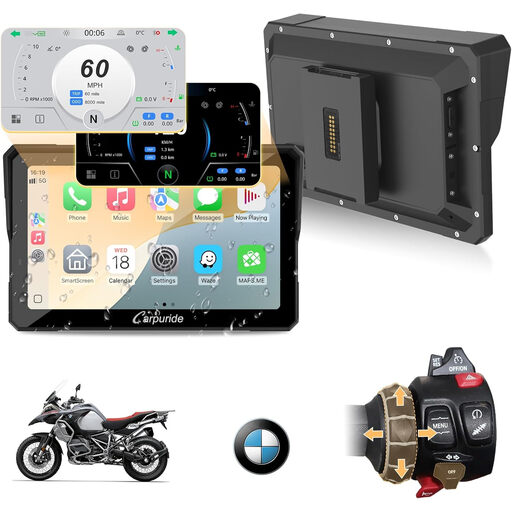
Why this product suits this profile: The product name explicitly mentions BMW motorcycles. Even so, you should check the model, year, connection and available mounting points before ordering.
The BMW compatibility is not inferred solely from a general universal specification. The exact motorcycle type remains an important check.
7-inch display, Wireless CarPlay and Android Auto; dual Bluetooth and intercom function according to the product specifications.
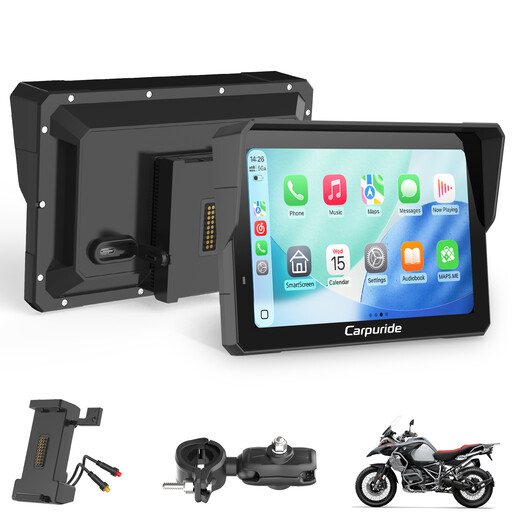
Why this product suits this profile: The package contents include a BM05 plug-and-play mount and a wired controller. This may be useful for regular trips with frequent navigation needs.
The type of mount and the controller are stated explicitly. This allows you to check in advance whether the preferred operation and mounting system suit your motorcycle.
7-inch touchscreen, BM05 mount, wired controller, plus Wireless CarPlay, Android Auto and dual Bluetooth.
We have put together a complete, regularly updated list of products that fully meet these strict selection criteria and the safety regulations applicable in the EU.
Before your first ride, installation should be completed in several steps:
In most cases, the display shows the smartphone’s CarPlay or Android Auto interface. Without a compatible smartphone, functions such as maps, phone calls and voice assistants may be limited or unavailable. Check the relevant product description for details of locally stored media or an integrated GPS module.
First, pair the smartphone with the display. Then connect the Bluetooth motorcycle headset according to the display’s instructions. With dual-Bluetooth models, an additional connection may be available for a second helmet or intercom. The modes actually available depend on the configuration of the individual device.
A 5-inch model saves space and can appear less cluttered in compact cockpits. A 7-inch model offers larger on-screen elements, but requires more mounting space. The decisive factors are the handlebar dimensions, riding position, field of view and whether the display obstructs the instruments or controls.