Working with long budget spreadsheets
If you switch between individual rows and larger sections of a spreadsheet while checking lots of expenses, it’s important to have control over how you scroll.


For long expense spreadsheets, a mouse with the right scrolling features is worth considering if you often switch between individual rows and distant parts of a table. For occasional, quick budget updates, a simpler mouse may be enough. During longer sessions, hand size and whether you’re left- or right-handed matter more than extra features. Also check whether your computer is compatible with Bluetooth or a USB receiver.
If you switch between individual rows and larger sections of a spreadsheet while checking lots of expenses, it’s important to have control over how you scroll.
If you spend a long time entering and checking expenses, pay particular attention to your hand size, whether you’re left- or right-handed, and a comfortable hand position.
For short stints working with tables or charts, ease of use and a connection that works with your computer are the main things to consider.
Start by considering how long you’ll use the mouse and which connections your computer supports. Then decide whether extra scrolling features would genuinely help with your spreadsheets.
| What you need | What to check before buying | Who it matters most to |
|---|---|---|
| Scrolling through long spreadsheets | How it performs when scrolling slowly and quickly; how easy it is to use with your spreadsheet application. | If I often switch between individual expenses and more distant parts of a spreadsheet, I want to be able to reach both precisely. Around 36% of consumers prioritise scrolling when buying a mouse. |
| Fit and hand position | The hand size and handedness supported by the specific version; grip style and how easily you can reach the buttons and scroll wheel. | For long sessions, I want a mouse that suits my hand and whether I’m left- or right-handed. For around 29% of consumers, how the mouse fits their hand is their top buying consideration. |
| Connecting to your computer | Bluetooth support; a suitable, available USB port for a receiver. | If I want to use my existing computer or connect to several devices, the connection needs to work with them. Around 21% of consumers prioritise device connectivity when buying. |
| Quiet and easy to use | Whether the specific model has quiet buttons; whether it uses a battery or rechargeable battery, and whether a receiver is needed. | At a shared workstation, I want to keep clicking noises and set-up in mind without paying for features I’m unlikely to use. Around 14% of consumers prioritise quiet, straightforward use. |
Some of the models mentioned are designed for specific hand sizes or exclusively for use with one hand. If the shape doesn’t suit your hand, it may not give you the position you’re looking for.
Compare the exact size and handedness options and, if possible, see how the mouse feels in your hand.
Connection options vary by mouse and model version. A USB receiver needs a suitable, available port; your computer must support Bluetooth.
Check the full model name, the stated connection options and the ports on your computer.
An incompatible connection can mean extra set-up or make it impossible to use the mouse with your existing computer.
A DPI figure quoted by the manufacturer doesn’t, by itself, prove that you’ll create spreadsheets more quickly or make better-quality charts.
Choose based on how you actually work with spreadsheets: fit, scrolling and connectivity may matter more for this purpose.
The product ranges mentioned include traditional mice with different scrolling features, as well as vertical models.
The MW 8C ERGO is described as a contoured wireless mouse for right-handed users with medium to large hands.
The PERIMICE-719 L is positioned as a wireless mouse for small left hands.
The Bayo II is a vertical wireless mouse that you can compare as an alternative grip style.
This selection includes mice for working with long spreadsheets that offer extra navigation features, as well as simpler models for occasional budget updates.
 No image available
For long spreadsheets if you’ll use the extra scrolling feature regularly.
Bluetooth; USB-C charging; listed as compatible with Windows and MacOS. The product information says the USB-C charging cable isn’t included.
 No image available
A straightforward office mouse for occasional spreadsheet work, if your computer is compatible with a USB receiver.
2.4 GHz connection with USB receiver; a suitable, available port is required.
 No image available
For occasional spreadsheet work if you want to choose between Bluetooth and a 2.4 GHz connection.
Bluetooth and 2.4 GHz connection; an AA battery is listed in the product name. Check which connection option works with your computer.
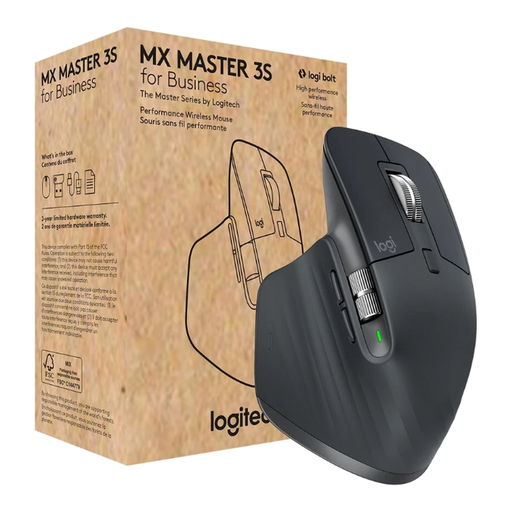 No image available
For long spreadsheets if you want MagSpeed scrolling and a right-handed shape.
Bluetooth and Logi Bolt USB; the product name lists a MagSpeed scroll wheel and several programmable buttons.
 No image available
For long spreadsheets if you want MagSpeed scrolling and a Bluetooth connection.
Bluetooth connection; MagSpeed scroll wheel. Check that your computer supports Bluetooth.
No. Microsoft Support also recommends arrow keys and scroll bars for navigating in Excel. An extra scroll wheel may be useful if you often switch between individual rows and distant parts of a spreadsheet.
Check whether your laptop and the specific mouse model support Bluetooth. The respective manufacturers say that the Signature M650 and CHERRY MW 8C ERGO offer both Bluetooth and a USB receiver; choose the connection that works with your device.
Product information alone can’t tell you how a mouse will affect any individual. The Federal Institute for Occupational Safety and Health notes that maintaining a static posture for long periods can lead to potentially awkward postures. So remember to consider your workstation set-up and take regular opportunities to move.
As a general rule, consumers can exercise their statutory rights against the seller within two years of receiving newly purchased faulty goods. The Verbraucherzentrale explains this time limit for complaints; a voluntary guarantee is separate.
As part of its market surveillance, the Federal Network Agency checks, among other things, that CE marking is correct, the product can be identified and the manufacturer’s details are accurate. A marking shown in a listing doesn’t mean the individual product has been checked.