What matters when choosing a mouse?
Start with hand size, handedness and scrolling habits. Then check the connection type and click noise to make sure they suit your workspace and testing routine.
| Consideration |
What to check before buying |
Who is this important to? |
| Control and scrolling |
Scroll wheel, button layout and whether you need extra buttons for your testing routine. |
When repeatedly clicking and working through long forms, I want to be able to control scrolling and buttons precisely. This is the top priority for around 36% of consumers choosing a mouse for checkout testing. |
| Hand comfort and handedness |
Mouse size, whether you’re left- or right-handed, and the shape that suits you. |
For longer testing sessions, I want to choose a mouse whose size and shape suit my hand. Hand comfort is the most important buying consideration for around 29% of consumers. |
| Connection and switching between devices |
Bluetooth, USB connection, whether a receiver is included and how many devices can be paired. |
If I switch between several test computers, the mouse needs to work with their ports and connections. Around 21% of consumers prioritise being able to switch between devices. |
| Quiet clicks |
Whether the specific model is described as having quiet buttons, and whether you like the button feel and size. |
In a quiet or shared home office, I want to keep click noise to a minimum. Around 14% of consumers put quiet operation first. |
Mice for checkout testing
This selection includes standard wired mice and wireless models for scrolling, quiet operation or switching between devices.
 No image available
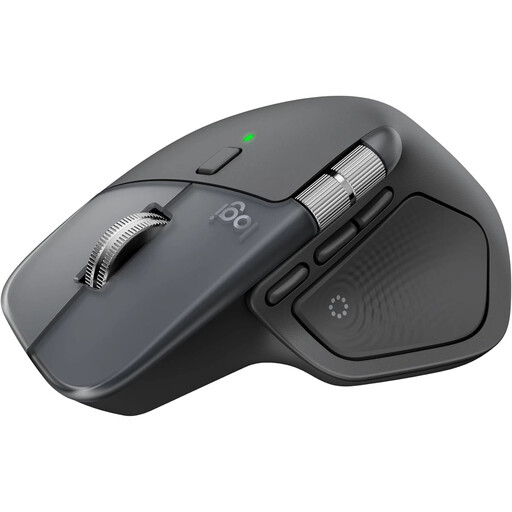
Logitech MX Master 4, wireless mouse
An option if you’re looking for a wireless mouse with scrolling functionality for checkout testing.
- Bluetooth
- USB-C charging port
- Windows and macOS
- Colour: Graphite
View at Joybuy
 No image available
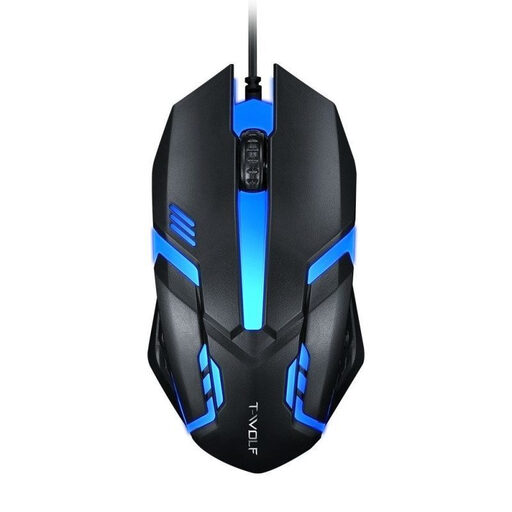
Wired USB optical mouse for desktop PCs and laptops
A simple option for using checkout features at your desk with a wired mouse.
- USB connection
- Optical mouse
- For desktop PCs and laptops
View at Joybuy
 No image available
HOFOTEK M308 2.4G Silent Office Mouse
A possible choice if quiet buttons and a wireless mouse are priorities at work.
- 2.4G wireless
- Adjustable DPI with multiple settings
- Colour: Black
View at Joybuy
 No image available
HOFOTEK M311 2.4G+BT Silent Office Mouse
An option if you’re looking for a wireless mouse with quiet clicks for your home office.
- 2.4G wireless and Bluetooth
- Adjustable DPI with multiple settings
- 1xAA battery
- Colour: White-Grey
View at Joybuy
 No image available
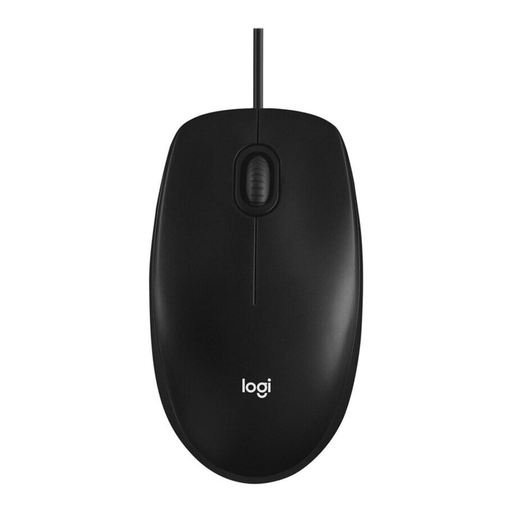
Logitech Mouse M100 Optical Corded
A wired option for repeated clicks and navigation at your desk.
- Optical mouse
- Wired
- Colour: Black
View at Joybuy
Frequently asked questions
Is testing with a mouse enough to assess a checkout’s accessibility?
No. Also check checkout functions using a keyboard: in WCAG 2.1, Success Criterion 2.1.1, the W3C describes the requirement for operation through a keyboard interface, with an exception for input that depends on the path of movement. Whether a particular online shop has legal obligations is a separate question.
Does the German BFSG apply to an online shop selling to consumers?
Since 28 June 2025, services provided through electronic commerce may fall under the BFSG. The Federal Government’s Accessibility Agency refers to online shops and features used to complete a contract; Section 3(3) of the BFSG exempts micro-enterprises that offer or provide services. Without details about the specific shop, it’s not possible to determine its obligations conclusively, and choosing a mouse does not make a shop legally compliant.
How do I set up a wireless mouse for two test computers?
First, check the connection types supported by the specific model. For Bluetooth, your computer needs a compatible Bluetooth connection; a wireless receiver needs a suitable USB port. The instructions for the model explain whether and how you can switch between paired devices.
What are my options if a mouse bought online is faulty or I want to return it?
When you buy as a consumer online, you generally have a 14-day right to cancel, which you must exercise with the retailer. If a product is faulty, statutory consumer rights are separate from any additional manufacturer’s warranty. The Consumer Advice Centre explains these rights; check who the seller is and the applicable terms for your specific purchase.


