Students who work on layouts
If you’re arranging fields, labels and spacing on screen, consider how easily you can control the pointer and scroll wheel while you work. A high DPI rating alone tells you very little about this.


For designing a contact form, choose a mouse that suits your hand, your computer’s connections and the space available. What matters is being able to control the pointer and scrolling comfortably – not simply having a high DPI rating. A basic wired mouse may be enough for a fixed desk, while quiet wireless mice, vertical models and trackballs each have different considerations around connectivity, fit or getting used to them. Manufacturer claims about ergonomics or sensor performance do not prove that a mouse makes form design easier or prevents discomfort.
If you’re arranging fields, labels and spacing on screen, consider how easily you can control the pointer and scroll wheel while you work. A high DPI rating alone tells you very little about this.
For longer work sessions, it’s important to find a mouse that fits and leave enough room for your keyboard and a place to rest your hand. A vertical design is an option to try, but it isn’t automatically better.
If there’s little room to move your mouse or you share the space with others, the mouse’s footprint and click noise may affect your choice. A trackball and a quiet wireless mouse cater to different needs.
First, check that the mouse suits your hand and has the right connection. Then see how the pointer and scrolling work on your desk surface. Choose extra features only if they’ll help with your form-design work.
| Priority | What to look for | Who is it important to? |
|---|---|---|
| Controlled pointing and scrolling | Check the pointer speed, scroll-wheel behaviour and whether the mouse works on your desk surface. Sideways scrolling is useful only if the application supports it. | When I position form elements, I want to control small movements and navigate the page easily. Around 33% of consumers prioritise controllable pointing and scrolling. |
| Comfortable fit during longer use | Compare the size and left- or right-handed design. A vertical shape is an option to try, not proof that it will prevent discomfort. | When I work on a form for a long time, I want the mouse to suit my hand and desk setup. Around 27% of consumers prioritise hand fit during longer use. |
| Space and click noise | Kensington says a trackball needs less room to move around; a mouse with quiet buttons addresses noise. One feature does not necessarily include the other. | If my desk is cramped or I share the room, I look for a small movement area or quiet buttons. Around 20% of consumers prioritise limited space or quieter clicks. |
| Connectivity and ongoing upkeep | Check for USB ports and Bluetooth support, and whether you’ll need a receiver or regular charging. Make sure you check the exact model variant and what’s included. | If I want to connect the mouse without unnecessary setup, its connection and power supply need to suit my computer. Around 20% of consumers prioritise easy connectivity and minimal upkeep. |
A manufacturer’s sensor-resolution figure doesn’t show how accurately you can position small form elements on your computer, or whether the sensor works on your desk surface.
Check pointer and scrolling behaviour, as well as whether the mouse works on your desk surface. CHERRY says the MC 2000 isn’t designed for use on glass or reflective surfaces.
According to Logitech, the Lift is designed for small to medium-sized hands. That doesn’t prove its shape will suit every hand or way of working.
Check the grip and handedness of the specific model. An advertised hand position doesn’t prove that it will prevent discomfort.
These types of input device differ in their connections, power requirements and the amount of room they need to move.
First check your computer’s connections and the space on your desk. If you’re considering a wireless mouse, take its power requirements into account. Try using a trackball if you’re thinking of choosing one.
The CHERRY MC 2000 is an example of a wired mouse with USB-A and a tilt wheel.
The Signature M650 range includes different sizes and a left-handed version; the Lift and MX Master 4 offer other designs and features.
The Ozaa Compact combines a compact design with wireless operation.
The Kensington Orbit is a wired trackball, offering an alternative to a mouse that you move across the desk.
These Joybuy mouse models are relevant for controlling the pointer at your desk. When choosing, check the connections, features and model variants listed for each one.
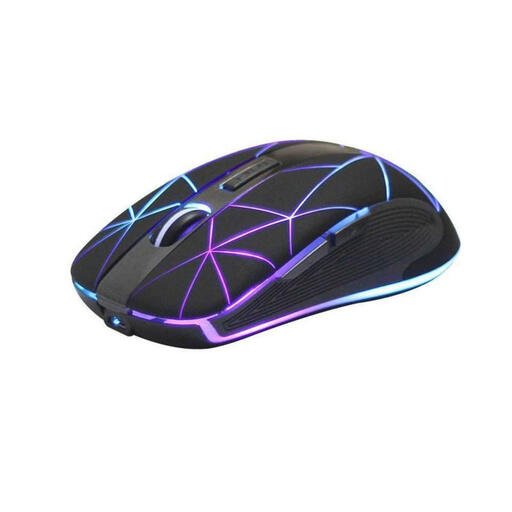 No image available
For wireless pointing at your desk if you’re looking for a rechargeable mouse.
Optical mouse with five buttons; rechargeable via USB.
 No image available
For a quiet workspace if you’re looking for a quiet wireless mouse with a 2.4 GHz connection.
Quiet buttons; several adjustable DPI settings.
 No image available
For a quiet workspace if you want to choose between Bluetooth and a 2.4 GHz connection.
Quiet buttons; several adjustable DPI settings; 1 x AA battery.
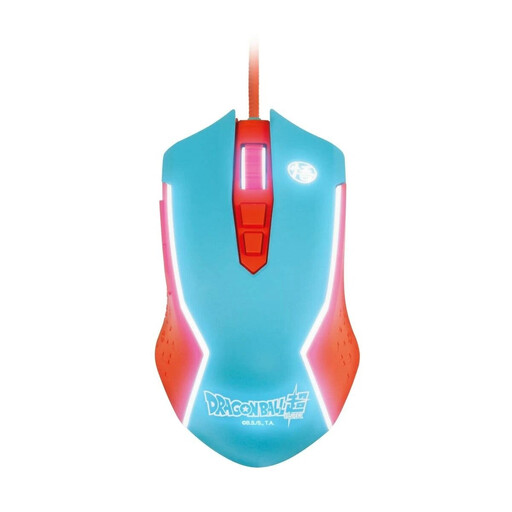 No image available
For a fixed desk if you’re looking for a wired PC mouse featuring Dragon Ball’s Goku.
Wired PC mouse.
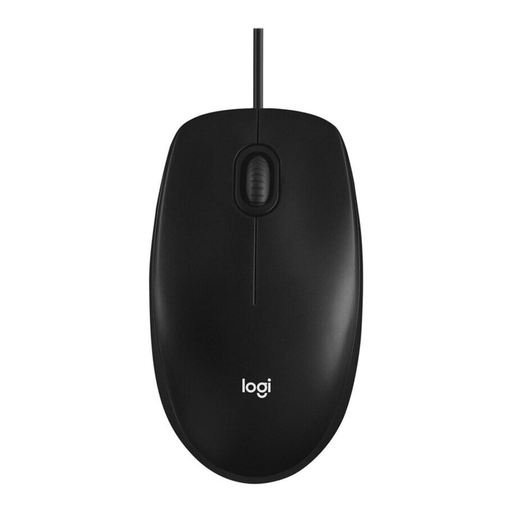 No image available
For a fixed workspace if you’re looking for a wired optical mouse.
Optical wired mouse.
No. A manufacturer’s high DPI rating shouldn’t be the only deciding factor. Check whether you can control pointer speed and scrolling easily on your computer, and whether the sensor is suitable for your desk surface. For example, CHERRY says the MC 2000 isn’t designed for use on glass or reflective surfaces.
If possible, leave room for your keyboard, mouse and a place to rest your hand and arm. The Federal Institute for Occupational Safety and Health recommends arranging your workstation flexibly. If space to move the mouse is limited, you could try a stationary trackball, if you find the ball controls comfortable to use.
Before buying, check whether USB-A or Bluetooth is compatible with your computer and whether you need a receiver. A wired mouse such as the MC 2000 doesn’t need batteries; a rechargeable mouse such as the Trust Ozaa Compact needs to be charged as part of its use. Follow the cleaning instructions for the specific model.
For most online purchases of goods in the EU, you generally have 14 days from delivery to cancel, although conditions and possible exceptions apply. If an item is faulty, your statutory rights against the seller are separate from any voluntary guarantee. EU guidance states that the minimum legal guarantee period is two years from receipt of the goods.
No. The German Environment Agency advises that waste electrical equipment must be collected separately. Take the mouse to a recycling centre or an appropriate collection point.