If you clean data at a shared desk, a mouse with extra scrolling options is worth considering, especially if you often navigate long or wide spreadsheets. Microsoft also lists arrow keys and scroll bars as ways to move around an Excel worksheet. Check, too, whether USB, Bluetooth or a receiver is permitted on the computer you use, and consider your hand size, handedness and workplace rules on using a personal or shared mouse.
Who should think carefully about their mouse choice?
Frequent spreadsheet scrollers
You check lots of rows or columns that are far apart, and want to switch between precise and faster navigation. Microsoft lists arrow keys and scroll bars for Excel, while Logitech includes extra scrolling options on selected models.
People who move between desks
You use different workstations or computers, so you need to consider connectivity, portability and how shared input devices are managed. The German Social Accident Insurance includes cleanliness rules as part of desk-sharing arrangements.
People with specific fit requirements
You need a mouse that suits your hand size or handedness, and don’t want to choose its shape based on the word ‘ergonomic’ alone. Logitech offers different M650 variants for specific hand sizes and handedness.
What should you look for when buying?
Start with your main priority: navigating spreadsheets, connecting at different workstations, finding the right fit, or minimising the ongoing effort of powering and setting up your mouse.
| What to consider |
What to look for |
Who should pay particular attention? |
| Spreadsheet navigation |
Check whether you can switch between precise and faster scrolling. A separate wheel for horizontal scrolling is particularly useful if you often move between columns that are far apart. Microsoft also lists arrow keys and scroll bars for Excel. |
When I’m cleaning long or wide spreadsheets, I want to target cells precisely and move quickly through larger areas. Around 31% of consumers would put spreadsheet navigation first. |
| Connecting at different workstations |
Check which USB ports are available, whether Bluetooth is permitted, whether there’s a suitable receiver, and what your IT requirements are. Find out, too, whether personal mice are allowed or shared devices are provided. |
When I move between workstations, I need a connection that works there and is permitted by my organisation. Around 25% of consumers would prioritise connectivity and sharing. |
| Hand fit and handedness |
Check the stated hand size and handedness for the complete model variant. An ergonomic shape or integrated support doesn’t automatically mean the mouse will suit every hand. |
When hand size or handedness matters to me, I don’t want to compromise on the right shape for extra features. Around 19% of consumers would put fit first. |
| Click noise |
Look for an explicit mention of quiet clicks on the specific model, and check whether the feel of the buttons suits you. Noise claims don’t replace checking connectivity and fit. |
When I work in a shared space, I want to take click noise into account when choosing a mouse. Around 13% of consumers would prioritise a quiet workspace. |
| Power and setup |
Compare wired, rechargeable and battery-powered options, as well as the charging port. Check whether extra features require software and whether you’re allowed to use it on your work computer. |
When I want to minimise charging or setup at a shared workstation, ongoing effort matters to me. Around 12% of consumers would put power and setup first. |
Common buying mistakes
-
Assuming faster scrolling means better data cleaning
An extra scroll wheel is another way to navigate; it doesn’t follow that it will reduce errors when cleaning data. Excel also offers keyboard shortcuts and scroll bars.
Before choosing extra features, try working through a typical long and wide spreadsheet to see which movements actually slow you down.
-
Treating the M650 L and M650 L Left as interchangeable
Despite their similar names, these variants are designed for different handedness. Logitech offers M650 models for different hand sizes and ways of using a mouse.
Before buying, check the full variant name and the stated hand size or handedness.
-
Buying a wireless mouse without checking connections and IT rules
Bluetooth and a wireless receiver are different ways to connect. At managed or shared workstations, neither option is necessarily available or permitted.
Check that the connection and receiver listed for the mouse are compatible with the ports and requirements at your workplace.
-
Confusing a personal mouse with the cleaning of shared equipment
Personal input devices and shared work equipment require different arrangements.
Before buying, check the rules at your workplace and follow the care instructions for the specific model.
Brands and ranges to consider
Logitech
The M650 range includes variants for different hand sizes and handedness. MX Master models offer additional scrolling and customisation features.
- Logitech lists several scrolling options on selected models, including horizontal scrolling on the MX Master 4 for Business.
- According to Logitech, extra customisation on the MX Master 4 requires Logi Options+. Features on the business variant don’t automatically apply to every MX Master 4 model.
Trust
The Fyda Wired is a wired option, while the Ozaa+ is described as a wireless multi-device mouse with a side scroll wheel.
- Trust lists six buttons and adjustable resolution for the Fyda Wired. The Ozaa+ has two scroll wheels and several connection options.
- The Fyda Wired needs a suitable USB port and space for its cable. The Ozaa+’s wireless connection and power supply need to suit your workstation.
CHERRY
CHERRY describes the MW 8C ADVANCED as a compact mouse with Bluetooth and receiver connectivity.
- CHERRY lists four resolution settings, a rechargeable battery that charges via USB-C, and the ability to keep working while it charges.
- A compact shape doesn’t guarantee the right fit for your hand. Also check which connection you can use at your particular workstation.
Kensington
Kensington says the wired Pro Fit Ergo is designed for small to medium-sized hands and connects via USB.
- Kensington lists quiet clicks, USB plug-and-play and four DPI settings.
- According to the manufacturer, Windows computers with ARM processors aren’t currently supported. The integrated wrist rest doesn’t replace checking whether the mouse fits you.
Mouse models at Joybuy
This selection includes wireless Logitech models for different hand sizes and scrolling needs, as well as a wired RAPOO mouse. Key considerations include the ports available, the right handedness and the type of navigation you need.
 No image available
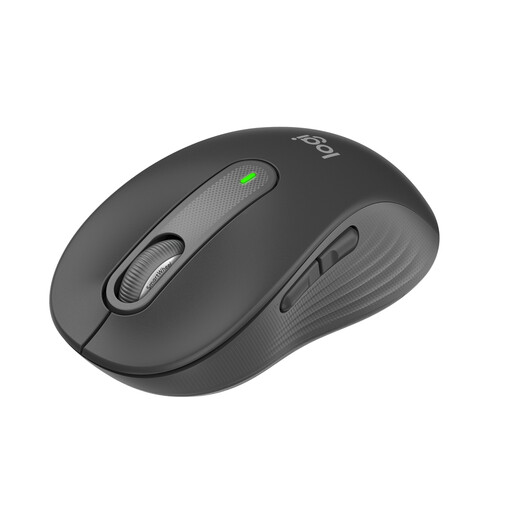
Logitech Signature M650 for small to medium-sized hands
Designed for small to medium-sized hands, with a SmartWheel described as offering precise and fast scrolling through documents and spreadsheets.
According to the product details: quiet clicks, Bluetooth LE or Logi Bolt, and a stated battery life of 24 months. Check which connection is permitted on your work computer.
View at Joybuy
 No image available
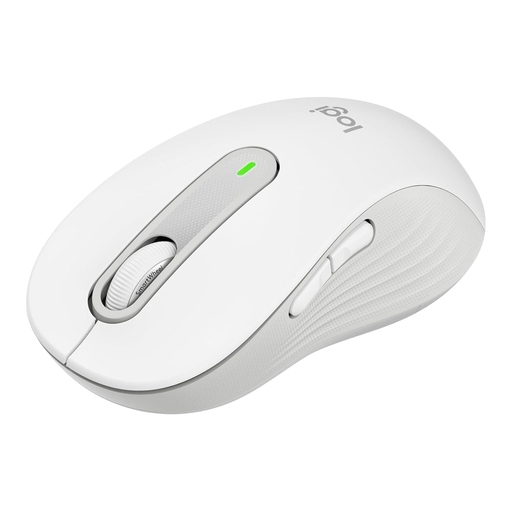
Logitech Signature M650 L
Designed for large hands, with a SmartWheel described as offering precise and fast scrolling through longer documents.
According to the product details: SilentTouch, five buttons, Bluetooth LE or a Logi Bolt USB receiver, and a stated battery life of 24 months. This variant is listed in Off-White.
View at Joybuy
 No image available
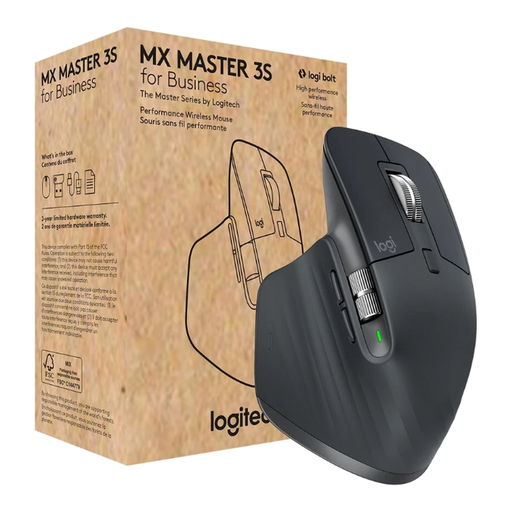
Logitech MX Master 3S for Business
Its listed scrolling and connectivity features may be useful for working through long spreadsheet sections and using multiple devices.
According to the product details: MagSpeed, quiet clicks, Bluetooth or Logi Bolt USB, and support for multiple devices. The title specifies a Darkfield sensor with 8,000 DPI.
View at Joybuy
 No image available
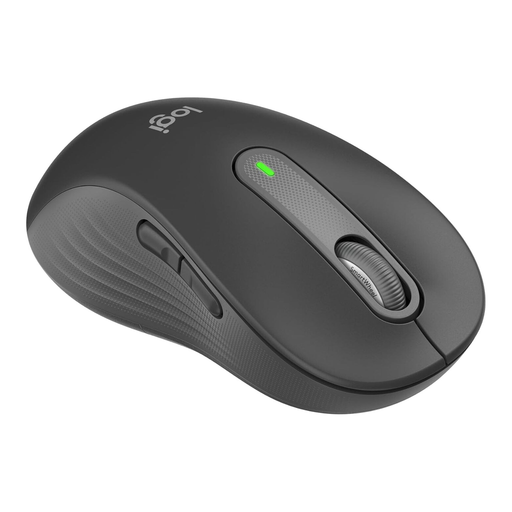
Logitech Signature M650 L Left
According to the product details, this variant is designed for large left hands. The SmartWheel is described as offering precise and fast scrolling.
The title lists quiet clicks, customisable side buttons and Bluetooth. Check the full variant name and which connection you can use at your workplace.
View at Joybuy
 No image available
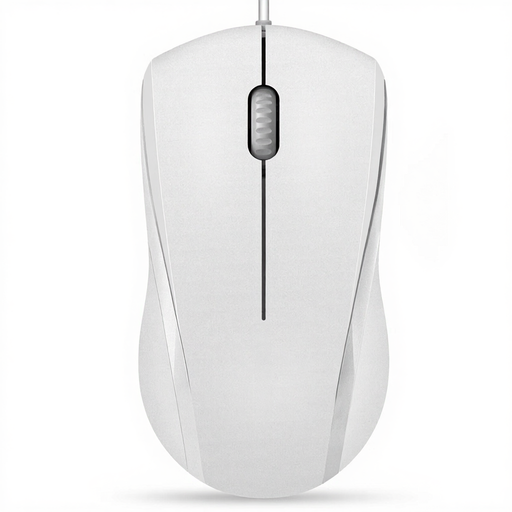
RAPOO N1600
A wired option if a USB port is available and you want to avoid wireless pairing. According to the product details, its symmetrical shape is designed for left- and right-handed use.
The title lists 1,000 DPI, three buttons and a 5-ft cable. According to the product description, the left and right mouse buttons are quiet, but the middle click isn’t.
View at Joybuy
Frequently asked questions
Do I need a mouse with a horizontal scroll wheel for wide Excel spreadsheets?
No. Microsoft also describes using arrow keys and scroll bars to navigate in Excel. A dedicated thumb wheel may be useful if you often scroll sideways, but check the specific mouse variant and the application you use.
Can I use my Bluetooth mouse with any shared computer?
There’s no one-size-fits-all answer. Check for Bluetooth support, a suitable USB port as an alternative, and your organisation’s IT rules. Logitech lists Bluetooth LE and Logi Bolt as connection options for the Signature M650.
How should a shared mouse be cleaned?
The German Social Accident Insurance includes cleanliness rules as part of a desk-sharing policy. Check whether personal mice are allowed or shared equipment is cleaned as part of your workplace arrangements, and follow the care instructions for the specific device. Cleaning tests for one Logitech education product range don’t automatically apply to all mice or cleaning products.
Are there specific health and safety rules for screen-based workstations when desks are shared?
Relevant health and safety rules apply to workplace screen-based workstations within their respective scope. The German Social Accident Insurance refers to the Workplace Ordinance and Technical Rules. According to the Federal Institute for Occupational Safety and Health, ASR A6 sets out more specific requirements within its scope. This doesn’t mean there’s a general requirement to buy a particular mouse.
Who should I contact if a mouse I bought privately is faulty?
For a consumer purchase, the business that sold you the mouse is responsible for the statutory guarantee. According to Your Europe’s consumer information, you’re protected for at least two years from receiving the goods; a voluntary manufacturer’s warranty is separate. Don’t assume this consumer rule applies to a purchase made by your employer without checking first.


