What to look for when buying
First, work out whether you’ll be using one computer or two. Then compare pointer control and horizontal navigation, and check that the mouse’s shape and size suit your hand.
| What matters when buying |
What to check |
Who it matters most to |
| Pointer control |
Check the adjustment range and try making small corrections with your screen setup. |
If I need to position calendar entries accurately, I want to be able to adjust the pointer speed to suit the way I work. Around 33% of consumers put precise pointer control first. |
| Horizontal navigation |
Check whether horizontal scrolling via a wheel, button or keyboard shortcut works comfortably in your app. |
If I often navigate across wide timelines, I want to move sideways between sections without constantly dragging a scrollbar. Around 27% of consumers prioritise horizontal navigation. |
| Fit and control style |
Compare the size, handedness and shape; if you’re considering a trackball, see whether you like controlling the ball. |
For long sessions, I want a shape and controls that suit my hand and movements. Around 27% of consumers prioritise fit and control style. |
| Switching between computers |
Check whether your monitors are connected to separate computers, then confirm the connection type and switching process you need. |
If I use two computers, I want to be able to switch the mouse connection between them. I don’t need that just because I have two monitors connected to one computer. Around 13% of consumers put switching between devices first. |
Joybuy products for calendar work
This selection includes mice with different designs and pointer adjustment options. For each model, check that its scrolling functions and software work with your calendar app and operating system.
 No image available
Logitech MX Master 4, Graphite
An option if you want to customise pointer control and scrolling for long calendar views.
Logitech lists MagSpeed, an 8K DPI sensor and Logi Options+ for personalisation on the MX Master 4. According to Logitech, customising certain features fully requires the software.
View at Joybuy
 No image available
KINSI Ergonomic Vertical Wireless Mouse, 2.4G, 800–4800 DPI
A vertical design may be worth considering if you prefer a different hand position from the one you use with a conventional mouse.
The product name lists a 2.4 GHz USB connection, five buttons, a rechargeable battery and adjustable 800–4800 DPI. Check that the shape and pointer settings suit your hand and the app you use.
View at Joybuy
 No image available
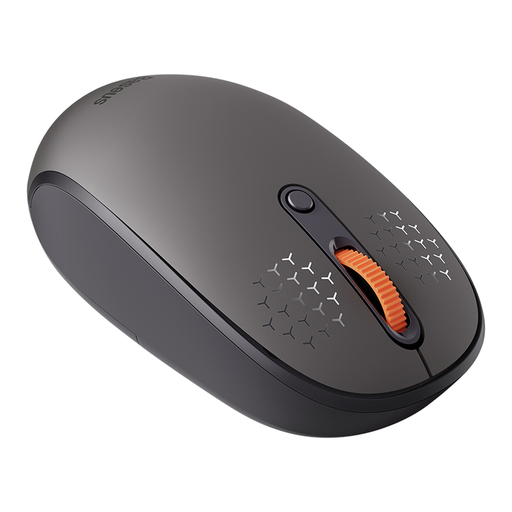
Baseus F01B Tri-Mode Wireless Mouse, Frosted Gray
The model name indicates multiple connection modes, which may be useful if you want to use the mouse with different devices.
Check which connection types and switching options are included in the specific listing before buying. According to the product description, the required AA battery is not included.
View at Joybuy
 No image available
Logitech MX Vertical, Graphite
A vertical mouse is one option if you’re looking for a different way of using a mouse.
The product name lists Bluetooth and a USB receiver, a 4000 DPI sensor, a rechargeable battery and support for multiple devices. Check that the listed connections suit your computers.
View at Joybuy
 No image available
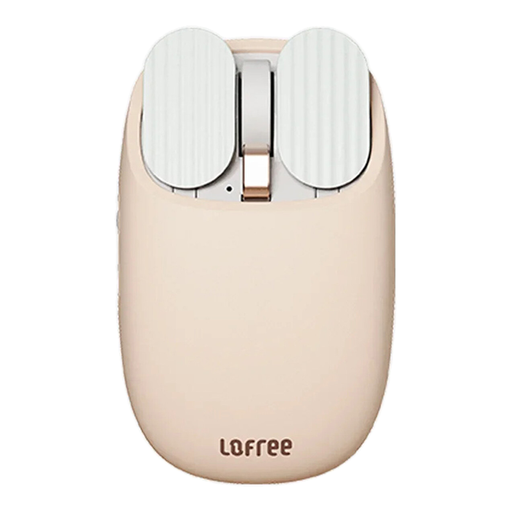
lofree EP115 Bluetooth Mouse, Milk Tea Color
This mouse may suit you if you want to choose between Bluetooth and 2.4 GHz wireless connectivity and are considering a thumb wheel for navigation.
The product name lists five DPI settings, an 800 mAh battery and Bluetooth or 2.4 GHz connectivity. According to the product information, Boot Camp dual-system mode is not compatible with Mac devices.
View at Joybuy
Frequently asked questions
Do I need a multi-device mouse because I have two screens?
No, not just because of the number of screens. First check whether both monitors are connected to the same computer; switching devices is only relevant if you use separate computers. CHERRY describes the MW 8C ERGO as allowing you to switch between Bluetooth and a USB wireless receiver.
How do I set up extra buttons and scrolling functions?
Before buying, check whether the accompanying software supports your operating system, then test the button assignments in your calendar app. Logitech lists Logi Options+ for customising certain MX Master 4 functions; Dell says Peripheral Manager for the MS900 is available only on Windows.
What should I consider for wireless connectivity and care?
Check whether your computer supports Bluetooth or has a free port for the USB receiver you need. For the Kensington Expert Mouse, check the manufacturer’s connection requirements and the AA battery; clean the controls according to the instructions for the specific model.
Who should I contact if there’s a fault?
For a consumer purchase in the EU, your statutory guarantee is generally with the seller, not the manufacturer. According to Your Europe, it lasts for at least two years from the date you receive the goods; any additional manufacturer’s guarantee does not replace it.
What should I check about product compliance when buying a wireless mouse?
For market surveillance, the German Federal Network Agency lists CE marking, manufacturer details and instructions in German among the points it checks. The European Commission’s Radio Equipment Directive 2014/53/EU sets out a framework for placing radio equipment on the market. This guidance does not confirm that any individual listing is compliant.


