Designers who value precision
If you work on layouts and long pages, adjustable pointer speed and an easy-to-reach scroll wheel could suit your workflow. Logitech lists adjustable sensitivity for the MX Master 3S.


For landing page design at a shared desk, choose a mouse whose pointer speed and scrolling suit your workflow and that connects reliably to the computer you’re using. A vertical mouse or trackball may be an alternative if it suits your hand and preferred way of working. Whatever the design, consider its size, how it fits your hand and whether you can actually use the configuration software you need. No mouse can guarantee freedom from discomfort.
If you work on layouts and long pages, adjustable pointer speed and an easy-to-reach scroll wheel could suit your workflow. Logitech lists adjustable sensitivity for the MX Master 3S.
If you take your mouse between workstations, first check which connections are available on each computer and whether you can change the settings you need. Dell lists Bluetooth 5.0 and a 2.4 GHz connection for the MS5120W.
If you spend a long time working with a mouse, consider your hand size, which hand you use and the specific shape, rather than relying on the word “ergonomic” alone. The BAuA recommends positioning your mouse and keyboard flexibly and taking your posture into account.
First decide what matters most to you, then check that the mouse design and connection will work with the computer you’ll actually be using.
| Buying priority | What to check | Who it matters most to |
|---|---|---|
| Control when designing | Check the specific model and computer for adjustable pointer speed, scrolling and the buttons you need. | When I’m placing lots of elements while designing, I want to adjust pointer speed and scrolling to suit my workflow. Around 28% of consumers put design control first. |
| Moving between desks and connecting | Check for Bluetooth support, an available USB port and the receiver you need. Also check whether you’re allowed to use the software you want on the computer. | When I move between shared workstations, I want the connection to work with each computer without forgetting a receiver I need. Around 22% of consumers prioritise being able to move between desks easily. |
| Hand fit and extended use | Consider your hand size, whether you need a left- or right-handed version, and whether the buttons are easy to reach. Allow enough room for your hand and an armrest. | When I’m designing for long periods, I want to choose a shape that suits my hand and working position rather than relying on a label. Around 22% of consumers prioritise a good fit for their hand. |
| Noise at a shared desk | Listen to the clicks and scrolling for yourself if possible. Don’t treat manufacturers’ claims as independent noise measurements. | When other people are concentrating beside me, I want to disturb them as little as possible. Around 17% of consumers put quiet operation first. |
| Left-handed use | Check the exact model and its shape. If you’re considering a trackball, try out how it works too. | When I use my left hand, I need a shape that suits it, not just buttons that have been switched around. Around 11% of consumers make left-handed fit their top buying priority. |
A product description doesn’t prove that a mouse’s shape will suit your hand or working position. The BAuA also emphasises the arrangement of your mouse and keyboard, as well as your posture.
Choose a mouse that suits your hand size and which hand you use, and try it out if you can. Don’t rely on promises that it will cure or prevent a condition.
Customisation may require software and specific permissions on the computer you’re using. Logitech Support lists permissions required for Logi Options+ features on macOS.
Before buying, check whether you can make the settings you need without installing your own software.
Changing the button layout doesn’t change the shape of the mouse. CHERRY and Logitech offer dedicated left-handed versions; Kensington says the Expert Mouse Wireless can be used by either hand.
Check the exact model, or try an alternative designed for use with either hand.
The MX Master 3S and Lift have different shapes and ways of working. Finding the right size and handedness is still essential.
The MW 4500 LEFT is a specially shaped option for left-handed users.
The Expert Mouse Wireless is a trackball alternative if you’d like to try controlling the cursor with a ball.
The MS5120W is a compact option with two connection types for switching between computers.
The Surface Arc Mouse is a Bluetooth option that folds flat for frequent travel.
This selection includes mice with customisable controls, options for switching between computers, different hand shapes and left-handed use.
 No image available
An option if you’re looking for a vertical shape and adjustable pointer sensitivity.
57° vertical design; sensor up to 4000 DPI; Bluetooth and USB receiver; connects to up to three devices.
The product description lists Logi Options+ for customisation.
 No image available
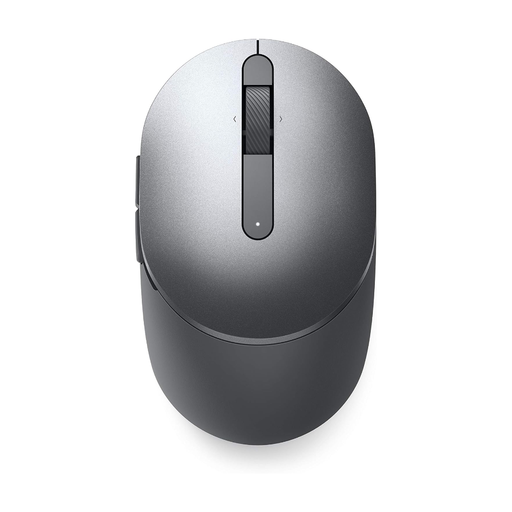
An option if you want to choose between Bluetooth and a 2.4 GHz connection, depending on the computer you’re using.
Bluetooth 5.0 or 2.4 GHz; 7 buttons; tilt scroll wheel; 70 g according to the product description.
The product description lists Dell Peripheral Manager for button customisation.
 No image available
An option if you want adjustable sensitivity, scrolling and quiet clicks as part of your workflow.
Sensor up to 8000 DPI; MagSpeed scrolling; Bluetooth connection to up to three devices; right-handed design.
The product description lists Logi Options+ for customisable buttons and gestures.
 No image available
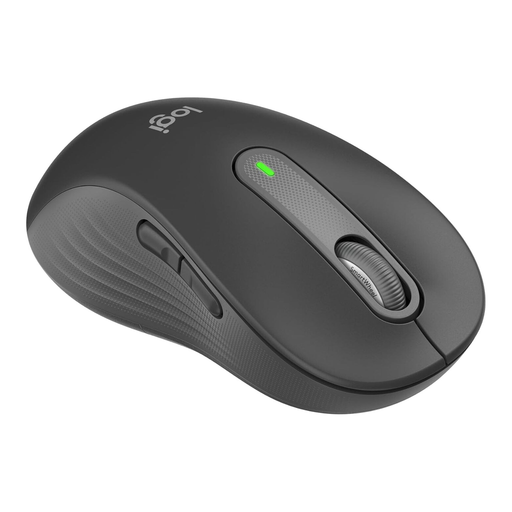
An option if you’re looking for a mouse for larger left hands.
Bluetooth and Logi Bolt receiver; SmartWheel scrolling; quiet clicks.
The stated fit is specifically designed for larger left hands. The product description lists Logitech Options+ for button customisation.
 No image available
An option if you’re looking for a model for larger hands, with scrolling designed for longer pages.
Bluetooth and Logi Bolt receiver; SmartWheel scrolling; quiet clicks.
The product description lists Logitech Options+ for button customisation.
No. What matters is whether you can control the pointer speed to suit the way you work. Logitech lists 8,000 DPI for the MX Master 3S Bluetooth Edition, with adjustments available in Logi Options+. The maximum figure alone doesn’t guarantee better design results.
Check whether Bluetooth or a USB port is available and whether you’re allowed to use the customisation software you want. Logitech Support lists permissions required for certain Logi Options+ features on macOS, so don’t assume you’ll be able to set up special button assignments.
Position your mouse and keyboard so there’s enough room for your hand and an armrest, and pay attention to your posture. The BAuA emphasises the importance of an individual or flexible layout. If you’re using a trackball, also check whether you find the ball comfortable to use.
For consumers in Germany, the statutory guarantee for faulty goods is separate from a voluntary warranty. Online purchases generally come with a 14-day right to cancel. The Verbraucherzentrale notes that there are exceptions, and you should check the terms of your specific purchase.
ASR A6 covers screen-based work within its scope, but it doesn’t set a blanket requirement to buy a vertical mouse, trackball or mouse with a particular DPI. The employer’s obligations also depend on whether the workplace is an office, a teleworking workstation or another place of work.