Students who regularly tweak layouts
If you design and review longer pages on a laptop, look for pointer and scrolling controls that work well with the way you like to work.


For frequent layout tweaks and long landing pages, precise pointer control and a scroll wheel that suits your needs are particularly important. If you only work on them occasionally, a simple, quiet mouse may be enough. Hand size, handedness, available desk space and your computer’s ports also affect your choice. A vertical mouse or trackball isn’t automatically more comfortable: its shape and controls need to suit you and your workspace.
If you design and review longer pages on a laptop, look for pointer and scrolling controls that work well with the way you like to work.
If other people are working or studying within earshot, quiet clicks can make a difference. The fit should be right for you, too.
If you have limited room to move your mouse or expect long sessions, consider the space it takes up, how it’s controlled and how it fits your hand together. The BAuA also recommends allowing enough room for your mouse, keyboard and arm support.
First, think about how often you work on long pages and which pointer and scrolling controls feel easy to manage. Then check the noise level, connection, fit in your hand and the space you actually have available.
| Consideration | What to check before buying | Who it matters most to |
|---|---|---|
| Pointer control and scrolling | Adjustable pointer speed and scroll-wheel controls; extra buttons only if you’ll actually use them. | If you often check layout details and long pages, you’ll want to adjust pointer and scrolling controls reliably to suit your workflow. Around 25% of consumers put control first when designing. |
| Connection and power | Check your computer’s Bluetooth and USB compatibility, as well as the power requirements and what’s included with the specific model. | If you want to avoid unnecessary features and connect your mouse without any surprises, a suitable connection and clear power requirements are important. Around 25% of consumers prioritise a straightforward setup. |
| Click noise | Check how quiet clicks are claimed to be for the exact model; if possible, try the scroll noise and button feel, too. | If you work within earshot of others, you’ll want to keep clicking as unobtrusive as possible. Around 19% of consumers prioritise a quiet working environment. |
| Fit in your hand | Compare your hand size and handedness with the mouse’s shape and dimensions; allow room for your hand and forearm. | For longer sessions, you’ll want a shape that suits your hand and posture, rather than relying on an ergonomic label alone. Around 19% of consumers consider hand fit and posture their top priorities. |
| Room to move | Check how much clear space you have beside your keyboard. If you’re considering a trackball, think about whether you’re comfortable using your thumb to control it. | If there’s little room on your desk to move a mouse, a stationary control may be worth considering. Around 12% of consumers put limited room to move first. |
A single resolution figure doesn’t prove that a mouse will help you create better layouts. Models also vary in their adjustment options and scrolling features.
Choose a pointer speed you can control and scrolling functions that suit your tasks.
For the standard MX Anywhere 3S, Logitech lists Bluetooth as the connection; a compatible Logi Bolt receiver isn’t included.
Check whether your computer supports Bluetooth, which ports are available and what comes with the exact model.
The models described vary in their controls, handedness and suitability for different hand sizes. Your workspace layout and a suitable arm support also matter.
Check that the mouse suits your hand size and handedness, and make sure you have enough support. No particular mouse shape can guarantee that you’ll avoid discomfort.
The Pebble Mouse 2 M350s, MX Anywhere 3S and Lift offer different control styles and feature sets.
The MW 4500 and MW 4500 LEFT are angled mouse options with thumb buttons.
The Pro Fit Ergo TB550 is a trackball option if you have little room to move a mouse.
The wireless Bayo II adds another vertical mouse option to the range.
Depending on the model, these wireless mice offer adjustable pointer movement, quiet clicks, or a compact or vertical shape.
 No image available
A vertical shape with adjustable pointer speed may suit you if you’d like to try a different hand position and can use a USB receiver.
Five programmable buttons and five DPI settings, from 800 to 4800. Connects via a 2.4 GHz USB receiver.
 No image available
This wireless office mouse is worth considering if you’re looking for adjustable pointer speed and quiet clicks.
Four DPI settings, from 800 to 1600; wireless connection via 2.4 GHz.
 No image available
If you want adjustable pointer movement and quiet clicks, this model offers Bluetooth as well as 2.4 GHz wireless connectivity.
Five DPI settings, from 800 to 4000. An AA battery is listed in the product name.
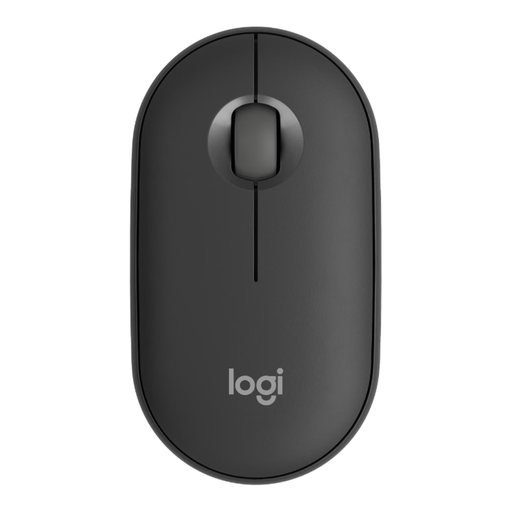 No image available
This compact mouse could be a good choice for quiet working if you can use Bluetooth and prefer a low-profile design.
Logitech lists Bluetooth connectivity and quiet clicks for the Pebble Mouse 2 M350s.
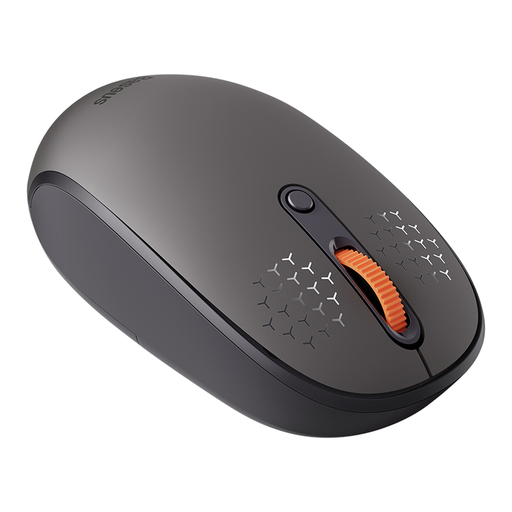 No image available
An option if you’re looking for a wireless mouse with multiple connection types and adjustable pointer movement.
The product name lists three connection types. According to the product details, an AA battery isn’t included.
For a Bluetooth connection, you’ll need a computer with Bluetooth. According to Logitech, a compatible Logi Bolt USB receiver isn’t included with the standard MX Anywhere 3S. Check the ports and what’s included with the specific version.
Allow enough room for your mouse, keyboard and arm support. The BAuA also recommends a flexible workspace layout and advises avoiding static postures for long periods; no particular mouse can guarantee that you’ll avoid discomfort.
According to Kensington, you can remove the TB550’s ball using an eject button. Follow the cleaning instructions for the model you’ve bought.
Check the power requirements and what’s included with the exact model. The Pebble Mouse 2 M350s uses an AA battery; according to Logitech, the standard MX Anywhere 3S doesn’t include a compatible Logi Bolt receiver.
According to the Verbraucherzentrale, consumers who buy online generally have a 14-day right to cancel, starting from the day they receive the goods. You must notify the retailer that you wish to cancel. This statutory right is different from a voluntary returns period or a manufacturer’s guarantee.