Quiet studiers
You work in a shared room and want to keep clicking noise to a minimum. Some individual models are specifically advertised as having quiet switches, including models from Logitech.


For a shared student room, a mouse specifically advertised as having quiet clicks is a sensible starting point. When browsing large datasets, the scrolling features it actually offers matter too. Before buying, check that the connection and receiver are compatible with your computer. For longer sessions, a vertical mouse or trackball may be worth considering if the shape, size and feel suit your hand. The Federal Institute for Occupational Safety and Health also points out that maintaining a static posture for a long time can be ergonomically unfavourable.
You work in a shared room and want to keep clicking noise to a minimum. Some individual models are specifically advertised as having quiet switches, including models from Logitech.
You regularly work through long or wide datasets, so you pay attention to the scroll wheels and controls on the specific model, such as the features described by Logitech or Trust.
You work at a fixed desk for longer periods and look for a shape that suits your hand or a control method that involves less mouse movement. The Federal Institute for Occupational Safety and Health points out that maintaining a static posture without a break can be ergonomically unfavourable; no mouse design guarantees freedom from discomfort.
When working with datasets in a student room, you can weigh up your priorities according to what matters most when choosing a mouse.
| Priority | What to check before buying | Who it matters most to |
|---|---|---|
| Click noise | Check that the exact model has quiet-click technology and the casing shape you want. | If I share a room, I want clicks to be as unobtrusive as possible. Around 33% of consumers rank quietness as their top priority. |
| Spreadsheet navigation | Check for horizontal scrolling, the position of any extra wheels and how the controls work in the spreadsheet application you use. | For long lists and wide spreadsheets, I care more about having the right controls than extra features I won't use. Around 27% of consumers put navigation first. |
| Hand comfort | Consider whether the mouse suits your dominant hand and hand size, how it feels to hold and how much desk space you have. | If I spend long periods at a fixed workstation, I want a shape that suits my hand and the way I work. Around 20% of consumers say hand comfort is their top priority. |
| Connectivity and accessories | Check Bluetooth support, the type of USB port and what's included with the specific product. | I want to use the mouse with my computer without needing any unexpected accessories. Around 20% of consumers prioritise connectivity and related costs. |
Logitech states that the receivers for the two models are not compatible. If you don't have Bluetooth, you can use a Logi Bolt receiver with the Pebble Mouse 2 M350s.
Before buying, check whether your computer supports Bluetooth or whether you need the correct receiver.
The Logi Bolt receiver is sold separately, so you may need to buy one in addition.
According to the manufacturer, the Logitech Lift is designed for small to medium-sized hands; a left-handed version is sold separately. Fit and feel are personal considerations when choosing a mouse.
Check the hand size and handedness requirements for the specific version, and bear in mind that the unfamiliar controls may take some getting used to.
The models described here use different connections: the Pebble Mouse 2 M350s uses Bluetooth or a compatible Logi Bolt receiver, the CHERRY MW 2310 2.0 uses a nano USB receiver, and the PERIMICE-520 has a USB-A cable.
Check that your computer's ports are compatible with the connection and the actual contents of the box for the model you choose.
The models described here range from a compact mouse and a vertical mouse to one with a MagSpeed wheel.
The CHERRY MW 2310 2.0 is a conventional wireless mouse with a 2.4 GHz nano USB receiver.
The Trust Ozaa+ is one example of a multi-device mouse with two scroll wheels.
The wired PERIMICE-520 adds a trackball option for a fixed workstation.
The Joybuy mice below cover quiet operation, scrolling through spreadsheets, and Bluetooth and wireless USB connections. Check that the specific version suits your hand and your computer's ports.
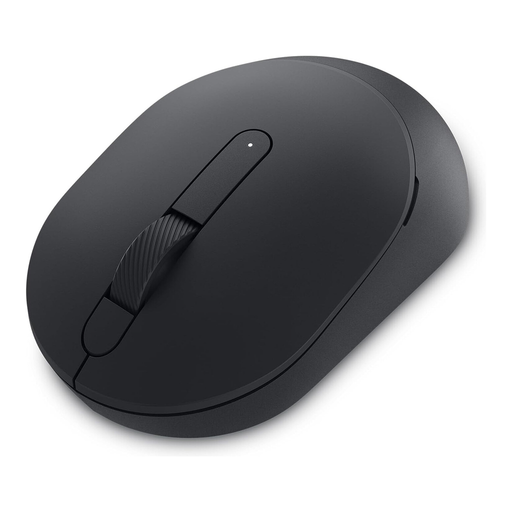 No image available
Worth considering if you're looking for a mouse for a shared room that's described as a Silent Mouse in its product name.
 No image available
An option if you often scroll through long spreadsheets and want quiet clicks.
MagSpeed scrolling, quiet clicks, multi-device functionality, 8K DPI Darkfield sensor; Graphite. The shape described is for right-handed users.
 No image available
A good fit for your shortlist if you're looking for quiet clicks and a USB receiver connection.
2.4 GHz connection, USB receiver, Silent Click, optical sensor with 1600 DPI; EU version, Black.
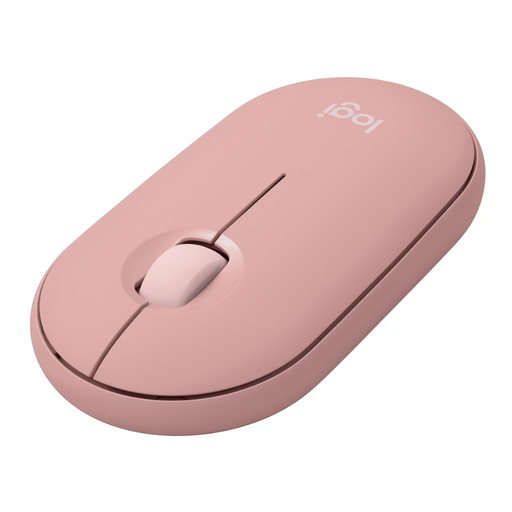 No image available
A compact option for quiet use with a Bluetooth-enabled computer. If you don't have Bluetooth, a Logi Bolt receiver, sold separately, is one way to connect this model; the receiver for the older Pebble M350 is not compatible.
 No image available
According to the product name, the L version is designed for large hands. It may suit you if you're looking for quiet clicks and scrolling features for spreadsheets.
Quiet clicks, customisable side buttons, Bluetooth and multi-device compatibility; Graphite. This version is listed for large hands.
No, not if your computer supports Bluetooth. Logitech lists a Logi Bolt receiver, sold separately, as an option for computers without Bluetooth; the receiver for the older Pebble M350 is not compatible.
Check whether the specific model supports horizontal scrolling and whether its controls work well with your spreadsheet application. Perixx lists a tilting four-way scroll wheel for the PERIMICE-520; this does not mean it will generally speed up data analysis.
No. The Federal Institute for Occupational Safety and Health points out that maintaining a static posture without a break can be ergonomically unfavourable. As well as choosing a mouse, consider its position and change your posture; a product description is not a medical diagnosis.
When shopping online, consumers can generally cancel their purchase within 14 days without giving a reason, subject to statutory exceptions, as explained by the Council of the European Union. Faulty goods are also covered by the statutory guarantee. Your Europe states that goods bought in the EU are covered for at least two years from receipt; an additional manufacturer's warranty does not replace this statutory protection.
The German Federal Network Agency includes CE marking, product traceability and the accuracy of manufacturer information among the points it checks when monitoring the market. These details relate to the specific product; CE marking alone is not an independent recommendation to buy.