Planning quietly at a shared desk
If you create worksheets and lesson plans alongside others, look for quiet clicks and a scroll wheel that’s easy to use. Logitech and CHERRY describe these features on certain models.


At a shared desk, a mouse with quiet main buttons and a shape that suits your hand and how long you use it is a sensible choice. It also needs to work with your computer and the hand you use to operate it. A multi-device connection is only useful if you actually switch between devices that you’re permitted to use. A wired mouse means no batteries or wireless receiver, but you’ll need a suitable port and space for the cable.
If you create worksheets and lesson plans alongside others, look for quiet clicks and a scroll wheel that’s easy to use. Logitech and CHERRY describe these features on certain models.
For longer sessions, important things to consider include a mouse that suits your hand and how you use it, as well as enough room to position your mouse, keyboard and arm support to suit you. The Federal Institute for Occupational Safety and Health (BAuA) highlights the importance of being able to arrange your workspace flexibly.
If you create teaching materials on several devices that you’re permitted to use, check that the specific mouse explicitly supports switching between them. Hama and Trust list multi-device connectivity for certain models.
First, decide whether quiet operation, a comfortable fit, switching between devices or straightforward day-to-day use matters most to you. Then compare the connection and power options.
| Buying priority | What to check | Who should pay particular attention |
|---|---|---|
| Click noise and navigation | Check the main buttons and scroll wheel on the specific model. SmartWheel is a manufacturer-stated feature of the Logitech Signature M650, not a feature of every quiet mouse. | If I’m planning alongside other people, I want clicks to cause as little disruption as possible and long documents to be easy to navigate; around 36% of consumers prioritise quiet operation and navigation. |
| Fit and posture | Check the recommended hand size, left- or right-handed version, and space for arm support. If possible, try the shape before you buy. | For longer sessions, I want a mouse that suits my hand and the way I use it, and that’s easy to position on the desk; around 29% of consumers prioritise a good fit. |
| Connecting between devices | Check the number and type of channels, receiver connection and supported systems for the specific model. “Wireless” doesn’t automatically mean you can switch between multiple devices. | If I switch between several devices that I’m permitted to use, I don’t want to have to pair the mouse again each time; around 21% of consumers prioritise switching between devices. |
| Use and care | Check the USB connection, battery type or charging method, and care instructions for the specific model. | If I want to connect the mouse easily and care for it appropriately at a shared desk, straightforward day-to-day use matters to me; around 14% of consumers prioritise this aspect. |
Wireless and Bluetooth channels vary by model. A wireless connection alone doesn’t tell you whether or how you can switch between multiple devices.
Check the listed channels, operating systems and connections against the devices you’re allowed to use.
Manufacturers offer different sizes and left-handed versions. A particular shape isn’t proof that it will suit every hand; the way you position your mouse and keyboard at your workspace matters too.
Check the fit and handedness, and position the mouse and keyboard so there’s room to support your hand and arm.
CHERRY describes the GENTIX Silent as having quiet buttons. The GENTIX Corded is a different, standard wired model.
Check the full model name and make sure it has the USB connection you need.
Logitech describes wipe tests using isopropyl alcohol for certain education products. This isn’t a general approval for every mouse; unsuitable cleaning products can damage surfaces.
Follow the care instructions for the specific model.
Logitech’s Signature M650 features SmartWheel and comes in different sizes; the Lift has a more pronounced vertical shape.
CHERRY offers the GENTIX Silent, a wired mouse described as quiet, alongside the standard GENTIX Corded and the shaped, left-handed MW 4500 LEFT.
Hama describes the WM-450 as a multi-device mouse and the MW-300 V2 as a symmetrical, quiet mouse with a receiver.
Trust describes the Bayo+ as a vertical mouse with a rechargeable battery and several connection options; the Bayo II is a different model.
Dell lists the MS5320W as an option for desktop PCs, laptops and 2-in-1 devices.
This selection includes quiet mice for a shared desk, including wireless models and options for small to medium-sized and larger hands.
 No image available
An option if you’re looking for a mouse described as quiet that, according to the product details, can connect to up to three devices.
2.4G+BT, multiple DPI settings, multi-system compatibility and 1xAA battery are listed in the product name.
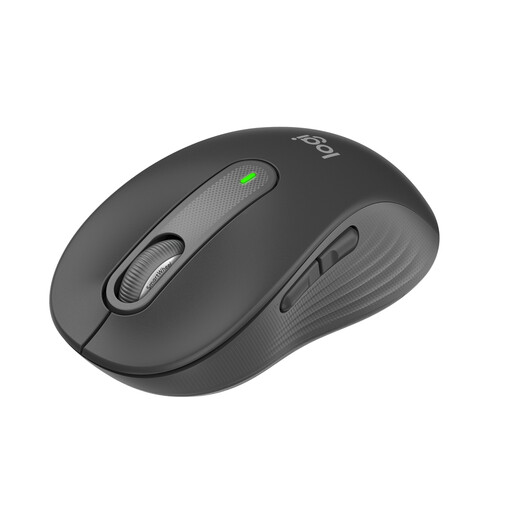 No image available
For quiet work and navigating longer documents, if the version designed for small to medium-sized hands suits yours.
Quiet clicks, SmartWheel, Bluetooth and Logi Bolt are listed for this model. The product name states a battery life of 24 months.
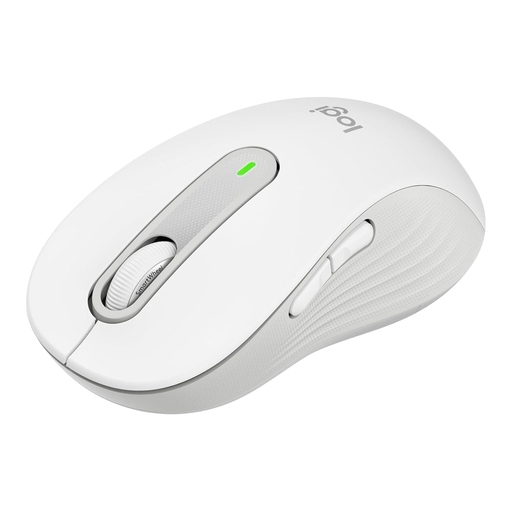 No image available
A quiet option for larger hands, if this size suits your hand and the way you use the mouse.
SmartWheel, SilentTouch, Bluetooth and Logi Bolt USB Receiver are listed for this model. The product name states that it has five buttons and a battery life of 24 months.
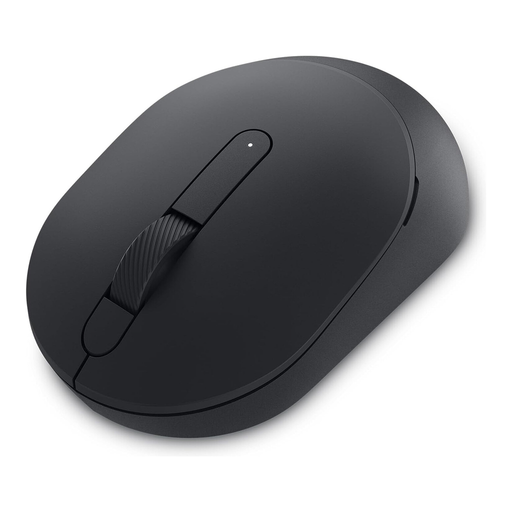 No image available
An option if you’re looking for a mouse described as quiet for a shared workspace. Check that its connection is compatible with your computer.
 No image available
An option for quiet clicks and a USB receiver, if the connection is compatible with your computer.
The product name lists 2.4 GHz wireless, 1600 DPI and an ambidextrous shape; the version is listed as EU.
No. Check the number of devices it can pair with, how switching works and which connections are permitted at your workplace. For example, Hama lists one wireless and two Bluetooth channels for the WM-450. That’s a feature of this particular model, not a general Bluetooth function.
Follow the instructions for the specific model; don’t assume it will be suitable for all disinfectants. Logitech specifically describes wipe tests using isopropyl alcohol for certain tested education products. This doesn’t mean that every mouse is approved for cleaning this way.
Check the labelling and product documentation for the specific item. As part of its market surveillance, the Federal Network Agency checks matters including correct CE marking, product identification and accurate manufacturer information. These general checks alone don’t confirm that a particular item complies with the relevant requirements.
Take electrical waste to a separate collection point, such as a local council recycling centre, and don’t put used batteries in your household rubbish. The Federal Environment Agency provides information on the separate collection of electrical waste and batteries.
Not automatically. The BAuA explains that ASR A6 applies to screen-based work at workplaces in work premises. Whether a shared desk falls within its scope depends on how that particular workplace is classified.