Which mouse is right for you?

Map makers who need peace and quiet

If you edit maps while someone else in the bedroom needs peace and quiet, look for switches specifically described as quiet. The Razer manual and Rapoo both refer to quiet switches or Silent Click; bear in mind that this is separate from how loud the mouse actually sounds in your room.

Editors who switch between tools

If you often switch between tools while building maps, customisable mouse buttons can come in handy. Unity documents tools for selecting, painting and erasing; check that your editor and its software support the commands you want to assign.

Anyone who spends long hours in an editor

For longer sessions, you’ll want a shape that suits your hand and a connection that works with your setup. CHERRY lists several connection options for the M50 Wireless, while a COMPUTER BILD review also reports that the hand can feel cramped in certain positions when using this model.

What should you look for when buying?

A mouse specifically described as quiet

A good fit if: Peace and quiet in a shared bedroom matters more to you than gaming features.

Consider: Check that the buttons and software work with your map editor. A manufacturer’s description is no substitute for measuring noise in your room.

A gaming mouse with customisable buttons

A good fit if: You often switch between tools and commands and want to assign them directly to buttons.

Consider: Logitech says the G502 HERO has eleven buttons that can be assigned using G HUB. This doesn’t tell you whether its clicks are quiet or whether it’s compatible with every editor.

A gaming mouse with multiple connection options

A good fit if: You want to choose between Bluetooth, 2.4 GHz wireless and a cable with the CHERRY XTRFY M50 Wireless.

Consider: CHERRY lists five on-board profiles, but makes no claim about quiet clicks. A COMPUTER BILD review also reports that the hand can feel cramped in certain positions when using this model.

What to consider What to check before buying Who it matters most to
Click noise Look for an explicit claim that the switches on the specific model are quiet; check the editor features separately. If I work at night beside someone who’s asleep, I want repeated clicks to cause as little disturbance as possible. Around 27 % of consumers say quiet clicks are their top priority.
Editor commands Check which buttons you can access and whether the software supports them; the number of buttons alone doesn’t mean they can be mapped the way you need. If I often use tools to select, paint or erase, I want to access the right commands directly. Around 27 % of consumers say editor shortcuts are their main reason for buying.
Fit Consider the size, whether you’re left- or right-handed, and your grip; make sure your hand stays comfortable during longer sessions. If I spend a long time working on a map, I want a mouse that suits my hand and grip. Around 20 % of consumers put fit first.
Pointer control Check the adjustable sensitivity in the editor you actually use; a high maximum DPI figure doesn’t prove it will be better for map-making. If I’m placing small map elements, I want to be able to control pointer movement. Around 13 % of consumers put adjustable pointer control first.
Connection Check that you have an available USB port or Bluetooth support, and check the power supply for wireless models. If I want to use the mouse with my computer and in the space available, the connection needs to suit my setup. Around 13 % of consumers say connection type is their top buying priority.

Common buying pitfalls

  • “Gaming mouse” doesn’t automatically mean “quiet mouse”

    Lots of customisable buttons won’t, by themselves, solve the noise problem in a shared bedroom.

    Check whether the specific model is explicitly described as having quiet switches, then separately make sure its editor features are right for you.

  • A high maximum DPI figure doesn’t prove a mouse is better for map-making

    The maximum figure alone won’t tell you whether you can control the pointer accurately when placing and editing map elements.

    Check the adjustable sensitivity in the editor you actually use.

  • Models and variants with similar names aren’t interchangeable

    The G502 Lightspeed and G502 HERO are different models. The M650, M650 L and M650 L Left also differ in size or suitability for left-handed users.

    Before ordering, check the full model name, connection type and variant you want.

  • Voluntary cover isn’t the same as your statutory rights

    An protection plan or voluntary warranty may offer different cover from your statutory rights.

    Check the terms and exclusions of any voluntary cover separately from your statutory rights.

Key brands at a glance

Razer

The Pro Click Mini is a productivity mouse, while the Basilisk V3 is a gaming mouse with several customisable buttons and different scroll modes.

  • According to the Razer manual, the Pro Click Mini has silent mechanical switches and seven programmable buttons.
  • The button specifications for the Basilisk V3 don’t prove that its clicks are quiet. Check the noise information for this model separately.

Logitech

The G502 HERO is aimed at users who want programmable buttons; the Signature M650 range is a separate line of productivity mice.

  • Logitech says the G502 HERO has eleven buttons that can be assigned using G HUB.
  • The G502 HERO is wired. Logitech offers different M650 variants for different hand sizes and left-handed users; these aren’t the same as the G502 HERO.

CHERRY XTRFY

The M50 Wireless is a gaming mouse for users who want a choice of connections and saved profiles.

  • CHERRY lists Bluetooth, 2.4 GHz wireless and a cable, as well as five on-board profiles.
  • The connection options don’t prove that its clicks are quiet. A COMPUTER BILD review reports that the hand can feel cramped in certain positions when using the M50 Wireless.

Rapoo

The M500 Silent is a productivity mouse described as quiet, making it a good option if you need to be considerate of others at home.

  • Rapoo describes the M500 Silent as having Silent Click and several connection options.
  • Check that the M500 Silent’s buttons cover the commands you need in your map editor.

SteelSeries

The Aerox 5 Wireless is a gaming option for users who want to assign multiple inputs to side buttons.

  • SteelSeries lists nine programmable buttons, including a side control that supports up and down inputs.
  • The button specifications don’t tell you whether its clicks are quiet; check separately for an explicit statement about the switches.

Joybuy products for map editors

This selection includes gaming mice with programmable buttons and an office mouse described as quiet. Check that the button mapping, connection and noise information suit your map editor and shared bedroom.

AJAZZ AJ200 AI MC Wireless Gaming Mouse

AJAZZ AJ200 AI MC Wireless Gaming Mouse

Could be a good fit if you’re looking for a gaming mouse with several connection options and customisable buttons; check that you can assign the buttons as you need in your editor.

The product title lists BT, 2.4G and USB-C connections, as well as a charging dock and a weight of 63g.

View at Joybuy
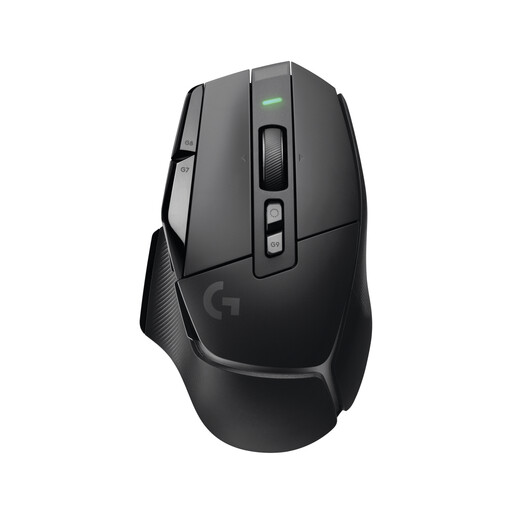
Logitech G G502 X LIGHTSPEED Wireless Gaming Mouse

Logitech G G502 X LIGHTSPEED

This wireless gaming mouse could suit you if you want to avoid a cable; check separately whether its buttons can be mapped the way you need in your map editor.

View at Joybuy

Logitech G G502 HERO High Performance Gaming Mouse

Logitech G G502 HERO

Could be a good fit if you want to access editor commands using programmable buttons; check that G HUB and your chosen button mappings work with your editor.

Logitech lists eleven buttons that can be programmed using G HUB. This model is wired.

View at Joybuy
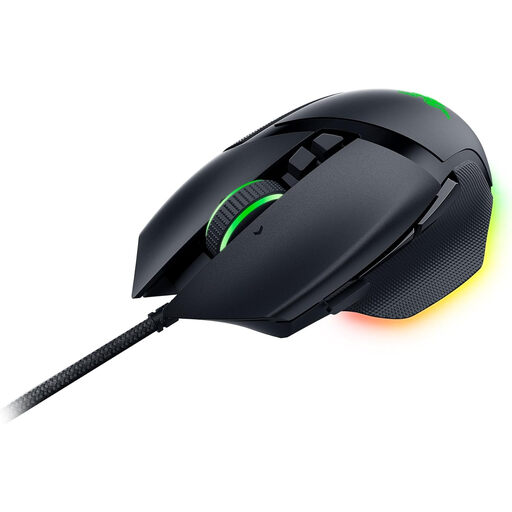
Razer Basilisk V3 Wired RGB Gaming Mouse

Razer Basilisk V3

Could suit you if you want several programmable buttons for map editor commands; the number of buttons doesn’t tell you whether its clicks are quiet.

The product title describes a wired mouse with 11 programmable buttons and a 26,000 DPI sensor.

View at Joybuy

HOFOTEK M311 2.4G+BT Silent Office Mouse

HOFOTEK M311 2.4G+BT Silent Office Mouse

Could be worth considering if clicks described as quiet matter more to you than gaming features; check that it has everything you need for your map editor.

The product title describes it as an office mouse with several DPI settings and a 1xAA battery.

View at Joybuy

Frequently asked questions

Do I need a mouse with lots of buttons for making maps?

Not necessarily. What matters is which tools your editor offers and whether you can assign their commands in a useful way. Unity, for example, documents selection, painting and erasing tools; Logitech lists customisable buttons for the G502 HERO, but that doesn’t mean it will automatically work with every editor.

What should I check when setting up a quiet wireless mouse?

First, check that your computer supports the right connection and find out what power supply the mouse needs. The Razer manual lists USB-A or Bluetooth 5.1 and two AA batteries for the Pro Click Mini. Then set up the buttons in the editor you actually use.

How can I avoid extra return costs when ordering online?

For eligible distance purchases in the EU, you generally have a 14-day cancellation period from delivery. According to Your Europe, you may have to pay return costs if the seller doesn’t cover them, so check the specific returns policy before you buy.

Do I need extra warranty cover for a mouse in Germany?

An additional warranty or protection plan isn’t required for your statutory rights if goods are faulty. Your Europe states that EU law provides a minimum two-year legal guarantee; check separately which situations and benefits are covered by any voluntary protection plan.

What should I look for to check a wireless mouse is safe?

Look for clear product information and straightforward labelling. For market surveillance, Germany’s Federal Network Agency lists CE marking, product identification and German-language instructions among the things it checks. This doesn’t confirm anything about a specific listing.