If there’s barely enough room to move your mouse alongside your keyboard and papers, a stationary trackball is an obvious option – provided its casing fits on your desk and you find the thumb or ball control comfortable. If you prefer the familiar movement of a regular mouse, consider a compact model with a suitable scroll wheel or, if it suits your hand size and handedness, a vertical mouse. Also check the connection type and what’s included with the specific version.
Which mouse is right for you?
Editor with limited mouse space
If you work between your keyboard and papers and want to control the pointer without moving the device, a stationary trackball could be a good fit. Still, check that its casing and your hand will fit in the space next to your keyboard.
Editor working on long newsletters
If you often switch between individual passages and longer sections, look for familiar pointer control and a scroll wheel or scroll ring you enjoy using.
Editor who prioritises fit
If you spend long periods at your desk, choose a mouse to suit your hand size, handedness and preferred way of controlling it. A particular shape alone is no proof of a health benefit.
What should you look for when buying?
First decide whether you can and want to move your mouse across the desk. Then consider how it feels to use, how well it fits your hand and how it connects to your computer.
| What matters |
What to look for |
Who will find it especially important |
| Movement and desk space |
Compare the available space next to your keyboard with the mouse’s casing and the position of your hand. Logitech lists the ERGO M575S as measuring 134 × 100 × 48 mm. |
If there’s barely any room to move a mouse on my desk, I want to be able to move the pointer without repositioning the device. That’s why around 36% of consumers put a lack of movement space first. |
| Text navigation |
Check whether you prefer a conventional scroll wheel, a scroll ring or a trackball for making precise edits and reviewing longer pages. |
When I often switch between individual passages and long sections in a newsletter, precise selection and scrolling are essential. Around 29% of consumers focus mainly on text navigation. |
| Hand fit and handedness |
Check whether the specific version is for right- or left-handed users and, for vertical mice, whether the stated hand size is right for you. Logitech describes the Lift as suitable for small to medium-sized hands and offers a left-handed version. |
When I use a mouse for long periods, I want its shape to suit my hand and preferred posture. Around 21% of consumers prioritise fit. |
| Connection and what’s included |
Check Bluetooth, available ports, operating system compatibility and the included receiver against your device. Logitech says the Logi Bolt receiver for the MX Anywhere 3S is not included; CHERRY lists a wireless receiver as included with the MW 9100 and specifies Windows as its operating system. |
If I want to use the mouse with my computer without an extra adapter, the connection and what’s included need to be compatible. Around 14% of consumers focus primarily on the connection and included accessories. |
Common buying mistakes
-
Assuming ‘trackball’ means ‘takes up no space’
A trackball doesn’t need space to move across the desk, but its casing and your hand still need room.
Measure the space available next to your keyboard and compare it with the dimensions of the specific model.
-
Prioritising compact dimensions over hand fit
You still need to move a conventional mouse, and a vertical shape won’t automatically suit every hand.
First decide how you want to control the mouse, then check the hand size and handedness the version on offer is designed for.
-
Taking a USB receiver for granted
The right receiver may or may not be included, depending on the model. Logitech says the Logi Bolt receiver for the MX Anywhere 3S is not included; CHERRY lists a wireless receiver as included with the MW 9100.
Check the connection, available ports and what’s included for the exact version.
If you want to use the MX Anywhere 3S without Bluetooth, you may need to buy a compatible Logi Bolt receiver separately.
Key brands at a glance
Logitech
The product ranges mentioned include a stationary thumb-controlled trackball, a compact mouse and a vertical mouse.
- The ERGO M575S stays in place while you use it. Logitech lists two scrolling modes for the MX Anywhere 3S.
- According to Logitech, the Logi Bolt receiver for the MX Anywhere 3S is not included. Logitech says the Lift is designed for small to medium-sized hands; a left-handed version is available.
- The shape alone is no proof of a health benefit.
Kensington
The Orbit Wireless is a stationary trackball that Kensington says can be used by either hand and has a scroll ring.
- Kensington lists a scroll ring and selectable DPI settings for this model.
- The casing needs desk space. Kensington notes that the ball and its housing may need cleaning from time to time.
CHERRY
The MW 9100 is a conventional mouse for a desk with enough room to move it around.
- CHERRY lists Bluetooth, three DPI settings and an included wireless receiver.
- CHERRY lists Windows as the operating system; check compatibility with other systems for the specific version. According to CHERRY, the battery is not replaceable.
Joybuy products for a small desk
This selection includes a stationary trackball and conventional wireless mice for newsletter work when there’s still some room to move a mouse.
 No image available
Logitech ERGO M575S Graphite
This stationary thumb-controlled trackball is a good choice if you want to move the pointer without sliding the mouse across the desk.
Bluetooth and Logi Bolt receiver; 5 buttons, 3 of which are customisable. Receiver included. The casing measures 134 × 100 × 48 mm.
View at Joybuy
 No image available
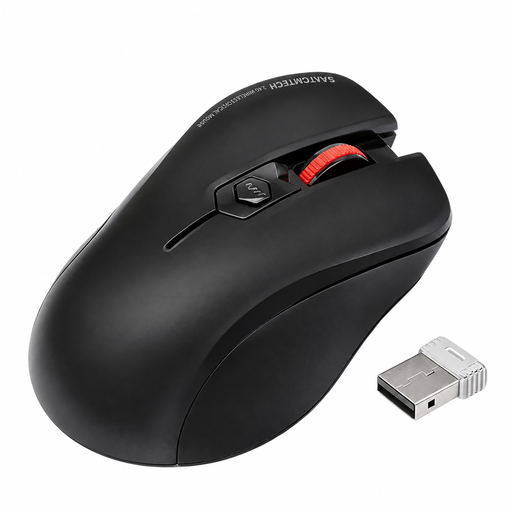
Wireless ergonomic mouse with quiet clicks
This conventional mouse is worth considering if you prefer familiar mouse control and have room to move it around.
The product details list quiet clicks, a scroll wheel, optical tracking and an included USB-A receiver.
View at Joybuy
 No image available
HOFOTEK M311 2.4G+BT Silent Office Mouse – White-Grey
This conventional mouse is an option if you want a compact shape for working with text and can move the device around on your desk.
Bluetooth and 2.4 GHz wireless; multiple DPI settings. Stated dimensions: 104,74 × 68,24 × 39,3 mm. Stated weight: 62 ± 5 g.
View at Joybuy
 No image available
AJAZZ AJ200 AI MC wireless mouse with charging dock
This wireless mouse is an option if you prefer the conventional mouse movement for office work and have the space for it.
The product details list Bluetooth, 2.4 GHz wireless and USB-C as connection options, as well as a charging dock.
View at Joybuy
 No image available
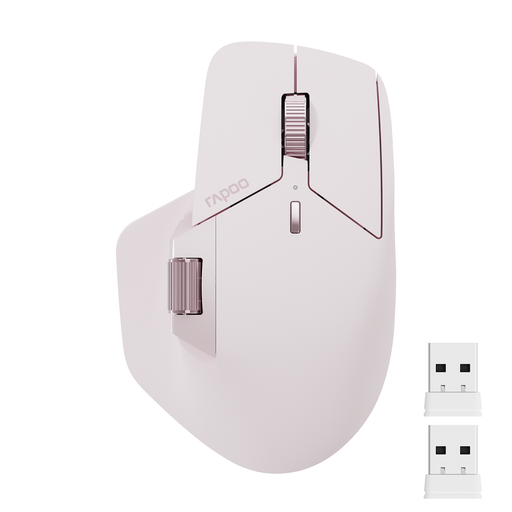
Rapoo MT760Mini Bluetooth mouse – Pink
This mini mouse offers familiar mouse control, provided there’s still room to move it beside your keyboard.
Bluetooth 5.0 and 2.4 GHz wireless; product details state that it can connect to up to 4 devices. Features include a central and a side scroll wheel, plus 11 programmable buttons.
View at Joybuy
Frequently asked questions
Does a trackball take up more space than a compact mouse?
You don’t need to slide a trackball across the desk to move the pointer, but its casing and your hand still need room. Logitech lists the ERGO M575S as measuring 134 × 100 × 48 mm; compare these dimensions with the space available next to your keyboard.
Can I connect the MX Anywhere 3S using another mouse’s USB receiver?
Don’t assume you can: Logitech specifies a compatible Logi Bolt receiver for the MX Anywhere 3S, which isn’t included. Before buying, check whether you can use Bluetooth or need the right receiver.
What can I do if a trackball feels jerky?
Dust and debris around the ball and its housing can affect its movement. Kensington recommends cleaning the trackball; follow the care instructions for the specific model.
Who should I contact if a mouse bought in Germany is faulty?
If there’s a fault, contact the retailer under your statutory consumer rights rather than assuming the manufacturer is responsible. The Verbraucherzentrale says you have two years from the date the goods are handed over or received to make a claim; this is separate from any voluntary guarantee.
Can I put an old mouse in household waste?
Take an old mouse to a suitable electrical waste collection point or recycling centre. The German Environment Agency recommends removing any removable batteries and disposing of them separately.


