What to look for when buying
First, work out whether you’ll be using two displays with one computer or switching the mouse between separate computers. Then weigh up scrolling features, how the mouse fits your hand and pointer control according to how important they are for your gallery app.
| Buying priority |
What to check |
Who it matters most to |
| Navigating image lists |
Check whether you need an extra horizontal scroll wheel and whether your gallery app supports it. |
When I’m working through long image lists, I want to navigate with as few hand movements as possible. Around 36% of consumers put scrolling navigation first. |
| Fit for longer sessions |
Compare your handedness and hand size with the specific mouse variant. Also make sure you have enough space for the mouse and to support your arm. |
When I’m sorting photos for longer periods, I want a mouse that fits my hand, rather than extra buttons being the deciding factor. About 29% of consumers prioritise a good fit. |
| Controllable pointer movement |
Check whether you can adjust the pointer speed and whether the displays are arranged correctly in your operating system. |
When selecting and arranging photos, I want to control the pointer confidently across both displays. Around 21% of consumers rate pointer control as their top priority. |
| Switching between computers |
Check which Bluetooth and receiver connections the specific model offers and whether they’re compatible with your computers. |
If my two screens are connected to separate computers, I want to be able to use the same mouse with both. Around 14% of consumers put switching between computers first. |
Joybuy mice for photo galleries
This selection includes mice for working through long image lists, adjustable pointer control, vertical designs and potentially switching between devices. For extra wheels and connectivity, check that they work with your gallery app and computers.
 No image available
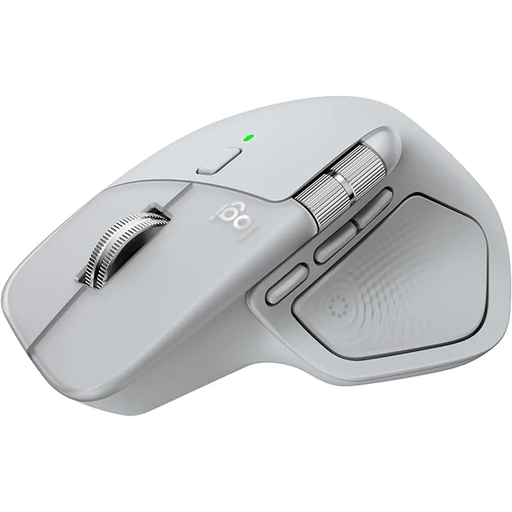
Logitech MX Master 4 Ergonomic Wireless Mouse, Light Grey
An option for long image lists if you’d like a scroll wheel with fast scrolling.
Wireless; Bluetooth; USB-C charging; Light Grey; listed as compatible with Windows and MacOS in the product name.
View at Joybuy
 No image available
Vertical wireless mouse with 6 buttons
A vertical design may be worth considering if you’d like to try this style of mouse. Check that the variant suits your handedness and hand size.
2.4 GHz wireless; 800–1600 DPI according to the product name.
View at Joybuy
 No image available
Vertical wireless mouse with USB-C and two connection options
May be useful for switching between separate devices if the connection options suit your computers.
Bluetooth and 2.4 GHz connectivity; three DPI settings: 800, 1200 and 1600; USB-C charging according to the product name.
View at Joybuy
 No image available
KINSI ergonomic vertical wireless mouse
A vertical mouse with adjustable pointer speed may suit you if you’re looking for this style of design and adjustable DPI.
2.4 GHz USB wireless; 5 buttons; adjustable DPI from 800 to 4800 according to the product name.
View at Joybuy
 No image available
HOFOTEK M308 Silent Office Mouse
A straightforward wireless mouse may be all you need for gallery work if you don’t need extra scrolling features.
2.4 GHz wireless; adjustable multi-level DPI according to the product name.
View at Joybuy
Frequently asked questions
Do I need a mouse that pairs with two devices to use two screens?
No, not if both displays are connected to the same Windows computer. Arrange them in the display settings to match their actual positions and test how the pointer moves between them. Multi-device pairing is for switching between separate computers.
What should I set up first after connecting the mouse?
First, check in Windows that both displays are detected and arranged correctly. Microsoft Support recommends moving the pointer across both displays and testing their arrangement. You can then adjust the pointer speed to suit the way you use the mouse.
Is a vertical mouse automatically the healthier choice?
No. A vertical design isn’t automatically right for everyone. Check your hand size and handedness, and position your mouse, keyboard and arm support to suit you. The BAuA notes that awkward and prolonged static postures can cause strain; this doesn’t prove that any particular mouse model is effective.
Who should I contact in Germany if a newly purchased mouse is faulty?
If there’s a fault, remember that your statutory rights against the seller are separate from any voluntary guarantee. For standard claims relating to faults in new goods, Section 438 of the German Civil Code (BGB) generally provides for a two-year limitation period from delivery. Verbraucherzentrale explains the initial right to have the fault remedied.
How should I dispose of an old mouse in Germany?
Don’t put an old mouse in your household rubbish. The German Environment Agency lists recycling centres and suitable take-back points as ways to dispose of electrical equipment.


