What should you look for when buying?
Start by deciding how you’ll navigate long lists of images, then check the mouse’s size, connection, fit in your hand and noise level against your room and computer.
| What matters |
What to check before buying |
Who should pay particular attention? |
| Reviewing and editing photos |
Check the scroll behaviour and adjustable pointer speed on the specific model; a high DPI figure alone doesn’t prove that it’s better for editing photos. |
If I’m browsing long lists of images and editing individual shots in more detail, I want to be able to control the scroll wheel and pointer easily. Around 33% of consumers prioritise photo-related use. |
| Space and connection |
Check the dimensions, whether your computer has Bluetooth, whether you have a spare USB-A port and what’s included with the specific version. |
If my desk is small or I need a particular type of connection, I want to avoid buying a mouse or receiver that isn’t compatible with my computer. Around 25% of consumers prioritise space and connection. |
| Fit and posture |
Check your hand size, grip position and whether the model is designed for right- or left-handed use; consider your working posture too. |
If I spend a long time at my computer, I want a mouse whose size and grip position suit my hand. Around 25% of consumers say fit and hand comfort are their main priorities. |
| Click noise |
Look for buttons described as quiet on the specific version, but don’t assume they’ll be completely silent. |
If I’m sorting photos in a shared room in the evening, I want to disturb others as little as possible with button clicks. Around 17% of consumers prioritise consideration for the people they live with. |
Joybuy product options
These wireless mice cater to different photo-sorting needs, including quiet buttons, adjustable pointer speed, different connection options and specific versions for different hands.
 No image available
HOFOTEK M311 2.4G+BT Silent Office Mouse
An option if you’re looking for quiet buttons and adjustable pointer settings when sorting photos.
2.4 GHz and Bluetooth; multiple DPI settings; 1 AA battery.
View at Joybuy
 No image available
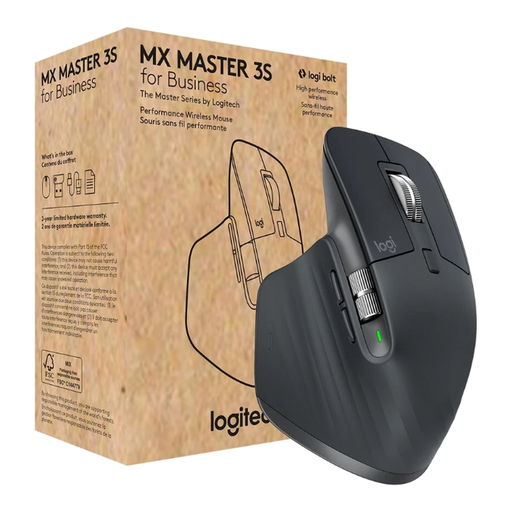
Logitech MX Master 3S for Business, Graphite
An option if you want to switch between fast and precise scrolling when browsing long lists of images.
8000 DPI Darkfield sensor; Bluetooth and Logi Bolt USB; MagSpeed scroll wheel; Quiet Clicks; multi-device support.
View at Joybuy
 No image available
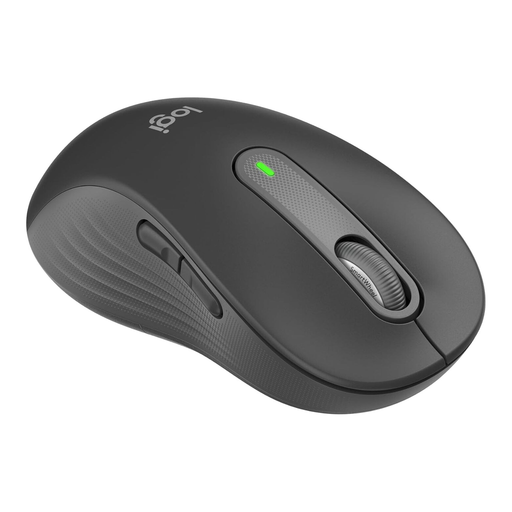
Logitech Signature M650 L Left, for large left hands
This version is designed for large left hands; it may suit you if this specific design is the right fit for your hand.
Bluetooth; multi-device support; quiet clicks; customisable side buttons.
View at Joybuy
 No image available
Logitech Signature M650 L, for large hands
This version is designed for large hands; before buying, check that its size suits your hand and grip.
Bluetooth; multi-device support; quiet clicks; customisable side buttons.
View at Joybuy
 No image available
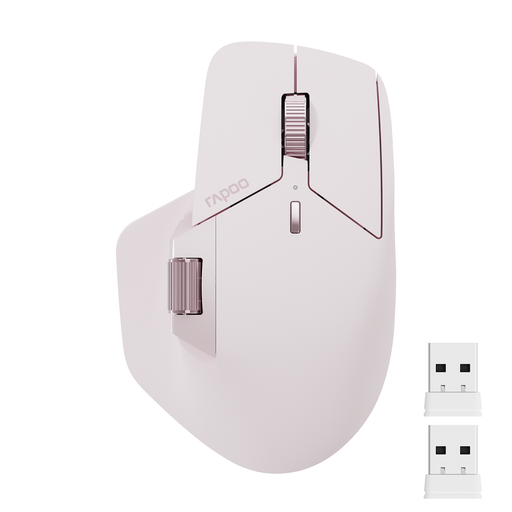
Rapoo MT760Mini, Pink
An option if you want to use different connection options and a side scroll wheel while sorting photos.
Bluetooth 5.0 and 2.4 GHz; support for four devices; eleven programmable buttons.
View at Joybuy
Frequently asked questions
Do I need the highest possible DPI for browsing my photo gallery?
Not for that reason alone. First check whether you can control the pointer and scrolling easily with the specific mouse; sensor specifications on their own don’t prove that it’s better for editing images.
How do I connect a wireless mouse to my laptop?
It depends on the model: according to CHERRY, the MW 2310 2.0 uses a USB-A receiver, while the Logitech MX Anywhere 3S can connect via Bluetooth. Check that the connection, operating system and contents of the box for the specific version are compatible with your computer.
How should I dispose of an old mouse and its batteries?
The German Environment Agency advises against disposing of old electrical equipment in household rubbish. Where possible, remove the batteries and dispose of them separately at a battery collection point.
What are my rights if a mouse doesn’t fit or is faulty after buying it online?
According to the German consumer advice centre, online purchases generally come with a 14-day right to cancel; exceptions and the exact start of the cancellation period should be checked. Your statutory rights against the seller are separate from any voluntary manufacturer’s guarantee.
What should I check about product compliance when buying a wireless mouse in Germany?
The Federal Network Agency lists correct CE marking, product identification and accurate manufacturer details among the points checked during market surveillance. A product description alone doesn’t confirm these features for an individual item.


