Joybuy product selection
This selection includes standard wireless mice for navigation and switching between devices at a shared desk, as well as a wired mouse for a fixed workstation.
 No image available
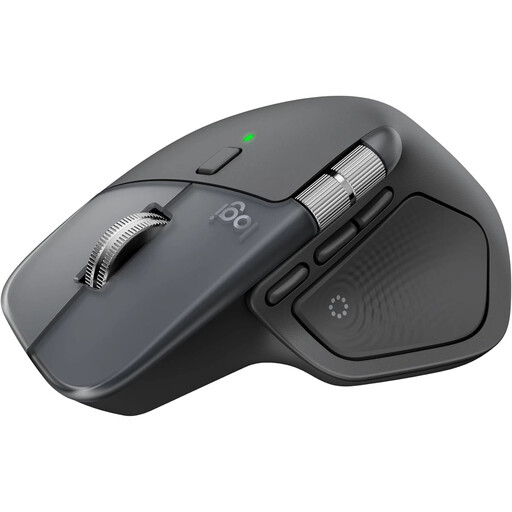
Logitech MX Master 4, Graphite
Designed for frequent scrolling and switching between several devices. The product description lists up to three devices and Bluetooth or Logi Bolt connectivity.
Charges via USB-C; according to the product details, a charging cable isn’t included. Logi Options+ is required to customise all the additional features.
Joybuy
 No image available
HOFOTEK M311 2.4G+BT, White-Grey
Designed for a wireless workstation with several connection options. The product description lists Bluetooth 5.1, 2.4 GHz wireless and switching between up to three devices.
The mouse uses an AA battery. Its clicks are described as quiet.
Joybuy
 No image available
Logitech MX Master 3S Bluetooth Edition, Graphite
Designed for long lists and switching between devices. The product description lists Bluetooth and connection to up to three devices.
The title lists an 8K DPI sensor and MagSpeed scrolling; the product description specifies USB-C charging. The shape is described as designed for right-handed use.
Joybuy
 No image available
Philips 3000 Series SPK7378B/00, EU version
Designed for a shared workstation used by both left- and right-handed people. The product description lists an ambidextrous shape and quiet clicks.
The product title lists 1600 DPI and a 2.4 GHz USB receiver. A USB receiver is required for this connection.
Joybuy
 No image available
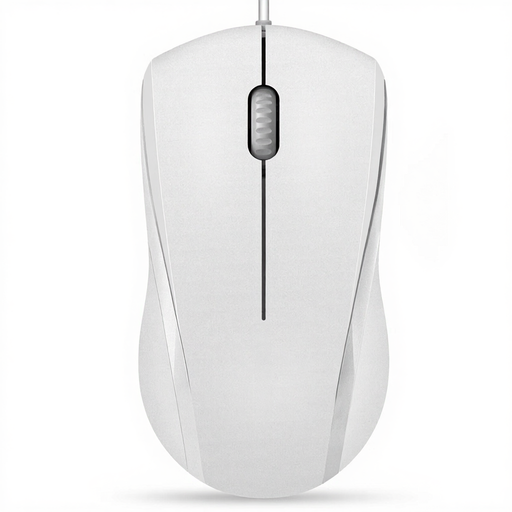
RAPOO N1600, 1000 DPI
Designed for a fixed workstation shared by left- and right-handed users. The product description lists an ambidextrous shape and a USB cable.
The title lists 1000 DPI. The left and right buttons are described as quiet, but the product description doesn’t say the same about the middle button.
Joybuy
Frequently asked questions
Do I need a Bluetooth mouse to use several computers?
No. CHERRY lists Bluetooth and a USB wireless receiver for the MW 9100. What matters is whether the computers you plan to use support the relevant connections and whether the specific mouse lets you switch between devices as you’d like. CHIP lists just one connectable device for the Logitech Signature M650 L it tested.
How should I set up a mouse at a shared desk?
Allow enough room for the mouse and keyboard, and to position your hands and arms comfortably. The German Federal Institute for Occupational Safety and Health (BAuA) recommends allowing for a flexible, individual setup. Only rely on programmable buttons if the required software is compatible with the computer you’re using.
How do wired and wireless mice differ in how they’re powered?
A wired mouse such as the Dell MS3220 is powered via USB; the Logitech Signature M650 L tested uses an AA battery. CHERRY says the MW 9100 has a rechargeable battery that charges via USB-C, and that you can continue using the mouse while it charges.
Is a particular mouse shape required for a shared workstation?
Workstation design requirements don’t impose a blanket requirement to use a vertical mouse or a particular model. For workplaces covered by workplace regulations, employers must assess working conditions and potential hazards. The BAuA’s ASR A6 sets out specific requirements for working with screens. A desk used privately isn’t automatically subject to the same rules.
How should I dispose of an old mouse and its battery?
Electrical and electronic waste must be collected separately and shouldn’t go in your general rubbish. You should also return removable used batteries separately. The Federal Environment Agency provides information about separate collection; check with your local council or a take-back point to find out where to return them near you.


