Portfolio designers who need precision
If you work on layout details and scroll through long web pages, check whether you can adjust pointer speed and scrolling to suit the way you work.


Start by thinking about how you work: a compact, quiet mouse is a good choice if you often move between desks, while a contoured shape offers more support for your hand. A vertical mouse or trackball may suit you if you have specific needs around hand position or desk space. Also check the size of your hand, whether you’re left- or right-handed, the connection options and adjustable pointer speed. A high maximum DPI alone doesn’t mean you’ll have better control when designing.
If you work on layout details and scroll through long web pages, check whether you can adjust pointer speed and scrolling to suit the way you work.
If you take your mouse between different workstations, consider click noise, how much space it takes up and the connection options available on each computer.
When you spend a long time working at a screen, hand size, handedness and grip matter just as much as how easily you can use your design tools.
| Priority | What to check before buying | Who it matters most to |
|---|---|---|
| Layout control and scrolling | Adjustable pointer speed and an easy-to-use scroll wheel. | When I’m working on layout details and scrolling through long pages, I want to adjust pointer movement and scrolling to suit my work. Around 28% of consumers put this control first. |
| Quiet clicks | Check the specific model’s details for quiet clicks; try the feel of the buttons yourself if possible. | When others are working right beside me at a shared desk, I want to disturb them as little as possible with clicking noises. Around 22% of consumers prioritise low noise. |
| Fit and hand position | Hand size, preferred hand, button reach and space to rest your arm. | When working for long periods, I want a shape that suits my hand and whether I’m left- or right-handed, without making design tools harder to use. Around 22% of consumers focus mainly on fit and hand position. |
| Portability and connection | Bluetooth availability on your computer, available USB ports and what’s included with the exact variant. | When I move between workstations, I want to connect the mouse to each computer easily. Around 17% of consumers prioritise their connection needs. |
| Space to move | Available desk space and how easily you can control the trackball for small layout adjustments. | When there’s little room beside my keyboard and work materials, I want to move the pointer without sliding the mouse across the desk. Around 11% of consumers put desk space first. |
Models differ in their adjustment ranges and controls. A high maximum value alone doesn’t tell you which setting will give you good control over small layout movements.
Try the pointer speed, scrolling and controls in your design software instead of comparing only the highest DPI value.
The standard Logitech MX Anywhere 3S doesn’t include a compatible Logi Bolt receiver; according to Logitech, the Business version comes with one.
Before buying, check the exact variant and whether Bluetooth is available on the computer you’ll be using.
If your computer doesn’t have usable Bluetooth, you may need to buy a compatible receiver separately for the standard MX Anywhere 3S.
According to the manufacturer, the Logitech Lift is designed especially for small to medium-sized hands; the CHERRY MW 8C ERGO is a larger shape for right-handed users with medium to large hands.
Compare hand size, handedness and how the mouse feels in your grip. If you work for long periods, make sure there’s enough space for your mouse, keyboard and arm to rest.
The MX Anywhere 3S is a compact option for people who move between workstations, while the MX Master 3S Bluetooth Edition is aimed at those who value scrolling and customisation features. The Lift is a vertical alternative.
The MW 8C ERGO is a larger, contoured mouse with Bluetooth and a 2.4 GHz receiver, designed for right-handed users with medium to large hands.
The Orbit Wireless Trackball with Scroll Ring is a stationary alternative if you have little room to move a mouse around.
The Pro Click V2 Vertical Edition is a vertical productivity mouse for people who are also considering programmable buttons.
The models below include compact, quiet standard mice and a vertical mouse for working at a shared desk.
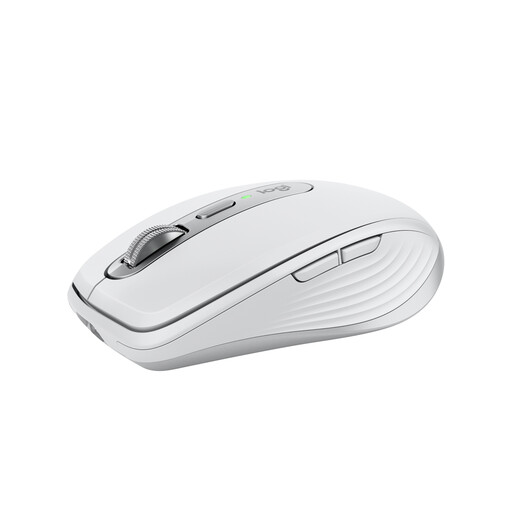 No image available
Its compact shape and clicks described as quiet make it a good fit for people who often change workspaces, as long as it suits your hand.
The product title lists Bluetooth and an 8K DPI sensor; Logitech describes this model as having adjustable tracking and MagSpeed scrolling.
 No image available
A vertical shape may suit you if you’d like to try a different hand position; make sure it fits your hand and whether you’re left- or right-handed.
The product title lists USB-C charging, Bluetooth, a 2.4 GHz connection and three DPI settings: 800, 1,200 and 1,600.
 No image available
This wireless office mouse, described as quiet, may suit you if keeping click noise down matters at a shared workstation.
The product title lists a 2.4 GHz connection and adjustable DPI.
 No image available
This office mouse, described as quiet, may suit you if you move between workstations and have Bluetooth or 2.4 GHz available.
The product title lists adjustable DPI and an AA battery (1xAA Battery).
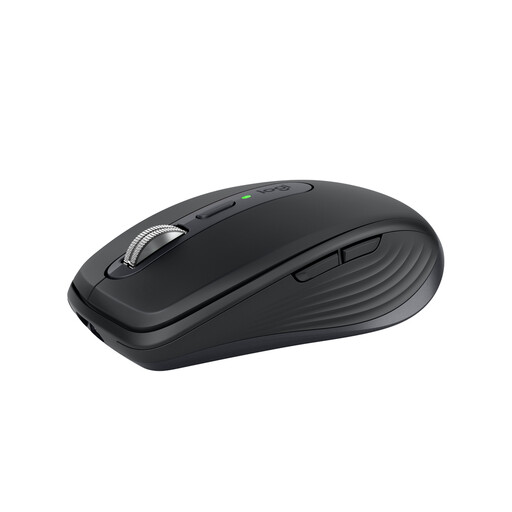 No image available
Its compact shape and clicks described as quiet make it a relevant choice for a shared workspace, provided it fits your hand.
The product title lists Bluetooth and an 8,000 DPI sensor; Logitech describes adjustable tracking and MagSpeed scrolling. The standard MX Anywhere 3S doesn’t include a Logi Bolt receiver.
No. A high DPI value alone doesn’t prove that you’ll have better control. What matters is whether you can control pointer movement and scrolling well for the layout tasks you do. The models covered offer different adjustment options.
First, check whether Bluetooth is available or whether you can use a suitable USB receiver. The standard Logitech MX Anywhere 3S doesn’t include a Logi Bolt receiver, whereas Logitech says one is included with the Business version. If you’re using managed computers, also check whether you’re allowed to use configuration software.
Start by checking the fit, the position of your mouse and keyboard, and whether there’s room to rest your arm. The Federal Institute for Occupational Safety and Health recommends choosing a mouse that suits your hand size and shape, and arranging your workstation flexibly. This isn’t a recommendation for any particular mouse shape as a treatment for discomfort.
A stationary trackball may be a good option if you have little room to move a mouse around. However, controlling the pointer with a ball feels different from using a mouse that you move. Check whether you can use it to control small layout movements comfortably.