For portfolio layouts and long pages, it’s worth choosing a mouse that fits your hand and lets you adjust the pointer and scrolling to suit your work. Extra buttons or features are most useful if you use them regularly; in a shared room, quieter clicks may matter more. A high DPI figure or the label “ergonomic” alone doesn’t tell you whether a mouse is right for you.
Finding the right mouse for you
Portfolio designers who work with lots of detail
If you edit layouts and review long pages, look for adjustable pointer control and easy scrolling rather than focusing solely on a high DPI figure. Logitech highlights these customisation options for certain models, such as the MX Master 3S Bluetooth Edition.
Students who spend long hours using a mouse
Choose a shape that suits your hand size and whether you’re right- or left-handed. A vertical mouse may be an option, but it isn’t guaranteed to prevent discomfort; the Federal Institute for Occupational Safety and Health considers hand and arm strain in the context of computer work as a whole.
Students in shared rooms
If other people are working or studying in the room, quieter clicks may be important. Also check the hand size, connection and power supply for the specific version; claims about quiet buttons may apply to different buttons depending on the model.
Key buying priorities at a glance
| Criterion |
What to check before buying |
Who it matters most to |
| Pointer control and scrolling |
Check whether the sensitivity and scrolling can be adjusted, and whether the required software is compatible with your operating system. |
When I’m adjusting layouts and working through long portfolio pages, I want to be able to tailor the pointer and scrolling to my work. Around 31% of consumers place particular importance on control when designing. |
| Hand fit |
Check the recommended hand size, grip style and whether the full model is available for right- or left-handed users. |
For longer sessions, it’s important to me that the size and shape suit my hand and preferred position. Around 25% of consumers prioritise how well a mouse fits their hand. |
| Click noise |
Check which buttons the quiet-click claim applies to, and also consider the mouse’s shape and connection. |
When I share a room, I want to avoid disturbing others while they work as much as possible. Around 25% of consumers prioritise low noise levels. |
| Connection and power |
Check whether it uses Bluetooth or the required USB connection, whether a receiver is included, and whether it uses batteries or a rechargeable battery. |
For my laptop, I need a connection that works without unnecessary extra steps and a power supply that suits my routine. Around 19% of consumers prioritise an easy connection and set-up. |
Mouse-buying pitfalls to avoid
-
Choosing solely by the highest DPI figure
A high sensor specification alone doesn’t prove that a mouse offers better pointer control or design results. Logitech describes the MX Master 3S Bluetooth Edition as having adjustable sensitivity; CHERRY lists three switchable settings for the MW 2310 2.0.
Check whether you can adjust the control to suit your screen and workflow instead of making the highest figure your only criterion.
-
Assuming a model name means it’s the right version for your hand
Lift and Signature M650 models are available in versions for different hand sizes or handedness. Similar model names don’t mean the versions are interchangeable.
Before buying, compare the full model name with your hand size and whether you need a right- or left-handed version.
-
Assuming wireless means Bluetooth
The CHERRY MW 2310 2.0 and Trust Bayo II are described as using a 2.4-GHz connection via a USB receiver. So, with these models, wireless doesn’t automatically mean Bluetooth.
Check the connection type, receiver and your laptop’s ports. If you might need an adapter, make sure in advance that it will work with your device.
-
Overlooking power and disposal
According to the manufacturer, the CHERRY MW 2310 2.0 uses two AA batteries, while Trust says the Bayo II is rechargeable. The models therefore differ in how much effort is needed to replace batteries or recharge them.
Decide which power option best suits your routine. The German Environment Agency recommends collecting used batteries separately and not disposing of electrical equipment with household waste.
Relevant brands at a glance
Logitech
The model ranges mentioned offer adjustable control, vertical designs and options for different hand sizes.
- Logitech lists adjustable sensitivity for the MX Master 3S Bluetooth Edition; for the Lift, the manufacturer says it suits small to medium-sized hands.
- Lift Left, M650 L Left and the Bluetooth Edition are specific versions. Check the full model name, handedness and connection rather than assuming details apply to other versions.
CHERRY
The MW 2310 2.0 is a straightforward wireless mouse with selectable sensor settings and a USB-A receiver.
- CHERRY lists three DPI settings: 1000, 1600 and 2400, as well as a nano receiver.
- According to CHERRY, the model requires USB-A and two AA batteries. Check that the connection is compatible with your laptop.
Perixx
The PERIMICE-513 L is a wired vertical mouse for left-handed users.
- Perixx lists USB-A, a 1,8 m cable and two DPI settings.
- Its shape and wired USB-A connection are factors to consider; check that both suit your hand and workspace.
Trust
The Bayo II is a rechargeable wireless vertical mouse with a USB receiver.
- Trust lists a 57-degree angle and adjustable 800–2400 dpi for this model.
- According to Trust, it connects via a 2.4-GHz USB receiver; the stated battery life depends on how it’s used. The claim that the side buttons are quiet doesn’t necessarily apply to every button.
Joybuy products for design work
This selection includes vertical mice and wireless models with adjustable pointer control or quiet clicks, to suit different needs around hand position, connection and working in a shared room.
 No image available
KINSI wireless vertical mouse
A vertical mouse for design work, if you’d like to try this style of grip.
2.4-GHz USB receiver; rechargeable via USB-C; five buttons; adjustable DPI from 800 to 4800.
View at Joybuy
 No image available
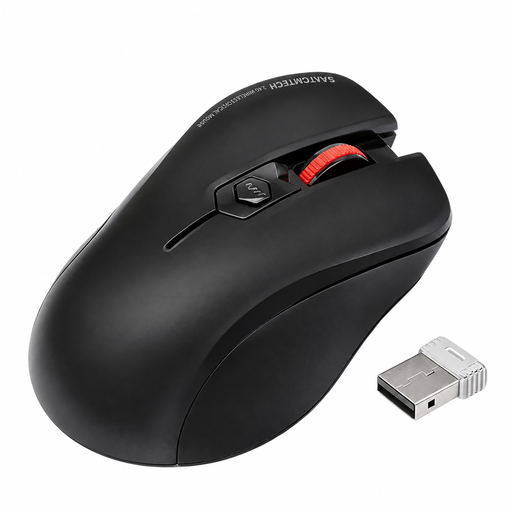
Wireless mouse with quiet clicks and USB receiver
A straightforward wireless mouse for when you want quiet clicks in a shared room.
The product title mentions quiet clicks and an included USB receiver.
View at Joybuy
 No image available
HOFOTEK M308 2.4G Silent Office Mouse
A wireless mouse with quiet clicks for when noise matters in your student room.
The product title mentions 2.4-GHz wireless connectivity and adjustable DPI settings.
View at Joybuy
 No image available
HOFOTEK M311 2.4G+BT Silent Office Mouse, White-Grey
A wireless mouse for a shared room if you’re looking for quiet buttons and multiple connection options.
The product title mentions Bluetooth and 2.4-GHz wireless connectivity, adjustable DPI settings and an AA battery.
View at Joybuy
 No image available
Logitech MX Vertical
A vertical mouse for design work if you prefer a different grip to that of a flat mouse.
The product title mentions Bluetooth and a USB receiver, a rechargeable battery, a 4000-DPI sensor and multi-device connectivity. Compatible systems listed are Windows, macOS and iPadOS.
View at Joybuy
Frequently asked questions
Do I need a mouse with a particularly high DPI figure to design a portfolio homepage?
No. The DPI figure alone doesn’t determine whether a mouse is right for your work. Logitech lists adjustable sensitivity for the MX Master 3S Bluetooth Edition; CHERRY gives three switchable settings for the MW 2310 2.0. These are model features, not a comparative measure of design accuracy.
How can I check whether a mouse is compatible with my laptop?
First, check that the connection matches your laptop’s ports. Logitech lists Bluetooth Low Energy or a Logi Bolt receiver for the Signature M650; according to the manufacturer, the CHERRY MW 2310 2.0 requires a USB-A receiver. Also check that you have a suitable port free and that the mouse is available in a version to suit your hand and handedness.
What are my rights if an online mouse purchase in Germany needs to be returned or is faulty?
According to the Verbraucherzentrale, consumers buying remotely in Germany generally have a 14-day right to cancel, which must be explained to them. If an item is faulty, statutory rights against the seller are separate from a voluntary guarantee. Check the cancellation information and guarantee terms for your specific purchase.
Can I put an old mouse or its batteries in the household bin?
No. The German Environment Agency recommends collecting old electrical equipment separately and returning batteries separately to battery collection points, where they can be removed easily by hand.


