Working quietly at a shared desk
If you’re editing slides alongside other people, choosing a mouse explicitly described as quiet can help you take clicking noise into account. CHERRY and Rapoo are among the brands that offer such models.


If clicking noises are the main distraction at a shared desk, a mouse explicitly described as quiet is a sensible place to start; check connectivity and how it fits your hand separately. For frequent navigation through slides and longer documents, scroll behaviour and, where relevant, programmable buttons also matter. If you’ll be using the mouse for long periods, finding the right size may be more important than extra features.
If you’re editing slides alongside other people, choosing a mouse explicitly described as quiet can help you take clicking noise into account. CHERRY and Rapoo are among the brands that offer such models.
If you often arrange slides and objects, controlled scrolling and, where relevant, programmable buttons are useful features to consider. Logitech describes the Signature M650 as having a SmartWheel; the right button configuration also depends on the software you use.
If you use different computers at a shared workstation, check Bluetooth, the receiver and whether the specific model actually supports switching between devices. Logitech and Rapoo offer different connection options, depending on the model.
| Priority | What to check before buying | Who is it important to? |
|---|---|---|
| Clicking noise | Check whether the buttons on the exact model are explicitly described as quiet; assess wired and wireless connections separately. | If I work right next to other people, I want repeated clicks to be as unobtrusive as possible. Around 31% of consumers put quiet operation first. |
| Slide navigation | Check the scroll behaviour of the specific model. If you want programmable buttons, confirm which software is required and whether it’s compatible. | If I often switch between detailed work and longer documents, easy-to-control navigation matters more than extra gaming features. Around 25% of consumers say slide navigation is their main priority. |
| Switching between computers | Check for Bluetooth support, a receiver and a free USB port, as well as an explicitly stated device-switching function. | If I use several computers at a shared workstation, I want to connect the mouse and switch between them without having to set it up again each time. Around 25% of consumers prioritise switching between computers. |
| Fit in your hand | Check whether the specific version suits your dominant hand and compare the manufacturer’s hand-size guidance with your own; try the shape for yourself if possible. | If I work at a screen for long periods, I want a mouse that suits my hand and the way I use it. Around 19% of consumers say hand comfort is their top priority. |
Bluetooth describes a connection, but it doesn’t automatically mean that a mouse can remember several computers or switch easily between them. Device-switching features vary by model.
Check how many devices the specific model can pair with and how you switch between them.
The Logitech M650, M650 L and M650 L Left differ in the hand sizes and handedness they’re designed for. The PERIMICE-713 L is explicitly described as a left-handed model.
Check the full model name, which hand you use and the manufacturer’s hand-size guidance.
A wireless mouse may not be ready to use without the right power supply. Perixx says the PERIMICE-713 L requires two AAA batteries, which aren’t included; Rapoo states that a replacement receiver isn’t available for the M500 Silent.
Before buying, check what’s included and whether any receiver you need, or a replacement, is available.
You may need to buy the two AAA batteries for the PERIMICE-713 L separately. According to Rapoo, a lost receiver for the Rapoo M500 Silent can’t be replaced.
The Signature M650 range includes models for different hand sizes and handedness; Lift is a separate vertical range.
GENTIX SILENT is a wired option for workspaces where quiet buttons are important.
Rapoo says the M500 Silent combines quiet buttons with several connection options and device switching.
The HP 400 Quiet Wireless Mouse is an option if you want quiet clicks and two connection methods.
Perixx explicitly describes the PERIMICE-713 L as a vertical wireless mouse for left-handed users.
This selection includes a wired USB mouse and models whose titles mention quiet clicks, including wireless options. Compare connectivity, power supply and explicitly stated features for your particular workspace.
 No image available
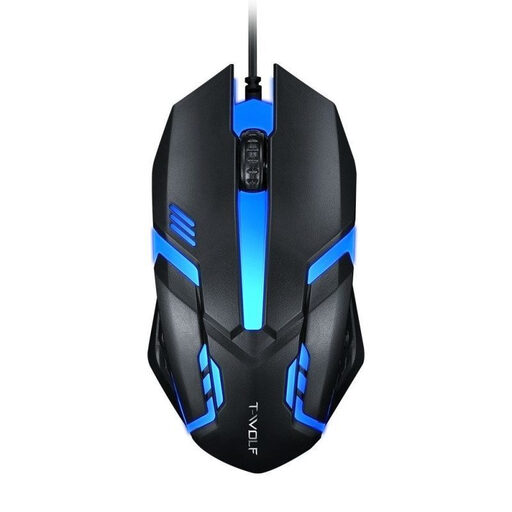
A wired option if you’re looking for a USB connection and a four-way scroll wheel for navigation.
USB connection; 1.3 m cable; three buttons; four-way scroll wheel; optical sensor with up to three sensitivity levels.
 No image available
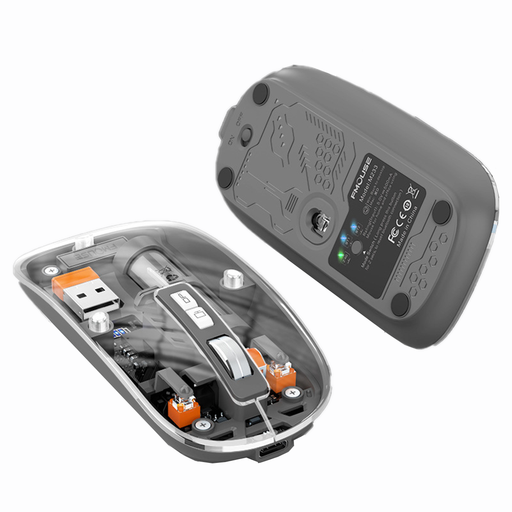
A wireless option if you’re looking for a mouse described as quiet in its title, with several connection modes.
Bluetooth and 2.4 GHz wireless; three connection modes; rechargeable battery; four DPI levels; optical sensor.
 No image available
An option if you’re considering several connection methods and programmable buttons; this model is described as a gaming mouse.
2.4 GHz wireless, Bluetooth and USB-C; five programmable buttons; optical sensor with 22,000 DPI; 62 g; charging dock and grip tape listed in the title.
 No image available
A wireless option if you’re looking for an office mouse described as quiet in the product title, with a USB receiver.
2.4 GHz wireless with USB receiver; optical sensor; several DPI levels. Bluetooth isn’t listed for this model.
 No image available
An office mouse described as quiet in the product title, with Bluetooth and an explicitly stated device-switching function.
Bluetooth and 2.4 GHz wireless; switches between up to three devices; optical sensor with adjustable DPI levels; one AA battery listed in the title.
No, they aren’t essential. Microsoft documents keyboard shortcuts for creating and editing PowerPoint presentations. Programmable mouse buttons are another option if the specific model and the software required to use them are supported. Keyboard shortcuts can vary depending on your keyboard layout.
First, check whether Bluetooth is available or whether there’s a free USB port for the receiver. For the Rapoo M500 Silent, Rapoo describes Bluetooth pairing or, alternatively, using the USB receiver, as well as switching between up to three paired devices. These details don’t automatically apply to other models.
Check whether any batteries you need are included: Perixx says the PERIMICE-713 L requires two AAA batteries, which aren’t supplied. Your statutory rights against the seller and a voluntary guarantee are separate; check the guarantee terms separately.
For workplaces covered by workplace regulations, it’s the employer’s responsibility to ensure the workplace is properly designed and to carry out a risk assessment. The ASR A6 from the German Federal Institute for Occupational Safety and Health sets out requirements for display screen work, but doesn’t prescribe a particular mouse brand. Whether a specific shared desk falls under these rules depends on how it’s used as a workplace.
The German Environment Agency advises against putting waste electrical equipment in household rubbish and recommends taking removable batteries to separate battery collection points. Waste electrical equipment can be taken to local authority collection points or designated return points.