Work quietly at a shared table
If you review and edit recipes alongside other people, you’ll want clicks that cause as little distraction as possible. Logitech describes the Pebble Mouse 2 M350s as having quiet clicks.


Start by choosing a mouse with a click sound, shape and connection that suit your shared workspace. For long editing sessions, a comfortable fit matters more than an especially compact design. If you switch between computers, make sure the connection and switching function work with all the devices you use.
If you review and edit recipes alongside other people, you’ll want clicks that cause as little distraction as possible. Logitech describes the Pebble Mouse 2 M350s as having quiet clicks.
If you edit the same collection on several approved work devices, check that the connection and switching function work with each computer. Logitech specifies that the Pebble Mouse 2 M350s can switch between three paired devices.
When you’re working through lots of entries, a comfortable fit and controlled scrolling become important. The German Federal Institute for Occupational Safety and Health generally recommends small notebook mice for shorter tasks because they offer less ergonomic support.
First, check the click sound and how the mouse fits your hand. Then consider device switching and scrolling if you’ll genuinely need these features when working with recipes.
| What matters | What to check before buying | Who it matters most to |
|---|---|---|
| Quiet operation | Check the click sound of the exact model and how it fits your hand for the length of time you intend to use it. | If I’m working at a shared table, I want my clicks to disturb others as little as possible; around 36 % of consumers put quiet operation first. |
| Connection and device switching | Check the supported connection, how many devices can be paired and how to switch between the computers you use. | If I switch between work computers, I need a connection that’s allowed on them and a clear way to switch; around 29 % of consumers prioritise this feature. |
| Comfort during longer sessions | Check the mouse against your hand size and whether the specific model is designed for left- or right-handed use. | If I’m editing lots of recipes in one sitting, I want a mouse that suits my hand and the length of time I work; around 21 % of consumers focus primarily on fit. |
| Finding your way around recipes | Check whether scrolling and any buttons you need can be configured on the computer you use. | If I’m browsing long collections and making frequent edits, I need navigation I can control easily; around 14 % of consumers put this first. |
Some models come in separate left- and right-handed versions. CHIP, for example, describes the MX Master 4 as a mouse for right-handed users.
Check your hand size and the specific model’s hand orientation instead of relying on the word “ergonomic” alone.
The type of connection alone doesn’t tell you how many devices can be paired or how switching works.
Check how many devices the specific model can pair with and how you switch between them. Logitech provides this information for the Pebble Mouse 2 M350s.
A compact mouse saves space, but that doesn’t automatically make it suitable for long editing sessions. The German Federal Institute for Occupational Safety and Health generally recommends small notebook mice for shorter tasks.
If you spend a long time working on your collection, prioritise a comfortable fit and arm position over how little space the mouse takes up.
The details below apply to the product lines and models mentioned, not necessarily to a brand’s entire range.
The range includes compact mice, Lift models and feature-rich MX Master models.
The MW 4500 and MW 4500 LEFT are angled mouse models designed for the corresponding hand.
The HP 430 is an option if you’re looking for a mouse that can switch between work devices.
The MS5320W is worth considering if you want to switch between a desktop, laptop or 2-in-1 device.
The Surface Mobile Mouse is a Bluetooth option with an ambidextrous design for a compatible computer.
The models below offer a range of options for recipe work, including quiet operation, angled designs, larger sizes and different connection types.
 No image available
The vertical shape and quiet buttons make this an option to consider if you want to keep noise down at a shared table and prefer an angled grip.
The product title lists six buttons, adjustable DPI, LED lighting and a rechargeable battery, and says it’s suitable for PCs and laptops.
 No image available
This mouse is described as quiet and may suit you if you need more than one connection option. Check which options are permitted on your work devices.
The product title lists 2.4 GHz wireless, Bluetooth, multiple DPI settings, an AA battery and the colour White-Grey.
 No image available
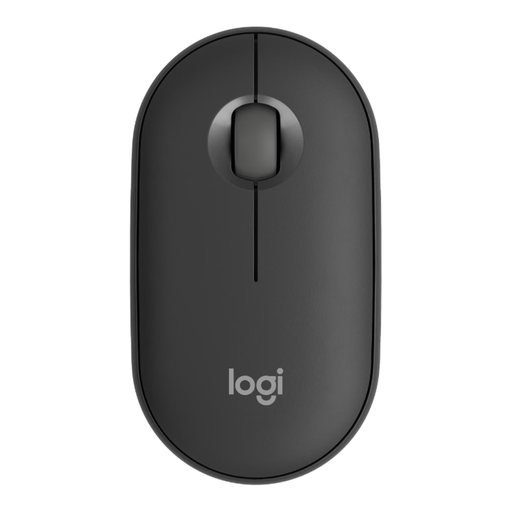
The Pebble Mouse 2 M350s could suit a small shared workspace if quiet clicks and switching between your own work devices matter to you.
Logitech specifies quiet clicks and switching between three paired devices. Check whether the low-profile shape suits the length of time you usually work.
 No image available
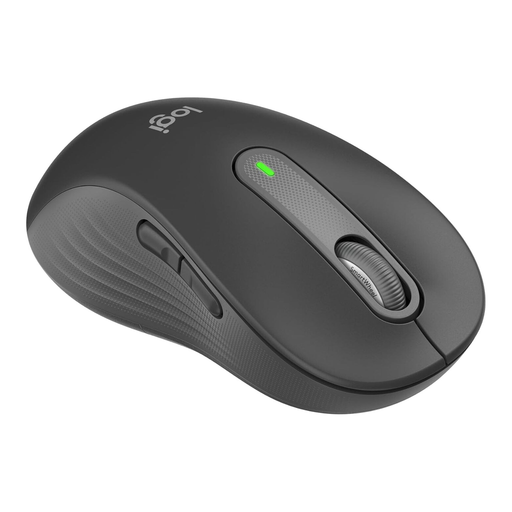
This model is specifically described as being for large left hands, so it’s worth considering if its size and left-handed design suit your needs.
The product title lists quiet clicks, customisable side buttons, Bluetooth and compatibility with multiple devices.
 No image available
This model is described as a larger option, and could suit you if a comfortable fit matters more than a compact design for longer recipe sessions.
The product title lists quiet clicks, customisable side buttons, Bluetooth and compatibility with multiple devices.
Check whether Bluetooth or a USB receiver can be used with the computer and is permitted at your workplace. HP lists Bluetooth and a USB-A connection as the options for connecting the HP 430. Microsoft requires Windows 10 or 11 and Bluetooth 4.0 or later to set up the Surface Mobile Mouse.
Check the cleaning instructions for the exact model before using any cleaning product. CHIP describes the MX Master 4’s material as easier to clean, but this assessment doesn’t automatically apply to other models.
If your mouse runs on batteries, you may need to buy replacements; HP lists an AA battery as included with the HP 430. According to the EU’s Your Europe website, consumer purchases in the EU are covered by a legal two-year guarantee from the seller. A manufacturer’s warranty is separate.
No. Germany’s Federal Environment Agency says that old electrical equipment should be disposed of separately, not in household waste. If the batteries can be removed from the device, take them out before handing it in.