What to look for when buying
Start by deciding what matters most in your day-to-day work: navigating plans, keeping clicks quiet or switching between computers. Then check the fit and the space available for movement.
| What matters |
What to check before buying |
Who it matters most to |
| Navigating plans |
Check the pointer speed and scrolling in the applications you use. |
If I regularly switch between details in plans and lengthy documents, I want good control over the pointer and scrolling. Around 28% of consumers put navigation first. |
| Click noise |
Look for a quiet-click feature that’s specifically listed for the model variant you’re considering. |
If other people are concentrating at the desk, I want to avoid disturbing them with repeated clicks. Around 22% of consumers prioritise quiet clicks. |
| Connecting to computers |
Check Bluetooth, the type of receiver and the connection options on each computer. Having several wireless connection methods doesn’t automatically mean you can switch between devices at the touch of a button. |
If I use the same mouse with different computers, I want to know whether it can connect to each one in a suitable way. Around 22% of consumers put straightforward connectivity first. |
| Fit for your hand |
Compare your hand size and whether you’re left- or right-handed with the specific variant, and make sure there’s room to rest your arm comfortably. |
For longer planning sessions, I want a shape that suits my hand and whether I’m left- or right-handed. Around 17% of consumers prioritise how well a mouse fits their hand. |
| Space to move |
Check how much clear desk space you have and whether a trackball would suit the tasks involved in your planning. |
If plans or work materials leave little room to move a mouse, I look for a suitable way to control the pointer. Around 11% of consumers prioritise a small footprint. |
Mice for planning a renovation
This selection includes models with features that may be useful at a shared desk, depending on the version: quiet clicks, multiple connection options or extra controls.
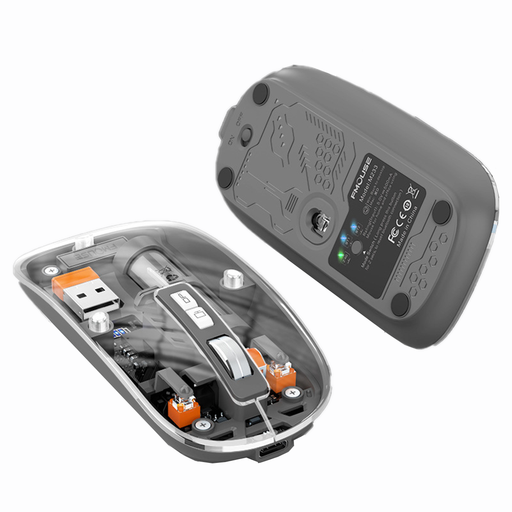 Image unavailable
KINSI M233 Wireless Bluetooth Mouse
A relevant choice for a shared workspace if you’re looking for quiet clicks and several connection options.
The product title lists three modes, a rechargeable battery and 1600 DPI.
View at Joybuy
 Image unavailable
HOFOTEK M308 2.4G Silent Office Mouse
An option if you’re looking for an office mouse with quiet clicks and adjustable pointer speed.
The product title lists 2.4 GHz wireless connectivity and several adjustable DPI settings.
View at Joybuy
 Image unavailable
HOFOTEK M311 2.4G+BT Silent Office Mouse
A useful option for a shared desk if quiet clicks and Bluetooth or 2.4 GHz wireless connectivity suit the computers you use.
The product title lists several DPI settings and an AA battery. If you switch between devices, check whether the stated switching function will work with your computers.
View at Joybuy
 Image unavailable
Philips 3000 Series Wireless Mouse SPK7378B/00
An option for a shared desk if quiet clicks and a USB receiver suit the computers you use.
The product title lists 2.4 GHz wireless connectivity, a USB receiver and 1600 DPI.
View at Joybuy
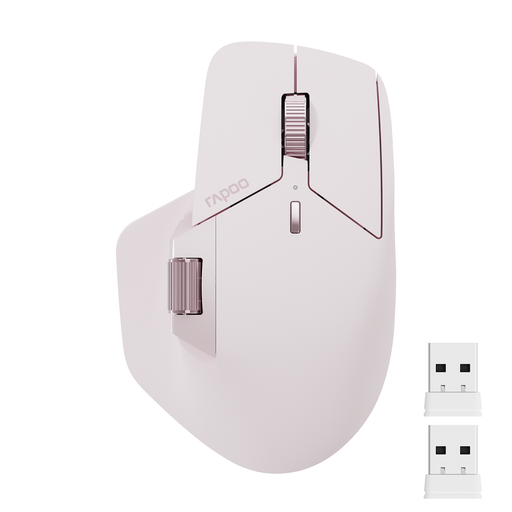 Image unavailable
Rapoo MT760Mini Bluetooth Wireless Mouse
A relevant choice if you regularly work across several devices and extra buttons and cross-device features suit the way you work.
The product title lists Bluetooth 5.0, 2.4 GHz wireless connectivity, support for four devices and eleven programmable buttons. For the M+ Cross-Computer feature, the description says you need an installed driver and the computers must share a Wi-Fi or Ethernet connection.
View at Joybuy
Frequently asked questions
Do I need the highest DPI setting for digital renovation plans?
No. What matters more is whether you can control pointer speed and scrolling in your planning software. Kensington lists four selectable DPI settings for the Orbit Wireless, but that alone doesn’t establish whether it’s right for the application you use.
Can I use a wireless mouse with a shared computer without a USB receiver?
Yes, if both the mouse and the computer support a compatible Bluetooth connection. Logitech lists Bluetooth Low Energy or Logi Bolt as connection options for the Signature M650. Check which connection or receiver works with the specific variant and computer.
What should I do if a trackball feels jerky?
Clean the ball and its socket according to the care instructions for your model. Kensington lists dust and debris in these areas as possible causes of impaired movement.
What are my rights after buying online in Germany if I change my mind or the product is faulty?
According to the German consumer advice centre, consumers generally have a 14-day right to cancel an online purchase; the period usually starts when the contract is made or the goods are received. If there’s a fault, statutory consumer rights against the seller are separate from any voluntary guarantee.
What should I check about labelling and disposal when buying a wireless mouse?
The German federal portal lists CE marking as one of the checks carried out by the Federal Network Agency on radio equipment, so check the details for the specific product listing. The German Environment Agency advises that electrical and electronic waste must not be put in household rubbish, and removable batteries should be disposed of separately.


