When you’re frequently adding and moving route points, first check whether you can control the pointer and scroll wheel effectively in your mapping app; Komoot describes these exact actions for route planning. At a shared desk, you’ll also need to consider hand fit, click noise and the connections available on the computers in use. A compact wireless mouse, an ambidextrous wired mouse and a trackball are all different solutions, but no one design suits everyone.
Which mouse is right for you?
Detailed route planners
If you add lots of waypoints and adjust routes by dragging, controllable pointer movement and an easy-to-use scroll wheel are important things to look for. Komoot describes dragging the route line as a way to adjust your route.
People who share a desk
If you share your desk or computer with others, consider the connection type, how the mouse fits your hand and how noisy the clicks are. Logitech, for example, offers an ambidextrous wired mouse as well as models in different sizes and hand-specific designs.
People with limited mouse space
If there’s little room to move a mouse on your desk, a compact mouse or stationary trackball could be a good option. A trackball works differently, so try it out to see whether you find it comfortable to drag route lines.
What should you look for?
First, try the mouse in your mapping app. Then think about who will use it, which computers you’ll connect it to and how much space you have on your desk.
Compact wireless standard mouse
A good fit if: you move between workstations or have limited desk space.
Keep in mind: A compact size doesn’t guarantee a comfortable fit. According to Logitech, the standard version of the MX Anywhere 3S doesn’t include a Logi Bolt receiver.
Quiet standard mouse in the right size
A good fit if: other people work at the desk and you prefer a familiar mouse shape.
Keep in mind: According to Logitech, the Signature M650 comes in different sizes and a left-handed version. Choose the right model for your hand size and dominant hand.
Vertical mouse
A good fit if: you prefer a more upright grip and the shape suits your hand.
Keep in mind: Its ergonomic design is a manufacturer’s positioning, not a guarantee against discomfort. If you share the mouse, make sure the shape works for other users too.
Trackball
A good fit if: there’s very little room to move a conventional mouse.
Keep in mind: Using your thumb is different from moving a mouse. Try it out to see whether you can drag route lines with control.
Ambidextrous wired mouse
A good fit if: you use a fixed computer with a compatible USB port and several people use the same mouse.
Keep in mind: The cable takes up space and makes it harder to switch between computers. Also check that the shape and scroll wheel suit the way you work with maps.
The figures below show the main priority for consumers choosing a mouse for this kind of use.
| Priority |
What to check |
Who it matters most to |
| Editing route points with control |
Adjust the pointer speed; test clicking and dragging in your mapping app. |
If you want to select small points on the map and move route lines repeatedly, precise control is your main priority. Around 28% of consumers rank this first. |
| Quiet use around others |
Judge the click noise and feel for yourself; don’t treat manufacturers’ claims as an independent comparison. |
If other people are working right beside you, you’ll want clicks to be as unobtrusive as possible. Around 22% of consumers rank this first. |
| Switching between computers |
Check Bluetooth or the USB receiver against the computers’ available connections; check what’s included with the exact model. |
If you want to use the same mouse with different compatible computers, being able to switch connections easily is important. Around 22% of consumers prioritise switching between devices. |
| A good fit for everyone using it |
Consider the hand size and dominant hand of everyone sharing it; check the grip and how easy the buttons are to reach. |
If several people use the mouse, its shape should suit the hands of those who’ll actually be using it. Around 17% of consumers put fit first. |
| Limited movement space |
Consider the space available, thumb operation and how easy a trackball is to clean. |
If there’s little room on your desk to move a mouse, a stationary trackball could offer an alternative. Around 11% of consumers prioritise a small footprint. |
Common misconceptions when buying a mouse
-
A high maximum DPI doesn’t automatically mean more precise route planning
Route planning is about selecting points on the map and dragging lines with control. A sensor’s maximum rating alone won’t tell you how well you’ll be able to do this in your app.
Set the pointer speed to suit you, then test clicking, dragging and scrolling in your mapping app.
-
Multi-device support doesn’t automatically mean a receiver is included
For the standard version of the MX Anywhere 3S, Logitech lists Bluetooth connections to up to three devices; according to the manufacturer, a compatible Logi Bolt receiver isn’t included.
Check the exact model, what’s included and the connections available on all the computers you plan to use.
-
A mouse described as ergonomic won’t automatically suit everyone sharing it
The CHERRY MW 8C ERGO is specifically designed for right-handed users with medium to large hands. It may not fit other users as well.
Check who will actually use the mouse. If you’re sharing it, consider ambidextrous designs or left-handed versions that suit the users.
Key brands at a glance
Logitech
The models featured include compact mice, different sizes and hand-specific designs, as well as ambidextrous shapes.
- For the MX Anywhere 3S, Logitech lists Bluetooth connections to up to three devices and two scrolling modes.
- According to Logitech, the standard version of the MX Anywhere 3S doesn’t include a Logi Bolt receiver. M650 models and the M110 differ in shape and connection type.
Kensington
The Pro Fit Ergo TB550 is a trackball option for desks with limited room to move a mouse.
- Kensington lists vertical and horizontal scrolling; the ball can be removed for cleaning.
- Using your thumb is different from moving a mouse. Try it out to see whether it feels comfortable when dragging route lines.
Trust
The Bayo+ combines a vertical design with several connection options.
- Trust lists a 57-degree grip angle, a 2.4 GHz USB receiver and two Bluetooth connections.
- The shape doesn’t guarantee a particular benefit and won’t automatically suit everyone sharing a desk.
CHERRY
The MW 8C ERGO is a wireless mouse for right-handed people with medium to large hands.
- CHERRY lists Bluetooth and 2.4 GHz wireless connections, as well as four sensor settings up to 3000 dpi.
- Its specifically right-handed design makes it less suitable for a mouse shared by both left- and right-handed users.
Mice for route planning on Joybuy
This selection includes wireless mice for working with maps at a shared desk, including models with quiet clicks, adjustable pointer speed or the ability to switch between devices.
 No image available
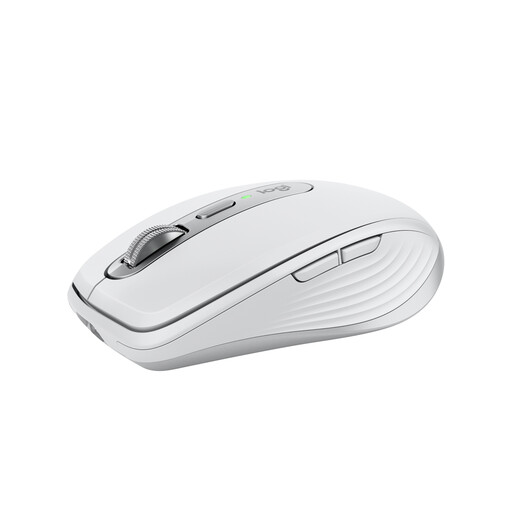
Logitech MX Anywhere 3S, Pale Grey
If you’re looking for a compact mouse to use with different compatible computers, this model could be worth considering. Check whether Bluetooth or a separately purchased receiver suits your set-up.
Bluetooth; 8K DPI sensor; MagSpeed scrolling; Quiet Clicks. According to Logitech, a Logi Bolt receiver isn’t included with the standard version.
View on Joybuy
 No image available
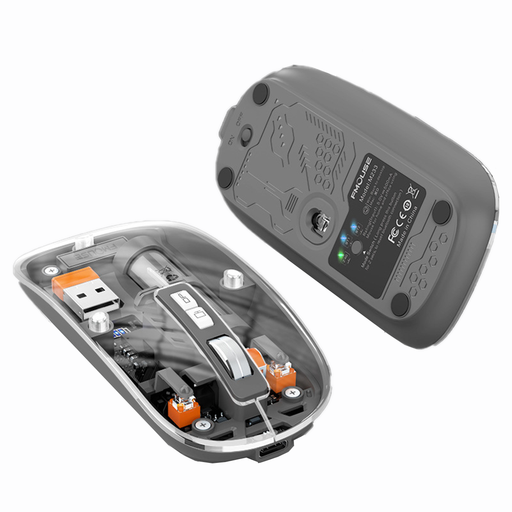
KINSI M233 Wireless Bluetooth Mouse
If you’re looking for a quiet, rechargeable mouse for a laptop or tablet, this model could be worth considering. Before buying, check which of its listed modes will work with your devices.
The product name lists three modes, a 1600 DPI sensor, rechargeable operation and RGB lighting.
View on Joybuy
 No image available
HOFOTEK M308 2.4G Silent Office Mouse
If a quiet mouse with adjustable pointer speed is important to you, the M308 could be suitable for working with maps.
The product name lists a 2.4 GHz connection and several adjustable DPI settings.
View on Joybuy
 No image available
HOFOTEK M311 2.4G+BT Silent Office Mouse
If you’re looking for a quiet mouse with several connection options, the M311 could work well with shared computers. Check that it’s compatible with your devices.
The product name lists 2.4 GHz and Bluetooth, several adjustable DPI settings and a 1xAA battery.
View on Joybuy
 No image available
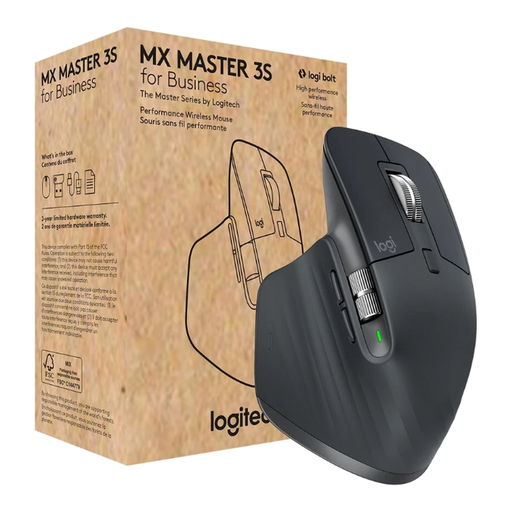
Logitech MX Master 3S for Business
If you’re looking for a mouse with several connection options and scrolling functions, this model could suit you. Bear in mind that the product information specifies it’s designed for right-handed users.
The product name lists an 8000 DPI sensor, Bluetooth, Logi Bolt USB, MagSpeed scrolling and Quiet Clicks.
View on Joybuy
Frequently asked questions
What should I adjust on my mouse when planning a cycling route for the first time?
Try selecting a point on the map, then move a route line. Adjust the pointer speed so you can select small targets with control, and check the available scrolling modes in your mapping app rather than treating a high maximum DPI as proof of quality.
How do I set up a wireless mouse with a computer I use occasionally?
First, check whether the computer supports Bluetooth or has a port for the USB receiver you plan to use. For the standard version of the MX Anywhere 3S, Logitech lists Bluetooth and notes that a compatible Logi Bolt receiver isn’t included. A wired mouse such as the M110 Silent, on the other hand, needs a compatible USB port.
What should I know about cleaning and batteries or rechargeable batteries?
According to the manufacturer, the ball on the Kensington TB550 can be removed for cleaning. The wired M110 Silent doesn’t need a battery; for wireless models, also check whether any required receiver is included.
What are my rights if a product develops a fault after I buy it?
Goods bought from a trader in the EU are generally covered by a statutory legal guarantee of at least two years from the date you receive them. If a product is faulty, you can make a claim against the seller. This is separate from any additional manufacturer’s guarantee, as explained by Your Europe.


