Route planners with very little mouse space
You plan routes at a narrow desk and need to fit your mouse between the keyboard and other items. The key question is whether you can control the cursor without moving the device.


If there’s barely any room to move your mouse beside the keyboard, a stationary trackball is a natural place to start, as you don’t need to move its body to control the cursor. A compact mouse is a better fit if you have a little space to spare and want to keep using a familiar mouse grip. A vertical mouse is worth considering if its shape suits your hand and there’s enough room for movement and arm support. Try it in your mapping app rather than assuming a high DPI figure alone will make it easier to place route points.
You plan routes at a narrow desk and need to fit your mouse between the keyboard and other items. The key question is whether you can control the cursor without moving the device.
You often place and adjust route points, scroll through map views and want to keep the familiar feel of a small mouse.
You plan for longer periods and want to check the shape and arm support before switching to a differently shaped mouse.
| Criteria | What to check before buying | Who is it important for? |
|---|---|---|
| Space to move | Measure the clear space beside your keyboard and check whether there’s room for your hand and, if needed, an arm support too. | If there’s barely enough room to move a mouse, controlling the cursor without moving the device is especially important. Around 36% of consumers prioritise the space it takes up. |
| Map control and scrolling | Test pointer speed, placing and adjusting points, and scrolling in your mapping app. | If you want to place route points precisely and navigate map views comfortably, how the mouse works in your software matters. Around 29% of consumers put map control first. |
| Hand fit and arm support | Consider grip, whether the mouse suits your dominant hand, button reach and arm support together. The BAuA recommends leaving enough room to position the mouse and keyboard flexibly, and to support your hand and arm. | If you want your hand to rest comfortably and reach the controls easily during longer planning sessions, fit is crucial. Around 21% of consumers prioritise it over other criteria. |
| Connectivity and accessories | Check Bluetooth support, receiver type and what’s included with the exact variant against the ports on your computer. | If you need a particular connection or want to minimise battery and charging hassle, check connectivity and power requirements in advance. Around 14% of consumers put this first. |
Even a small, conventional mouse needs to move across the desk. A trackball, by contrast, stays in place while you control the cursor.
Don’t just compare the size of the mouse itself; factor in the space needed to move it and support your arm.
Sensor-resolution figures don’t tell you how accurately you’ll work in a particular mapping app.
Adjust the pointer speed and try placing and adjusting points in the software you use.
According to Logitech, the compatible Logi Bolt receiver is not included with the standard Logitech MX Anywhere 3S. Ports and power requirements vary by model.
Check what’s included with the exact variant and the ports on your computer.
You may need to buy a compatible receiver separately. If you choose a battery-powered mouse, remember to factor in replacement batteries too.
For small workspaces, the stationary ERGO M575S, compact MX Anywhere 3S and vertical Lift offer different options.
The Orbit Wireless with scroll ring is a stationary trackball option for small workspaces, designed for both left- and right-handed users.
The MW 8C ADVANCED is a compact wireless mouse for anyone who prefers conventional mouse control to a trackball.
The TM-270 is a vertical wireless mouse for buyers who want to try a differently shaped hand rest.
This selection of Joybuy products includes vertical and compact wireless mice. Consider how each one fits your hand, how much room you have to move it and whether you can set a comfortable pointer speed.
 No image available
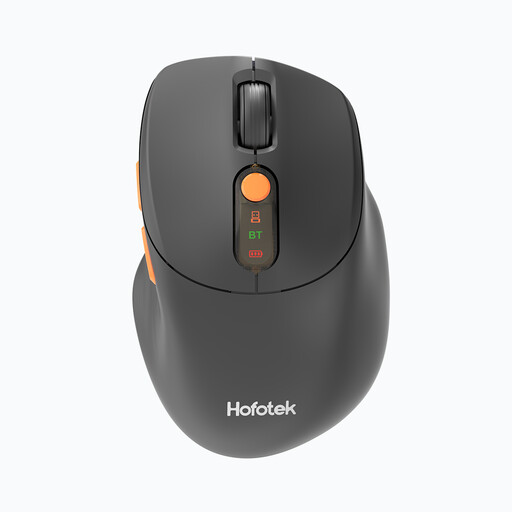
An option to consider if you want to try a vertical shape and adjustable pointer speed.
2.4 GHz wireless connectivity, USB-C rechargeable battery and 6 buttons; the listed DPI range is 800–1600.
 No image available
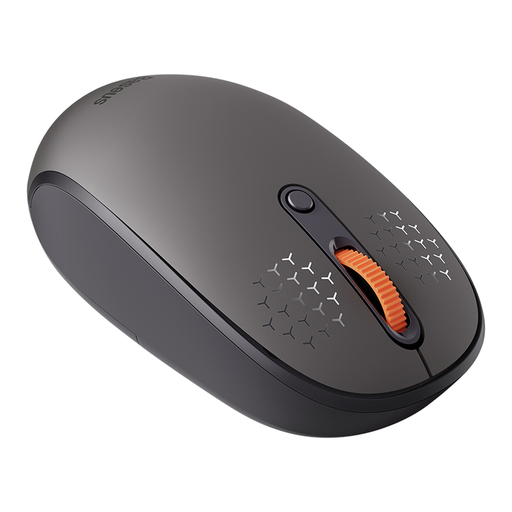
A wireless mouse for working with maps if you want conventional mouse control and adjustable pointer speed.
The product title mentions an AA battery; the model is listed with five DPI settings from 800 to 4000.
 No image available
A traditional mouse that moves across the desk, for when you have some space to spare and want to adjust pointer speed and scrolling in your mapping app.
Described as a tri-mode mouse; the product description mentions a scroll wheel and adjustable DPI settings.
 No image available
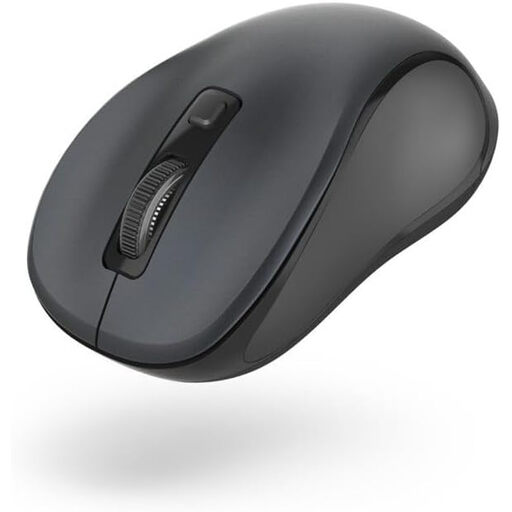
A mouse described as compact, for working with maps if you prefer conventional mouse control and adjustable pointer speed.
Bluetooth connectivity; three DPI settings are listed. The title specifies the black version.
 No image available
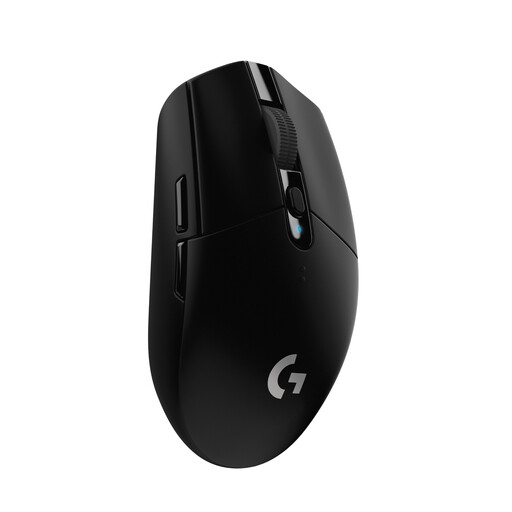
A wireless alternative if you prefer conventional mouse control and have enough room to move it.
The product title lists a HERO sensor with 12,000 DPI, 6 programmable buttons and a 250-hour battery life.
Try both placing points and moving them afterwards in your mapping app. The Logitech ERGO M575S and Kensington Orbit Wireless use different ball controls; product specifications can’t tell you how long it will take you to get used to either one.
Check the ball and its socket for dirt and follow the care instructions for your specific model. Kensington says dirt and dust can cause the ball to feel stiff or move jerkily.
No. Logitech lists Bluetooth and compatibility with Logi Bolt for the standard MX Anywhere 3S, but notes that the receiver is not included. Check what comes with the specific variant; details for a business version don’t necessarily apply to other versions.
If a product is faulty, your statutory rights against the seller are separate from any voluntary guarantee. According to the consumer advice centre, consumers generally have a 14-day right to cancel contracts made online; check the terms of your specific purchase.
The Bundesnetzagentur explains that CE marking applies to products covered by relevant EU harmonisation rules. It indicates that the manufacturer has assessed conformity; it doesn’t prove that a mouse is right for your hand. Electrical waste should be taken to an authorised collection point, not put in household rubbish. Retailers’ take-back obligations depend, among other things, on the size of the retailer and the quantity of equipment.